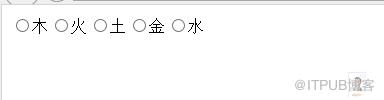
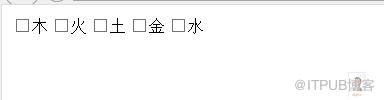
一直想实现onmouseover和onmouseout应用于RadioButtonList或CheckBoxList控件上,今晚终于有时间实现它。此功能就是当鼠标经过时RadioButtonList或CheckBoxList每一个Item时,让Item有特效显示,离开时,恢复原样。可以看到效果:
RadioButtonList效果:
CheckBoxList效果:
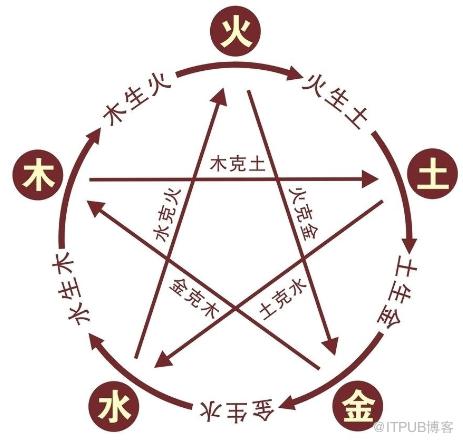
这资实现数据,Insus.NET准备了五行(Five Phases)
创建一个对象[Five Phases]:

 FivePhases.cs
using System;using System.Collections.Generic;using System.Linq;using System.Web;////// Summary description for FivePhases/// public class FivePhases{ private int _ID; private string _Name; public int ID { get { return _ID; } set { _ID = value; } } public string Name { get { return _Name; } set { _Name = value; } } public FivePhases() { // // TODO: Add constructor logic here // } public FivePhases(int id, string name) { this.ID = id; this._Name = name; }}
View Code
private ListGetFivePhases() { List ListFH = new List (); FivePhases fh = new FivePhases(); fh.ID = 1; fh.Name = "木"; ListFH.Add(fh); fh = new FivePhases(); fh.ID = 2; fh.Name = "火"; ListFH.Add(fh); fh = new FivePhases(); fh.ID = 3; fh.Name = "土"; ListFH.Add(fh); fh = new FivePhases(); fh.ID = 4; fh.Name = "金"; ListFH.Add(fh); fh = new FivePhases(); fh.ID = 5; fh.Name = "水"; ListFH.Add(fh); return ListFH; }
此时,你可以拉一个RadioButtonList或是CheckBoxList控件至网页中,此例以RadioButtonList控件为例。
View Code
然后在cs绑定数据:
View Code
using System.Data.OleDb;using System.Linq;using System.Web;using System.Web.UI;using System.Web.UI.WebControls;using Insus.NET;public partial class _Default : System.Web.UI.Page{ protected void Page_Load(object sender, EventArgs e) { if (!IsPostBack) Data_Binding(); } private void Data_Binding() { this.RadioButtonListFivePhases.DataSource = GetFivePhases(); this.RadioButtonListFivePhases.DataTextField = "Name"; this.RadioButtonListFivePhases.DataValueField = "ID"; this.RadioButtonListFivePhases.DataBind(); } }
还得准备鼠标的over与out样式:
View Code
在Javascript中实现每个Item有onmouseover和onmouseout事件,因此还得写Javascript脚本,放于
View Code
来自 “ ITPUB博客 ” ,链接:https://blog.itpub.net/756/viewspace-2812630/ ,如需转载,请注明出处,否则将追究法律责任。

请登录后发表评论
登录
全部评论
