【每周一库】 rust-ftp - an FTP client written in Rust
rust-ftp docs: https://docs.rs/ftp/3.0.1/ftp/ rust-ftp github: https://github.com/mattnenterprise/rust-ftp
Windows 10 rustc --version: rustc 1.46.0-nightly (6bb3dbfc6 2020-06-22)cargo --version: cargo 1.46.0-nightly (089cbb80b 2020-06-15)rust-ftp version: 3.0.1
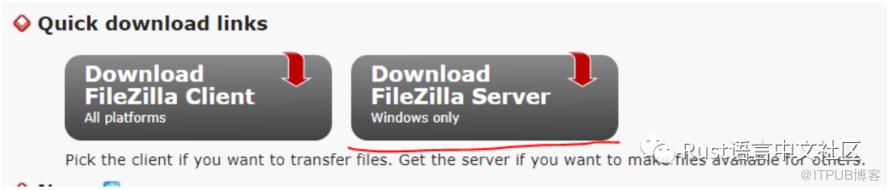
通过FileZilla Server来体验rust-ftp的功能
配置FileZilla Server的User
admin,密码设置为admin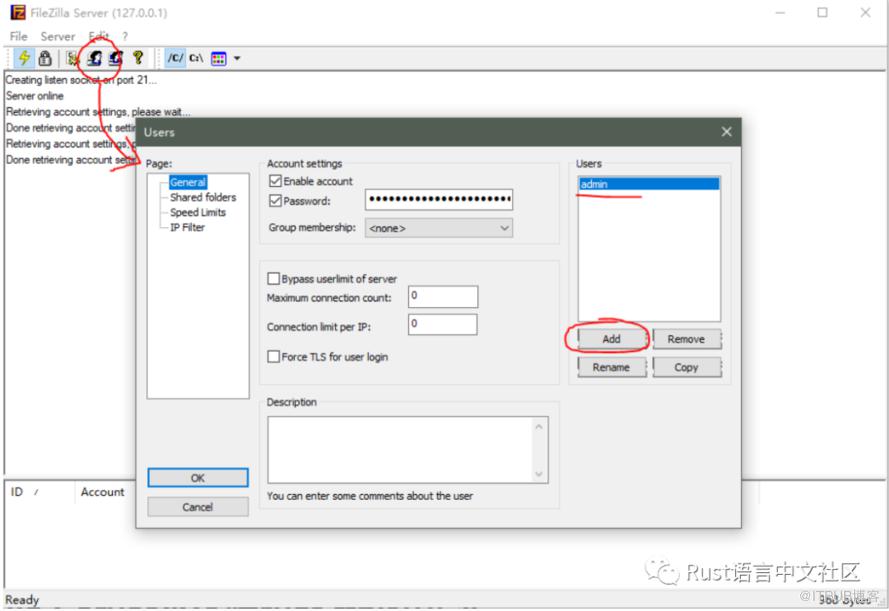
配置FileZilla Server的共享文件夹
D:\Temp\ftpShare目录,配置完成之后如下图,需要注意添加刚才创建的admin用户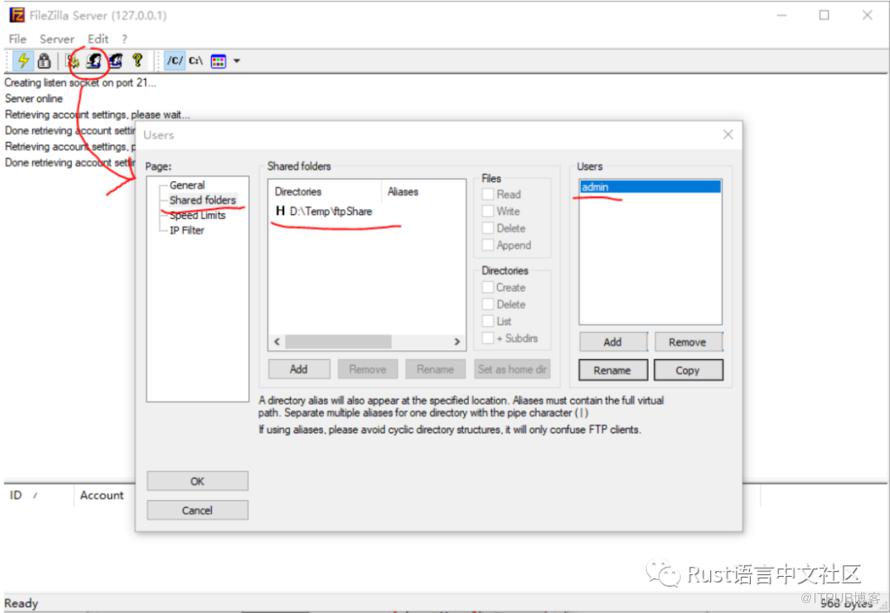
使用rust-ftp和FileZilla Server搭建的本地ftp服务器进行文件读取和上传
D:\Temp\ftpShare目录cargo new hello-rustftp
Cargo.toml文件中添加引用[dependencies]
ftp = { version="3.0.1"}
src/main.rs文件内容如下extern crate ftp;
use std::str;
use std::io::Cursor;
use ftp::FtpStream;
fn main() {
println!("Hello rust-ftp!");
// Create a connection to an FTP server and authenticate to it.
let mut ftp_stream = FtpStream::connect("127.0.0.1:21").unwrap();
let _ = ftp_stream.login("admin", "admin").unwrap();
// Get the current directory that the client will be reading from and writing to.
println!("Current directory: {}", ftp_stream.pwd().unwrap());
// Change into a new directory, relative to the one we are currently in.
let _ = ftp_stream.cwd("test_data").unwrap();
// Retrieve (GET) a file from the FTP server in the current working directory.
let remote_file = ftp_stream.simple_retr("rust.txt").unwrap();
println!("Read file with contents\n{}\n", str::from_utf8(&remote_file.into_inner()).unwrap());
// Store (PUT) a file from the client to the current working directory of the server.
let mut reader = Cursor::new("Hello from the Rust \"ftp\" crate!".as_bytes());
let _ = ftp_stream.put("hello-rustftp.txt", &mut reader);
println!("Successfully upload hello-rustftp.txt");
// Terminate the connection to the server.
let _ = ftp_stream.quit();
}
使用用户名 admin,密码admin(刚才在FileZella Server中配置的User身份)连接本地ftp服务器切换到本地ftp服务器目录的 test_data目录读取其中名为rust.txt文件内容向ftp服务器目录的 test_data目录写入一个名为hello-rustftp.txt文件,文件内容为Hello from the Rust "ftp" crate!
test_data并读取其中的rust.txt文件,那么我们首先要在我们的ftp服务器中创建名为test_data的目录和rust.txt文件rust.txt文件中写入内容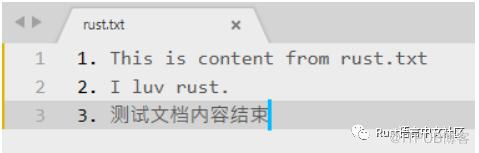
D:\Temp\ftpShare文件夹)的目录结构为: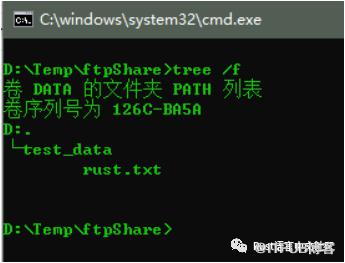
cargo build编译工程,使用命令cargo run运行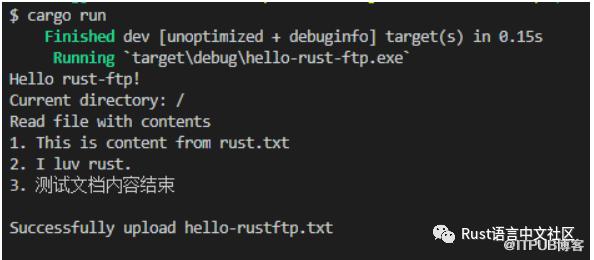
D:\Temp\ftpShare\test_data\中会出现我们新上传的hello-rustftp.txt文件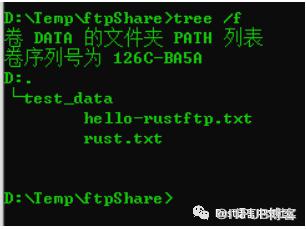
原文作者:Rust语言中文社区;如有侵权,请联系管理员删除。

请登录后发表评论
登录
全部评论
