【Rust 日报】2022-01-30 给Rust新人的五个Tips
Weylus:移动设备作为输入板/触屏
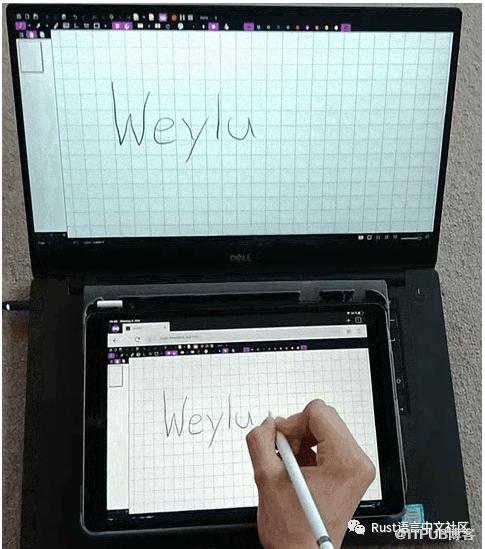
使用平板电脑控制鼠标 将屏幕镜像到平板电脑 使用物理键盘发送键盘输入 硬件加速视频编码
支持手写笔 / 笔(支持压力和倾斜) 多点触控:尝试使用支持多点触控的软件,如 Krita 捕获特定窗口并仅绘制到它们 更快的屏幕镜像 平板电脑作为第二个屏幕
给Rust新人的五个Tips
cargo clippyOption代替空值返回使用 impl创建更灵活的 API 参数使用 Debug, Default等通用 Traitscargo check检查是否按约定命名
mwbot-rs:快速构建WikiBot
fundsp:音频DSP库
游戏和应用程序的音频处理和合成 教育 音乐制作 声音 hacker 和音频 golfing DSP 算法原型
cargo-msrv:为项目查找支持的最低 Rust 版本
cargo msrv或cargo msrv --linear在当前工作目录中查找 Cargo 项目的 MSRVcargo msrv --path <dir>在<dir>目录中查找 Cargo 项目的 MSRVcargo msrv -- <command>使用<command>作为兼容性检查cargo msrv --verify验证由 crate 作者指定的 MSRVcargo msrv list列出作者指定的依赖项的 MSRVcargo msrv show显示当前指定的 MSRV
uwuifyy命令行工具
默认允许重复结果 不包括 URL 和 Email 处理本地可用的文件 完全可定制的修饰符
文章推荐
Type-Driven Development:https://duesee.dev/p/type-driven-development/ Rust 并发和并行:https://swatinem.de/blog/futures-n-tasks/
From 日报小组 长琴
Rustcc 论坛:支持 rss 微信公众号:Rust 语言中文社区
原文作者:Rust语言中文社区;如有侵权,请联系管理员删除。

请登录后发表评论
登录
全部评论
