
想在本地debug EventhubTrigger类型的Azure Function代码,结果用VS Code debug功能之后,就报错:
Missing value for AzureWebJobsStorage in local.settings.json. This is required for all triggers other than httptrigger, kafkatrigger, rabbitmqtrigger, orchestrationTrigger, activityTrigger, entityTrigger. You can run 'func azure functionapp fetch-app-settings <functionAppName>', specify a connection string in local.settings.json, or use managed identity to authenticate.func

这个很好解决,只需要添加下面一句:
"AzureWebJobsStorage": "UseDevelopmentStorage=true",到 local.settings.json 这个文件里就可以了,这个文件是在debug的时候自动产生的,因为我clone的现成的Azure Function code,不是用VS Code创建的Azure Function,如果用VS Code创建的,在创建过程中会让你选择是否使用本地debug,然后会自动给你创建。
完整的local.settings.json文件内容如下:
{"IsEncrypted": false,"Values": {"AzureWebJobsStorage": "UseDevelopmentStorage=true","FUNCTIONS_WORKER_RUNTIME": "dotnet","eventhub-name": "youreventhubname","eventhub-connection-string": "youreventhubconnectionstring","eventhub-consumer-group": "youreventhubconsumergroupname"}}
但是即使我按照要求在local.settings.json文件里添加了AzureWebJobsStorage参数,保存了文件,但是VS Code依然报错:
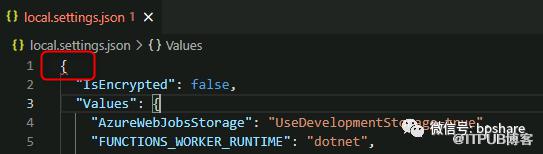
还以为双引号,冒号,逗号写错了呢,通通检查了一遍,还是不行。那就重启VS Code,还真是,不再报错了,看来VS Code还是不够智能啊!不能够动态监测文件配置更新。
所以,这个local.settings.json文件里内容更新了,最好重启一下VS Code,否则可能更改不生效。接下来你就可以愉快的做本地debug了。
原文作者:BPShare;如有侵权,请联系管理员删除。

