前言
在上一章节中,一一哥带大家认识了Spring Security中的第一种认证方式,但是这种基本认证的方式,UI效果不漂亮,安全性也很差,好像一无是处的样子,那么有没有更好一点的认证方式呢?有的!接下来我给大家介绍一个新的认证方式,即Form表单认证。
一. Form表单认证
1. 认证方式
我们从前文中得知,Spring Security中的认证方式可以分为HTTP层面和表单层面,常见的认证方式如下:
①. HTTP基本认证;
②. Form表单认证;
③. HTTP摘要认证;
2. 表单认证简介
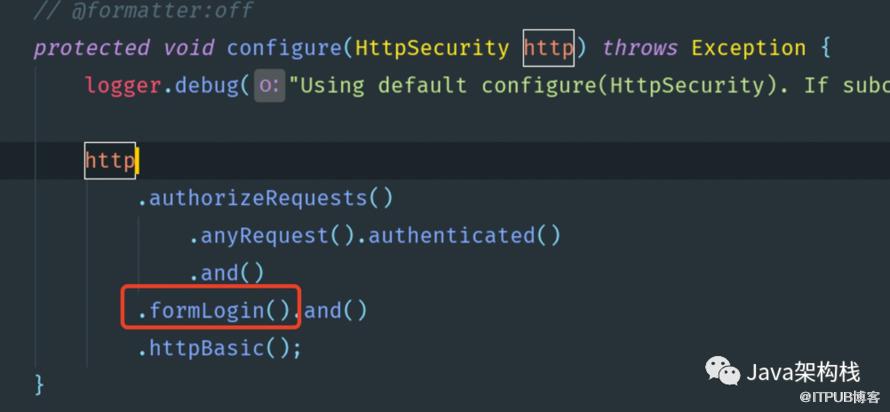
对于表单认证,其实在SpringBoot开发环境中,只要我们添加了Spring Security的依赖包,就会自动实现表单认证。是这样的吗? 我们来看看源码吧,在WebSecurityConfigurerAdapter类的config(HttpSecurity http)方法中,可以看到如下默认实现。
3. 表单认证效果

4. 表单认证中的预置url和页面
-
/login(get): get请求时会跳转到这个页面,只要我们访问任意一个需要认证的请求时,都会跳转到这个登录界面。 -
/login(post): post请求时会触发这个接口,在登录页面点击登录时,默认的登录页面表单中的action就是关联这个login接口。 -
/login?error: 当用户名或密码错误时,会跳转到该页面。 -
/: 登录成功后,默认跳转到该页面,如果配置了index.html页面,则 ”/“ 会重定向到index.html页面,当然这个页面要由我们自己实现。 /logout: 注销页面。 /login?logout: 注销成功后跳转到的页面。
GET http://localhost:8080/login POST http://localhost:8080/login
对于这几个URL接口,我们简单了解即可。
二. 自定义表单认证配置
接下来 一一哥 带各位创建一个新的model,讲解如何实现自定义表单认证,项目的具体创建过程略,请参考《Spring Security系列教程03--创建SpringSecurity项目》。
1. 创建SecurityConfig配置类
验证所有请求; 允许用户使用表达登录进行身份验证;
允许用户使用Http基本认证。
package com.yyg.security.config;import org.springframework.security.config.annotation.web.builders.HttpSecurity;import org.springframework.security.config.annotation.web.configuration.EnableWebSecurity;import org.springframework.security.config.annotation.web.configuration.WebSecurityConfigurerAdapter;/*** @Author: 一一哥* @Blame: yyg* @Since: Created in 2021/4/14*/public class SecurityConfig extends WebSecurityConfigurerAdapter {protected void configure(HttpSecurity http) throws Exception {//super.configure(http);//配置表单认证方式http.authorizeRequests().anyRequest().authenticated().and()//开启表单认证.formLogin();}}
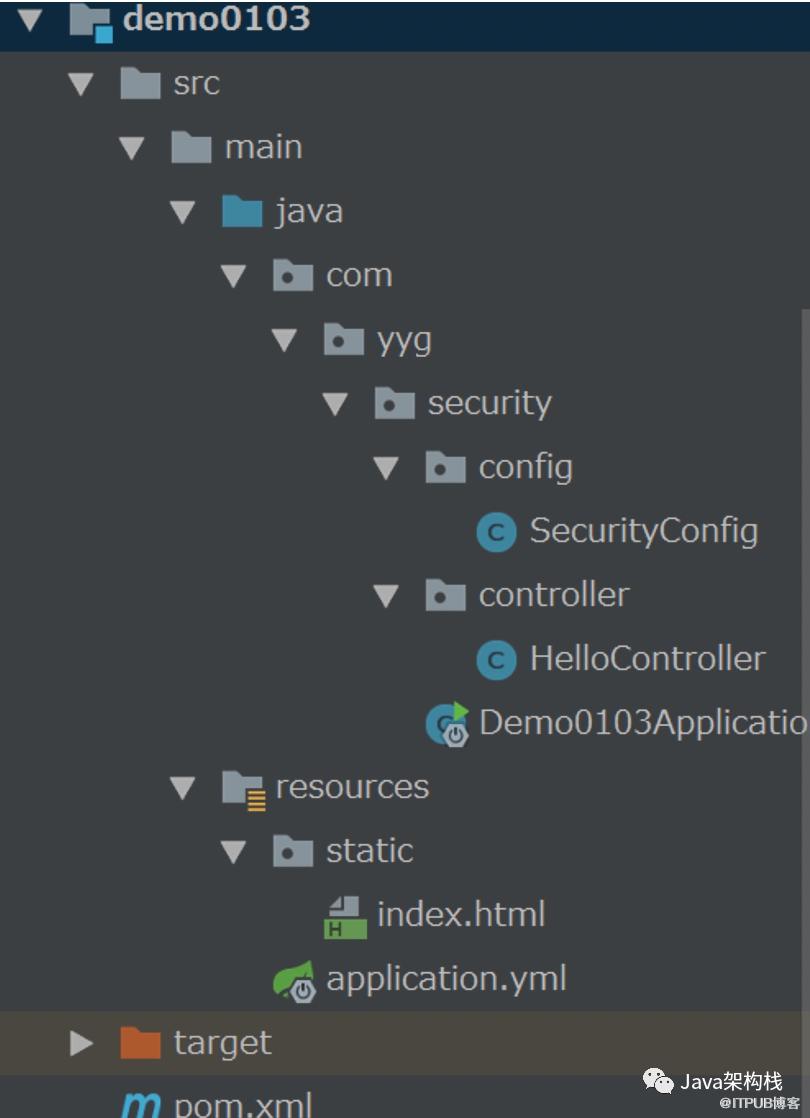
2. 代码结构
3. 启动项目
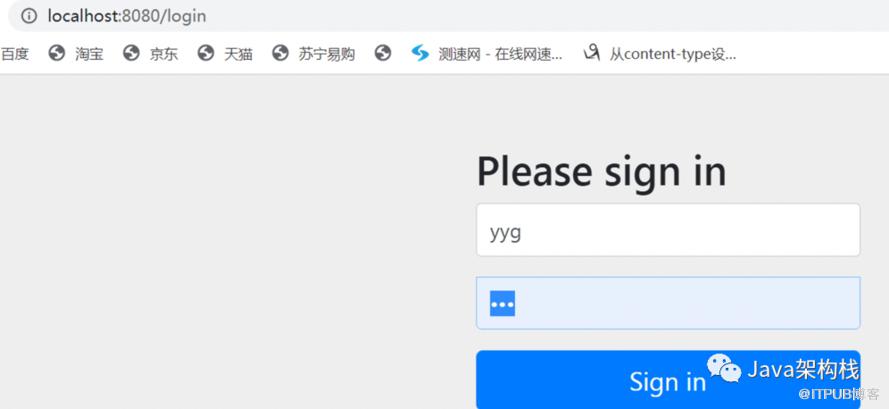

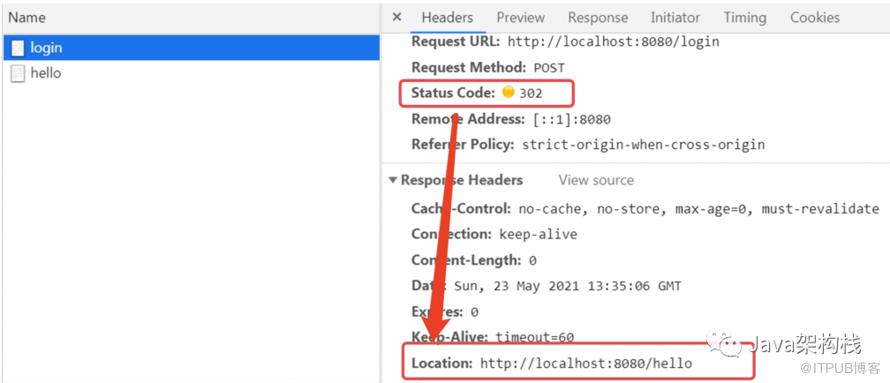
三. 自定义表单认证的登录界面
1. 服务端代码定义
package com.yyg.security.config;import org.springframework.security.config.annotation.web.builders.HttpSecurity;import org.springframework.security.config.annotation.web.builders.WebSecurity;import org.springframework.security.config.annotation.web.configuration.EnableWebSecurity;import org.springframework.security.config.annotation.web.configuration.WebSecurityConfigurerAdapter;/*** @Author: 一一哥* @Blame: yyg* @Since: Created in 2021/4/14*/@EnableWebSecuritypublic class SecurityConfig extends WebSecurityConfigurerAdapter {/*** 用来定义哪些请求需要忽略安全控制,哪些请求必须接受安全控制;还可以在合适的时候清除SecurityContext以避免内存泄漏,* 同时也可以用来定义请求防火墙和请求拒绝处理器,另外我们开启Spring Security Debug模式也是这里配置的*/@Overridepublic void configure(WebSecurity web) throws Exception {//super.configure(web);web.ignoring().antMatchers("/js/**", "/css/**", "/images/**");}@Overrideprotected void configure(HttpSecurity http) throws Exception {//super.configure(http);//2.配置自定义的登录页面http.authorizeRequests().anyRequest().authenticated().and().formLogin()//加载自定义的登录页面地址.loginPage("/myLogin.html").permitAll().and()//注意:需禁用crsf防护功能,否则登录不成功.csrf().disable();}}
你会发现实现自定义表单认证的代码很简单,但是Spring Security内部是如何加载我们自定义的登录页面的呢?有哪些类或方法来负责完成呢?如果想要弄明白这个原理,我们需要先了解2个核心参数:WebSecurity和HttpSecurity,接下来我带各位分别了解一下这2个核心参数。
1.1 WebSecurity执行流程
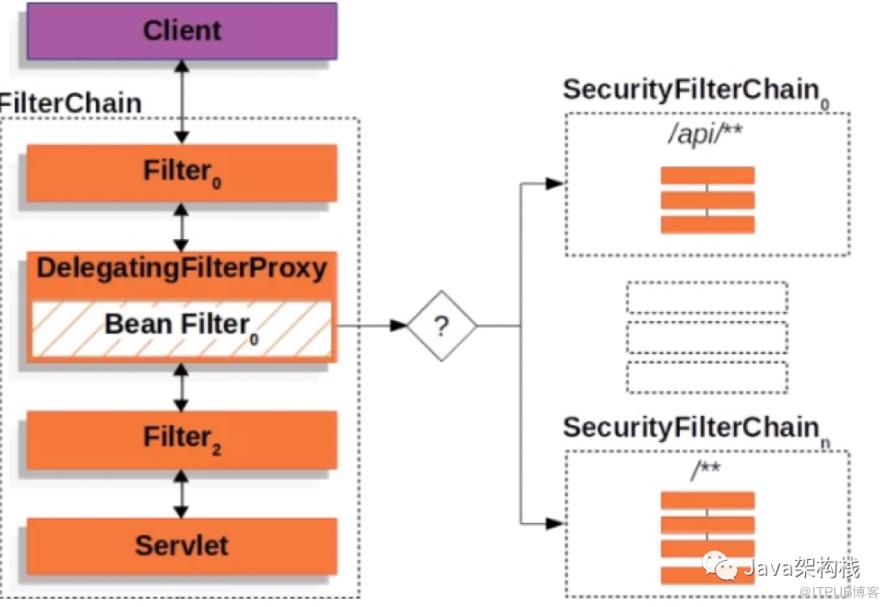
这是我们请求时,WebSecurity的执行流程图。
在configure(WebSecurity web)方法中,有个核心参数:WebSecurity类!在这个类里定义了一个securityFilterChainBuilders集合,可以同时管理多个SecurityFilterChain过滤器链,各位可以回顾我们学习Web基础时,关于过滤器的知识点,这些过滤器的执行是不是比Servlet更早?
当WebSecurity在执行时,会构建出一个名为 ”springSecurityFilterChain“ 的 Spring BeanFilterChainProxy代理类,它的作用是来 定义哪些请求可以忽略安全控制,哪些请求必须接受安全控制;以及在合适的时候 清除SecurityContext 以避免内存泄漏,同时也可以用来 定义请求防火墙和请求拒绝处理器,也可以在这里 开启Spring Security 的Debug模式。
因为有上面这一系列的Filter过滤器,我们就可以利用web.ignoring() 方法来配置想要忽略的静态资源 URL 地址,这样这些静态资源就可以不被拦截,从而可以被识别访问了。
1.2 HttpSecurity作用
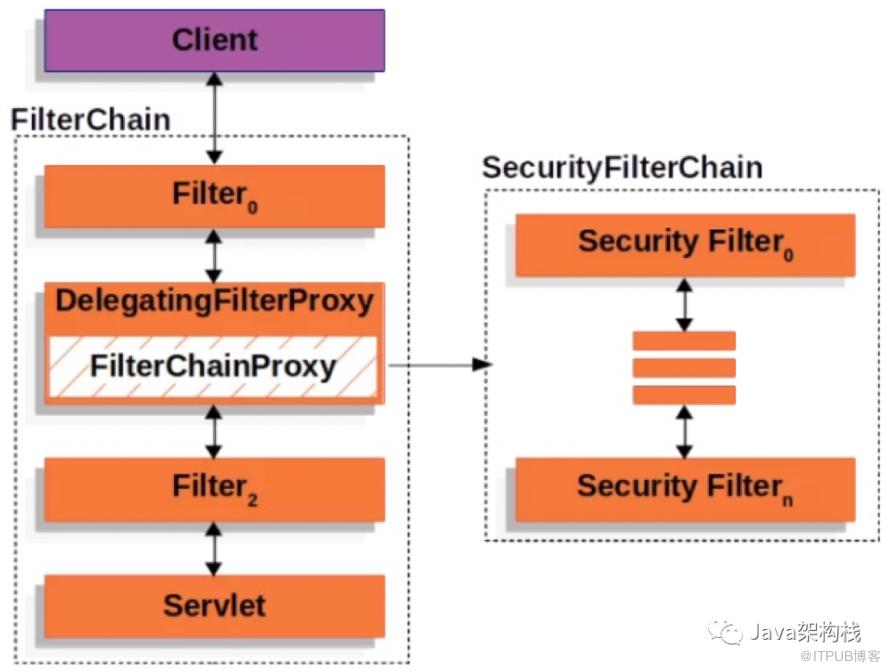
2. 页面定义
<body><div class="login"><h2>Access Form</h2><div class="login-top"><h1>登录验证</h1><form action="/myLogin.html" method="post"><input type="text" name="username" placeholder="username" /><input type="password" name="password" placeholder="password" /><div class="forgot"><a href="#">忘记密码</a><input type="submit" value="登录" ></div></form></div><div class="login-bottom"><h3>新用户 <a href="#">注 册</a></h3></div></div></body>
注意:
3. 代码结构
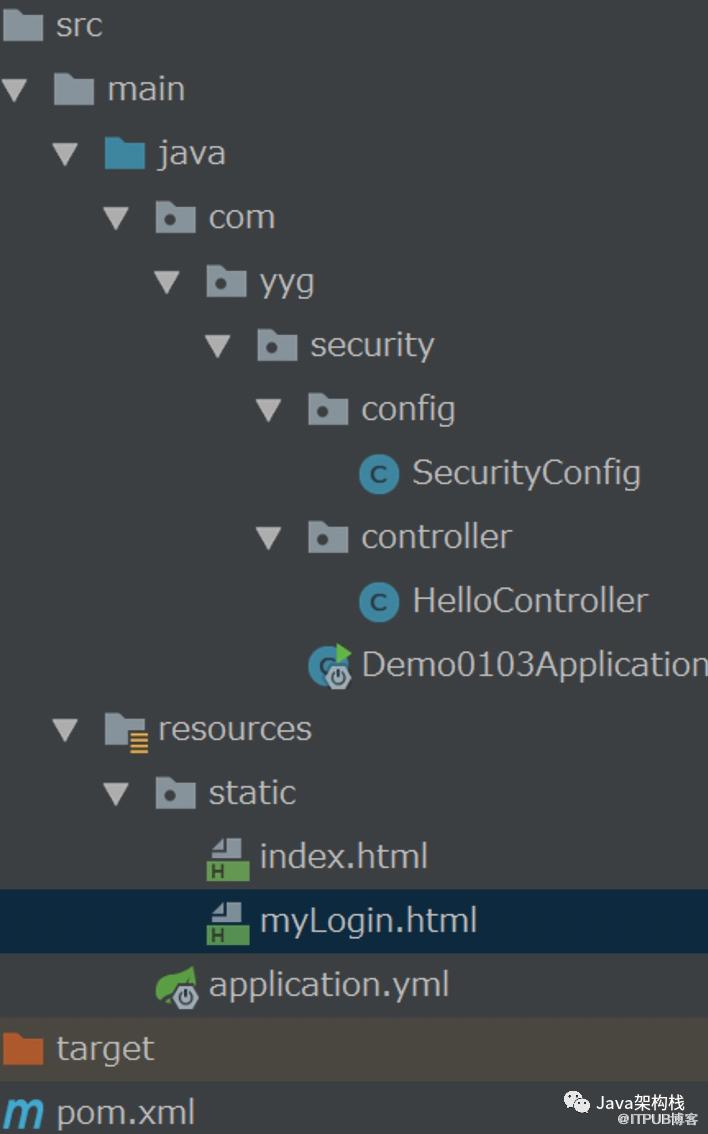
4. 启动项目
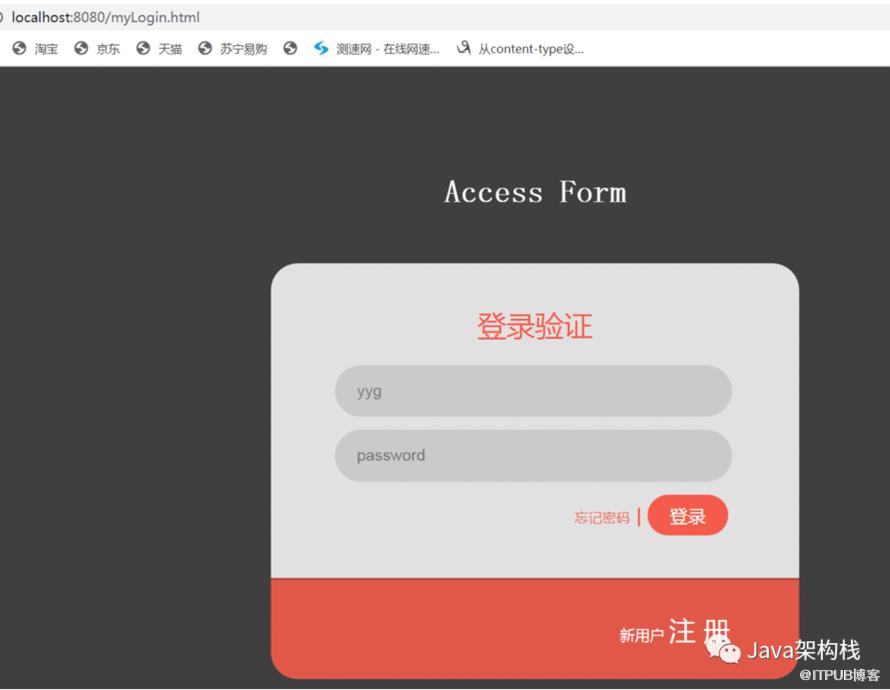
四. 细化表单认证配置
比如我们现在想修改表单认证页面中请求参数的名称,定义认证失败时的错误处理页面,处理退出登录时的操作等,这些都可以自定义配置,实现代码如下。
1. 定义SecurityConfig类
package com.yyg.security.config;import org.springframework.security.config.annotation.web.builders.HttpSecurity;import org.springframework.security.config.annotation.web.builders.WebSecurity;import org.springframework.security.config.annotation.web.configuration.EnableWebSecurity;import org.springframework.security.config.annotation.web.configuration.WebSecurityConfigurerAdapter;/*** @Author: 一一哥* @Blame: yyg* @Since: Created in 2021/4/14*/@EnableWebSecuritypublic class SecurityConfig extends WebSecurityConfigurerAdapter {/*** 用来定义哪些请求需要忽略安全控制,哪些请求必须接受安全控制;还可以在合适的时候清除SecurityContext以避免内存泄漏,* 同时也可以用来定义请求防火墙和请求拒绝处理器,另外我们开启Spring Security Debug模式也是这里配置的*/@Overridepublic void configure(WebSecurity web) throws Exception {//super.configure(web);web.ignoring().antMatchers("/js/**", "/css/**", "/images/**");}@Overrideprotected void configure(HttpSecurity http) throws Exception {//super.configure(http);//3.进一步配置自定义的登录页面//拦截请求,创建FilterSecurityInterceptorhttp.authorizeRequests().anyRequest().authenticated()//用and来表示配置过滤器结束,以便进行下一个过滤器的创建和配置.and()//设置表单登录,创建UsernamePasswordAuthenticationFilter.formLogin().loginPage("/myLogin.html").permitAll()//指登录成功后,是否始终跳转到登录成功url。它默认为false.defaultSuccessUrl("/index.html",true)//post登录接口,登录验证由系统实现.loginProcessingUrl("/login")//用户密码错误跳转接口.failureUrl("/error.html")//要认证的用户参数名,默认username.usernameParameter("username")//要认证的密码参数名,默认password.passwordParameter("password").and()//配置注销.logout()//注销接口.logoutUrl("/logout")//注销成功后跳转到的接口.logoutSuccessUrl("/myLogin.html").permitAll()//删除自定义的cookie.deleteCookies("myCookie").and()//注意:需禁用crsf防护功能,否则登录不成功.csrf().disable();}}
2. 自定义登录页面
<body><div class="login"><h2>Access Form</h2><div class="login-top"><h1>登录验证</h1><form action="/login" method="post"><input type="text" name="username" placeholder="username" /><input type="password" name="password" placeholder="password" /><div class="forgot"><a href="#">忘记密码</a><input type="submit" value="登录" ></div></form></div><div class="login-bottom"><h3>新用户 <a href="#">注 册</a></h3></div></div></body>
注意:
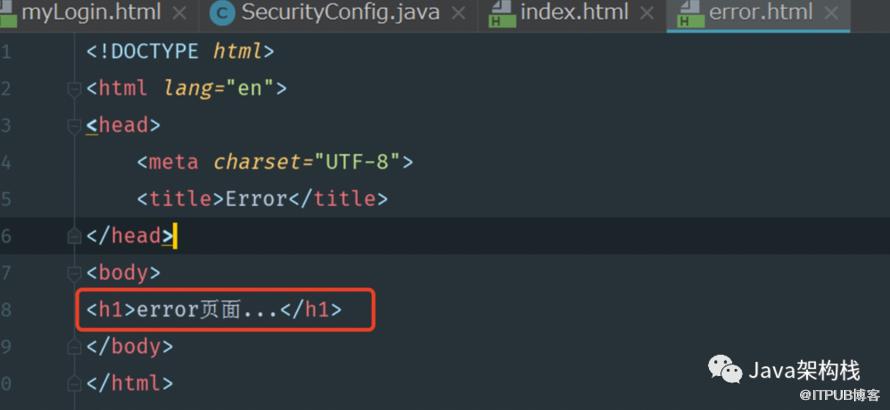
3. 定义错误处理页面
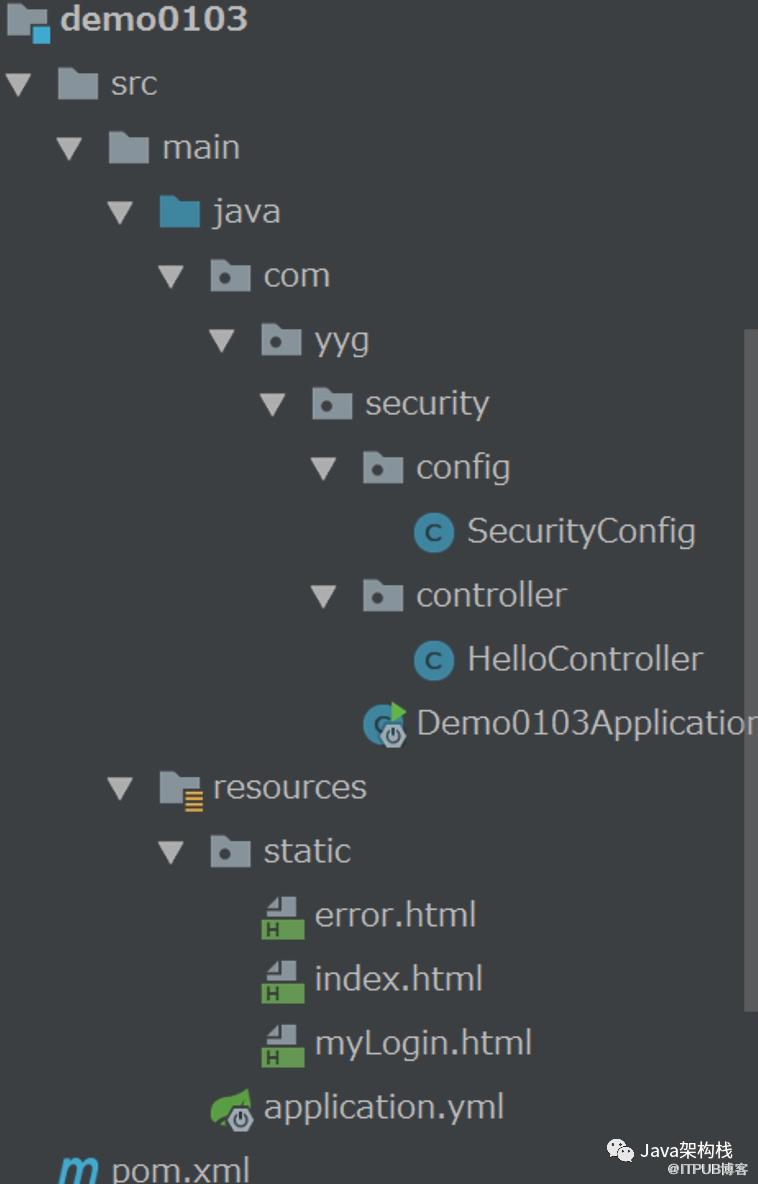
4. 代码结构
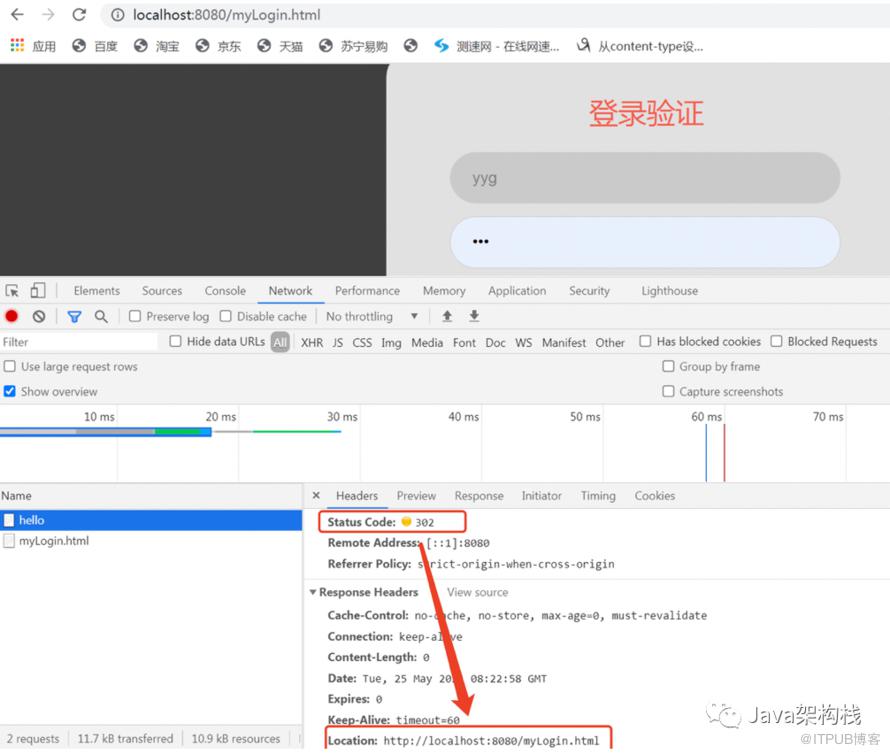
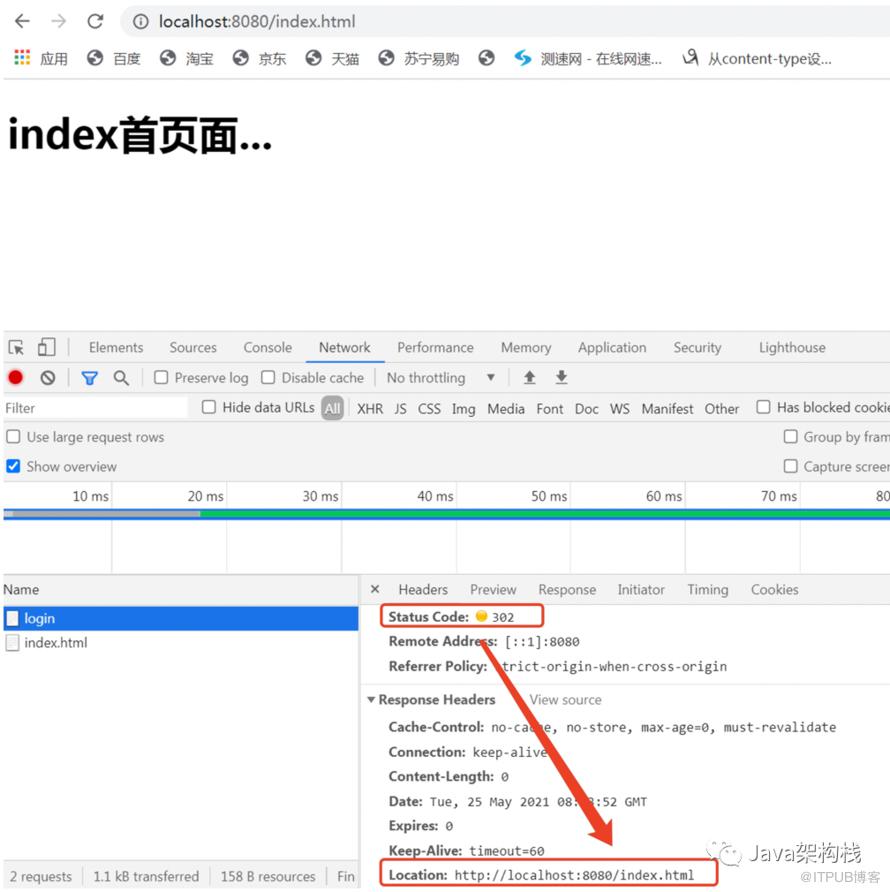
4. 启动项目测试
4.1 重定向到/myLogin.html
4.2 重定向到/index.html
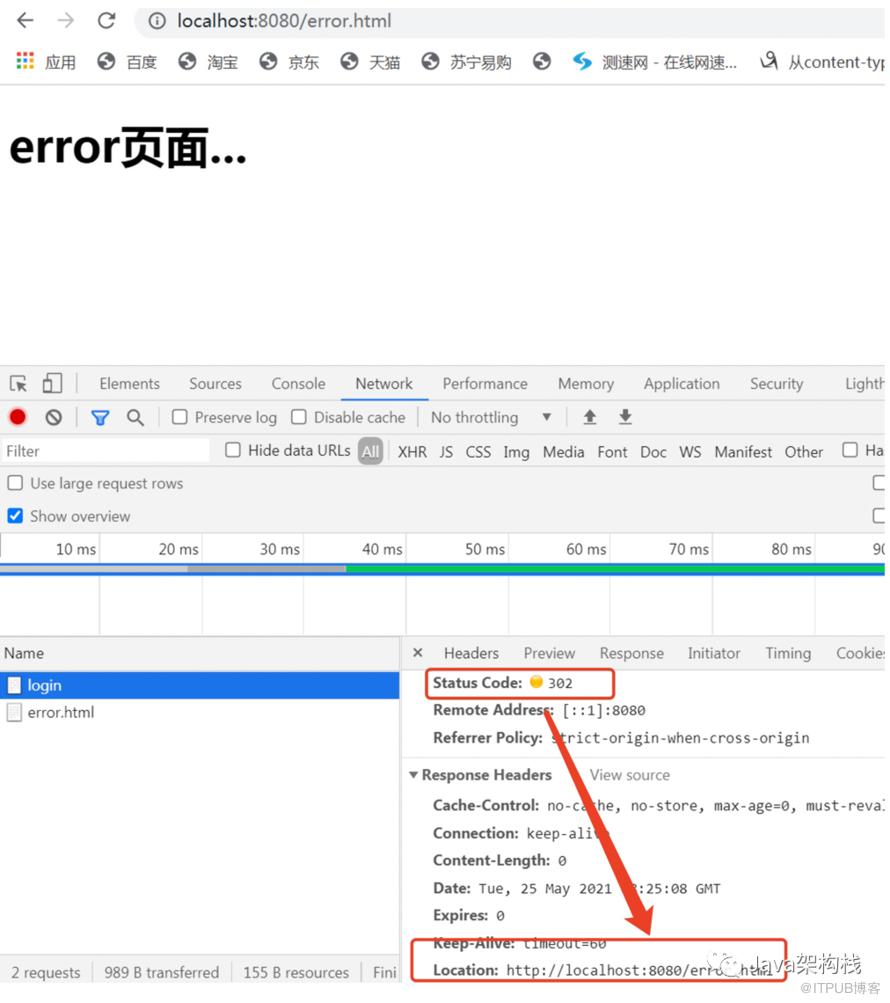
4.3 重定向到/error.html
往期精彩
Spring Security系列教程之实现HTTP基本认证
文末福利
留言评论,说说学习过程中有什么问题!
获赞最多的同学获得水杯一个!

关注公众号,获取更多学习干货
点击【阅读全文】,从零学Java

原文作者:Java架构栈;如有侵权,请联系管理员删除。

