外国CTO也感兴趣的开源数据库项目——openHalo
一、openHalo
大概三个礼拜前,也就是四月一(愚人节)的时候,我们将羲和(Halo)数据库关于MySQL兼容能力这一块,独立做成了一个项目,并且在github上开源了出去。
github项目地址: https://github.com/HaloTech-Co-Ltd/openHalo (事实上,也可以在gitee、gitcode上找到此项目)
在我老乡(德哥)的激情预热下,以及愚人节这个特殊时间节点上,尽管早期存在一些不是非常友好的评论,但是随着openHalo的正式开源,在所见即所得的影响之下,可以说算是渐渐烟消云散了。
从代码刚推送至开源仓库,到第一位大佬拉取源码编译安装,亲自上手体验,不过花费了短短数十分钟。
再到后面迎来了国内多位pg数据库大佬的测试体验,以及在PG国际社区的发布新闻,openHalo迎来了一波属于它的高光时刻。

在这短时间之内,openHalo的star数也猛猛上涨至150+。

从star的列表中,我们可以看到既有国内的数据库爱好者,也存在着一定比例的国外数据库发烧友。而在这些爱好者之中,或者说是对openHalo感兴趣的,不乏有着CTO这种存在 。

还有不少github"全勤"的满屏绿色大佬(恐怖如斯)。

这里再额外瞎扯一下,在这部分国外程序员之中,大毛家的额外多,难道大毛被Oracle停止所有业务之后,也想把MySQL替换掉?
更多关于openHalo的信息可以看一下少安哥写的文章: openHalo问世,全球第一款基于PostgreSQL兼容MySQL协议的国产开源数据库 (主要是少安哥写的更好,我也就不需要重复赘述了)
二、MySQL8.0和openHalo运行演示
接下来就是我看到有一个问题就是有些朋友认为openHalo对标的是MySQL5.7。
但是其实并不是这样子的, 不可否认的是MySQL5.7确实非常热门的版本,尽管它已经进入了EOL阶段,但是仍然存在着大量的受众。
而前几天刚好MySQL发布了9.3版本。虽说这二者版本跨度确实有些大,但是通常而言,对于通信协议一般不会发生太大的变动,
所以理论上而言,应该是可以使用9.3的MySQL客户端直连openHalo进行相关查询。
而我手头上并没有安装最新的MySQL,但是有一个 8.0的全新环境,不过也正好可以用来演示了。
接下来我将按照如下的流程进行相关操作,验证使用8.0的MySQL客户端是否能直接对openHalo进行正常通信。

来看一下MySQL的运行结果:

[root@halo-centos8 ~]# # 1、查看3306端口状态
[root@halo-centos8 ~]# netstat -tuln|grep 3306
[root@halo-centos8 ~]# # 2、启动mysql服务
[root@halo-centos8 ~]# systemctl start mysqld
[root@halo-centos8 ~]# # 3、查看mysql客户端工具版本
[root@halo-centos8 ~]# mysql --version
mysql  Ver 8.0.26 for Linux on x86_64 (Source distribution)

[root@halo-centos8 ~]# # 4、连接mysql
[root@halo-centos8 ~]# mysql -u root -p -h 127.0.0.1
Enter password:
Welcome to the MySQL monitor.  Commands end with ; or \g.
Your MySQL connection id is 8
Server version: 8.0.26 Source distribution
Copyright (c) 2000, 2021, Oracle and/or its affiliates.
Oracle is a registered trademark of Oracle Corporation and/or its
affiliates. Other names may be trademarks of their respective
owners.
Type 'help;' or '\h' for help. Type '\c' to clear the current input statement.
mysql> -- 5、查看mysql版本
mysql> select version();
+-----------+
| version() |
+-----------+
| 8.0.26    |
+-----------+
1 row in set (0.00 sec)
mysql> -- 6、创建test数据库
mysql> create database test;
Query OK, 1 row affected (0.00 sec)
mysql> -- 7、切换至test数据库
mysql> use test
Database changed
mysql> -- 8、创建users表
mysql> CREATE TABLE users (
    ->     id INT PRIMARY KEY,
    ->     username VARCHAR(50),
    ->     email VARCHAR(100));
Query OK, 0 rows affected (0.02 sec)
mysql> -- 9、插入一行数据
mysql> INSERT INTO users (id, username, email) VALUES (1, 'xm', 'xm@example.com');
Query OK, 1 row affected (0.01 sec)
mysql> -- 10、REPLACE INTO
mysql> REPLACE INTO users (id, username, email) VALUES (1, 'zm', 'zm@example.com');
Query OK, 2 rows affected (0.00 sec)
mysql> -- 11、查看users表中数据
mysql> select * from users;
+----+----------+----------------+
| id | username | email          |
+----+----------+----------------+
|  1 | zm       | zm@example.com |
+----+----------+----------------+
1 row in set (0.00 sec)
mysql> \q
Bye
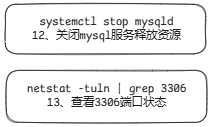
[root@halo-centos8 ~]# # 12、关闭mysql服务释放资源
[root@halo-centos8 ~]# systemctl stop mysqld
[root@halo-centos8 ~]# # 13、查看3306端口状态
[root@halo-centos8 ~]# netstat -tuln|grep 3306
[root@halo-centos8 ~]#
接下来来到openHalo的运行结果:

[root@halo-centos8 ~]# # 14、切换halo用户
[root@halo-centos8 ~]# su - halo
[halo@halo-centos8 ~]$ # 15、启动openhalo服务
[halo@halo-centos8 ~]$ pg_ctl start
waiting for server to start....2025-04-20 23:26:35.065 CST [1845932] LOG:  00000: redirecting log output to logging collector process
2025-04-20 23:26:35.065 CST [1845932] HINT:  Future log output will appear in directory "diag".
2025-04-20 23:26:35.065 CST [1845932] LOCATION:  SysLogger_Start, syslogger.c:674
 done
server started
[halo@halo-centos8 ~]$ # 16、查看mysql客户端工具版本
[halo@halo-centos8 ~]$ mysql --version
mysql  Ver 8.0.26 for Linux on x86_64 (Source distribution)
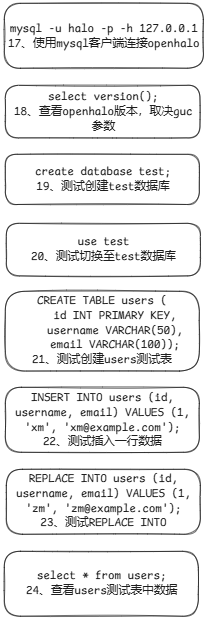
[halo@halo-centos8 ~]$ # 17、使用mysql客户端连接openhalo
[halo@halo-centos8 ~]$ mysql -u halo -p -h 127.0.0.1
Enter password:
Welcome to the MySQL monitor.  Commands end with ; or \g.
Your MySQL connection id is 1
Server version:  8.0.26 MySQL Server (GPL)
Copyright (c) 2000, 2021, Oracle and/or its affiliates.
Oracle is a registered trademark of Oracle Corporation and/or its
affiliates. Other names may be trademarks of their respective
owners.
Type 'help;' or '\h' for help. Type '\c' to clear the current input statement.
mysql> -- 18、查看openhalo版本,取决guc参数
mysql> select version();
+---------+
| version |
+---------+
|  8.0.26 |
+---------+
1 row in set (0.00 sec)
mysql> -- 19、测试创建test数据库
mysql> create database test;
Query OK, 0 rows affected (0.00 sec)
mysql> -- 20、测试切换至test数据库
mysql> use test
Database changed
mysql> -- 21、测试创建users测试表
mysql> CREATE TABLE users (
    ->     id INT PRIMARY KEY,
    ->     username VARCHAR(50),
    ->     email VARCHAR(100));
Query OK, 0 rows affected (0.01 sec)
mysql> -- 22、测试插入一行数据
mysql> INSERT INTO users (id, username, email) VALUES (1, 'xm', 'xm@example.com');
Query OK, 1 row affected (0.00 sec)
mysql> -- 23、测试REPLACE INTO
mysql> REPLACE INTO users (id, username, email) VALUES (1, 'zm', 'zm@example.com');
Query OK, 1 row affected (0.00 sec)
mysql> -- 24、查看users测试表中数据
mysql> select * from users;
+----+----------+----------------+
| id | username | email          |
+----+----------+----------------+
|  1 | zm       | zm@example.com |
+----+----------+----------------+
1 row in set (0.00 sec)
mysql> \q
Bye
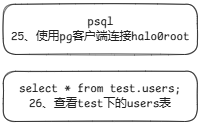
[halo@halo-centos8 ~]$ # 25、使用pg客户端连接halo0root
[halo@halo-centos8 ~]$ psql
psql (1.0.14.10)
Type "help" for help.
halo0root=# -- 26、查看test下的users表
halo0root=# select * from test.users;
 id | username |     email
----+----------+----------------
  1 | zm       | zm@example.com
(1 row)
halo0root=#
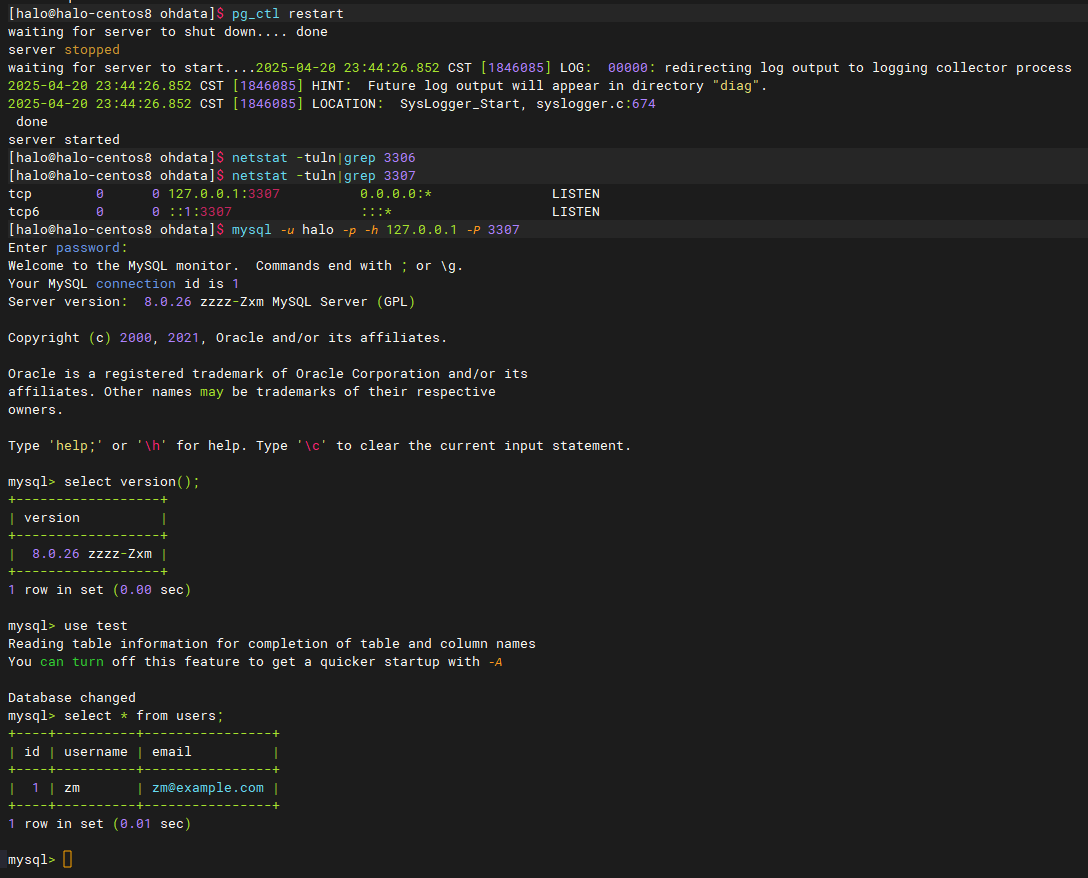
上面的openHalo显示版本可以通过修改$PGDATA/ postgresql.conf中的参数mysql.halo_mysql_version定制显示
端口号也可以通过修改$PGDATA/postgresql.conf中的参数mysql.port,并不一定需要固定为3306
比如说让我们将相关参数设置如下:
mysql.port = 3307                              # (second_port is for MySQL mode; change requires restart)
mysql.halo_mysql_version = ' 8.0.26 zzzz-Zxm'        # (change requires restart)
接下来重启一下服务,使用mysql客户端和openHalo建立一个新的会话,获取一下最新信息
三、结束语
照搬少安哥的一句话,期待有更多人了解 openHalo,使用 openHalo,共同参与 openHalo 开源项目。
来自 “ ITPUB博客 ” ,链接:https://blog.itpub.net/70036312/viewspace-3082160/ ,如需转载,请注明出处,否则将追究法律责任。

