x+网页版部署指南
SnapShots
Instruction for Install x+ WebService
x+网页版部署指南
1、 环境要求
x+网页版以cgi方式提供支持,因此需要cgi支持,如Apache、IIS等并配置好相关cgi运行环境。
2、 所需文件
biz.zip(
http://
3ucs.com/dl38.html
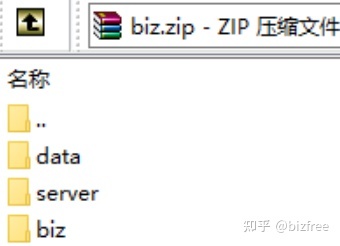
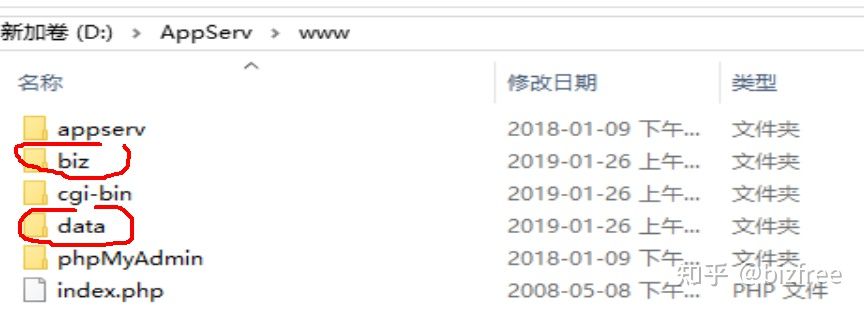
,help文件夹亦有)包含x+网页版服务支持文件,分别将三个文件夹放置于相应的目录中(biz、data文件夹放置于网站根目录,eg:www\biz\css\
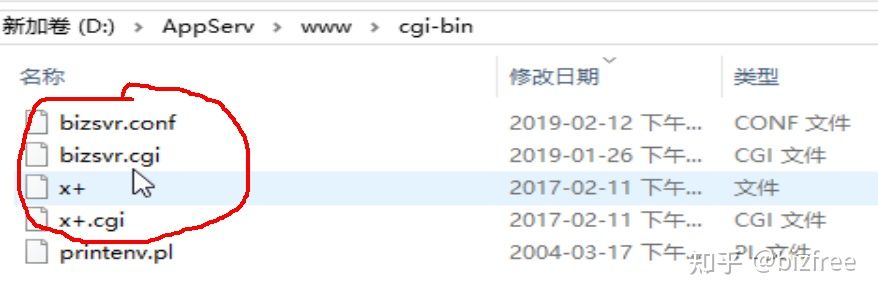
bootstrap.min.css; server文件夹内文件放置于http server
的cgi-bin文件夹中(或放置于其他目录如D:/Program Files/3UCS/3UCS Server/,但需要改写http
server的参数
<IfModule alias_module>
......
ScriptAlias /cgi-bin/ "D:/Program Files/3UCS/3UCS Server/"
......
</IfModule>)。
确保cgi工作。
<Directory "d:/AppServ/www/cgi-bin">
AllowOverride Options
Order allow,deny
Allow from ALL
Options +ExecCGI
# AddHandler cgi-script .cgi .pl .exe
</Directory>
<IfModule mime_module>
.....
AddHandler cgi-script .exe .pl .cgi
......
</IfModule>
3、 配置x+
配置文件为bizsvr.conf,“bizxmlPath”应配置为bizxml布局文件所在目录,缺省值为3UCS
Server安装目录,eg:布局文件`index.xml`在`D:/Program Files/3UCS/3UCS
Server/layout/ucin`, 配置项为`bizxmlPath=D:/Program Files/3UCS/3UCS Server`,
在数据库中可直接使用`layout/ucin/index.xml` 来为用户指定布局;
[SQL] 节用于配置数据库连接,您应该根据您数据库配置来设置这些参数;
如果使用的是文件型数据库如MSAccess、SQLite……,应使用全路径以避免打开数据库失败(in “ini” or “xml” files).
更多细节请参考x+(xPlus,,乘加)部署指南 【
http://
3ucs.com/x
+】
4、 测试与第三方
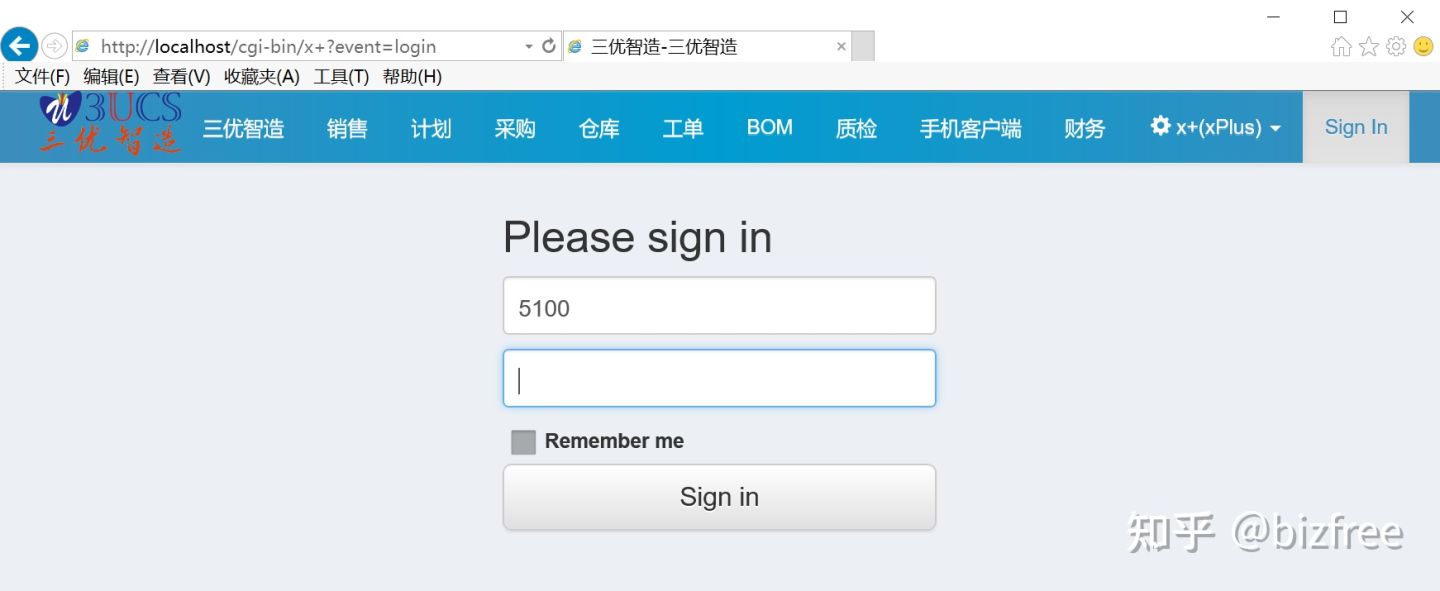
打开页面可以直接在浏览器输入:http://localhost/cgi-bin/x+
第三方软件定向提交或访问某个页面如下:
http://
localhost/cgi-bin/x+?
event=_add&bizxmlpage=KnowledgeBase&keywords=123456
http://
localhost/cgi-bin/x+?
event=KnowledgeBase&keywords=xcc123456&questiontext=1w333
应该注意的是 “event“ and “bizxmlpage“ 两个参数, 如果event关联的是某个控件,则需要使用
“bizxmlpage“来指定关联页面,如“KnowledgeBase”; 若 event
正好是某个页面的名称(id)那么“bizxmlpage”则不需要呈现!
SnapShots



Instruction for Install x+ WebService
1. Environment
x+ WebService need CGI’s support
2. Files of BizXML for web are in biz.zip(
http://
3ucs.com/dl38.html
,folder “help” has one copy)
Three folders for bizxml web patch:server,biz,data
Folders `data` and ‘biz’ should put in root path of websit(Each Site should have one copy);
Files in `server` folder should put in http-server`s cgi directory,
like `cgi-bin` in apache server OR you maybe rewrite cgi path like this
<IfModule alias_module>
......
ScriptAlias /cgi-bin/ "D:/Program Files/3UCS/3UCS Server/"
......
</IfModule>
config http server for cgi enable like this in apache
httpd.conf
<Directory "d:/AppServ/www/cgi-bin">
AllowOverride Options
Order allow,deny
Allow from ALL
Options +ExecCGI
# AddHandler cgi-script .cgi .pl .exe
</Directory>
<IfModule mime_module>
.....
AddHandler cgi-script .exe .pl .cgi
......
</IfModule>
3. Configure your BizXML web Server:
BizXML configure file is `bizsvr.conf` in `server`;
[main]
bizxmlPath should config to root file of bizxml script files, Default
is the dir where 3UCS Server installed. eg: your bizxml files
`index.xml` is put in `D:/Program Files/3UCS/3UCS Server/layout/ucin`,
configure it like this `bizxmlPath=D:/Program Files/3UCS/3UCS Server`,
and will refer your bizxml root file like this `layout/ucin/index.xml`;
[SQL] is configure for sql connection to your database server, change it according to your database server;
If Database is file, such as MSAccess、SQLite……,they should use full path in “ini” or “xml” files.
browser enter url like
http://localhost/cgi-bin/x+
4. 3rd software submit like this:
http://
localhost/cgi-bin/x+?
event=_add&bizxmlpage=KnowledgeBase&keywords=123456
http://
localhost/cgi-bin/x+?
event=KnowledgeBase&keywords=xcc123456&questiontext=1w333
Here You Must take attention to “event“ and “bizxmlpage“ parameters, if
event is some control’s event, “bizxmlpage“ must be valued as
pagename(controlgroup name); if event is just a pagename(controlgroup
name), bizxmlpage do not required!
来自 “ ITPUB博客 ” ,链接:https://blog.itpub.net/70020543/viewspace-2908724/ ,如需转载,请注明出处,否则将追究法律责任。

