修改 emqx 配置文件:emqx/etc/plugins/emqx_auth_mnesia.conf
## Password hash.
##
## Value: plain | md5 | sha | sha256 | sha512
auth.mnesia.password_hash = sha256
##--------------------------------------------------------------------
## ClientId Authentication
##--------------------------------------------------------------------
## Examples: 放开此注释,clientId 密码认证
##auth.client.1.clientid = id
##auth.client.1.password = passwd
##auth.client.2.clientid = dev:devid
##auth.client.2.password = passwd2
##auth.client.3.clientid = app:appid
##auth.client.3.password = passwd3
##auth.client.4.clientid = client~!@#$%^&*()_+
##auth.client.4.password = passwd~!@#$%^&*()_+
##--------------------------------------------------------------------
## Username Authentication
##--------------------------------------------------------------------
## Examples: 放开此注释,用户名 密码认证
auth.user.1.username = admin
auth.user.1.password = public
##auth.user.2.username = feng@emqtt.io
##auth.user.2.password = public
##auth.user.3.username = name~!@#$%^&*()_+
##auth.user.3.password = pwsswd~!@#$%^&*()_+
修改 emqx.conf : emqx/etc/emqx.conf
##--------------------------------------------------------------------
## Authentication/Access Control
##--------------------------------------------------------------------
## Allow anonymous authentication by default if no auth plugins loaded.
## Notice: Disable the option in production deployment!
##
## Value: true | false
## 默认为 true 改为 false
allow_anonymous = false
## Allow or deny if no ACL rules matched.
##
## Value: allow | deny
## 默认为 allow 改为 deny
acl_nomatch = deny
启动emqx 服务
登录Dashboard网页
默认地址为: ip:18083
默认用户名:admin 密码:public
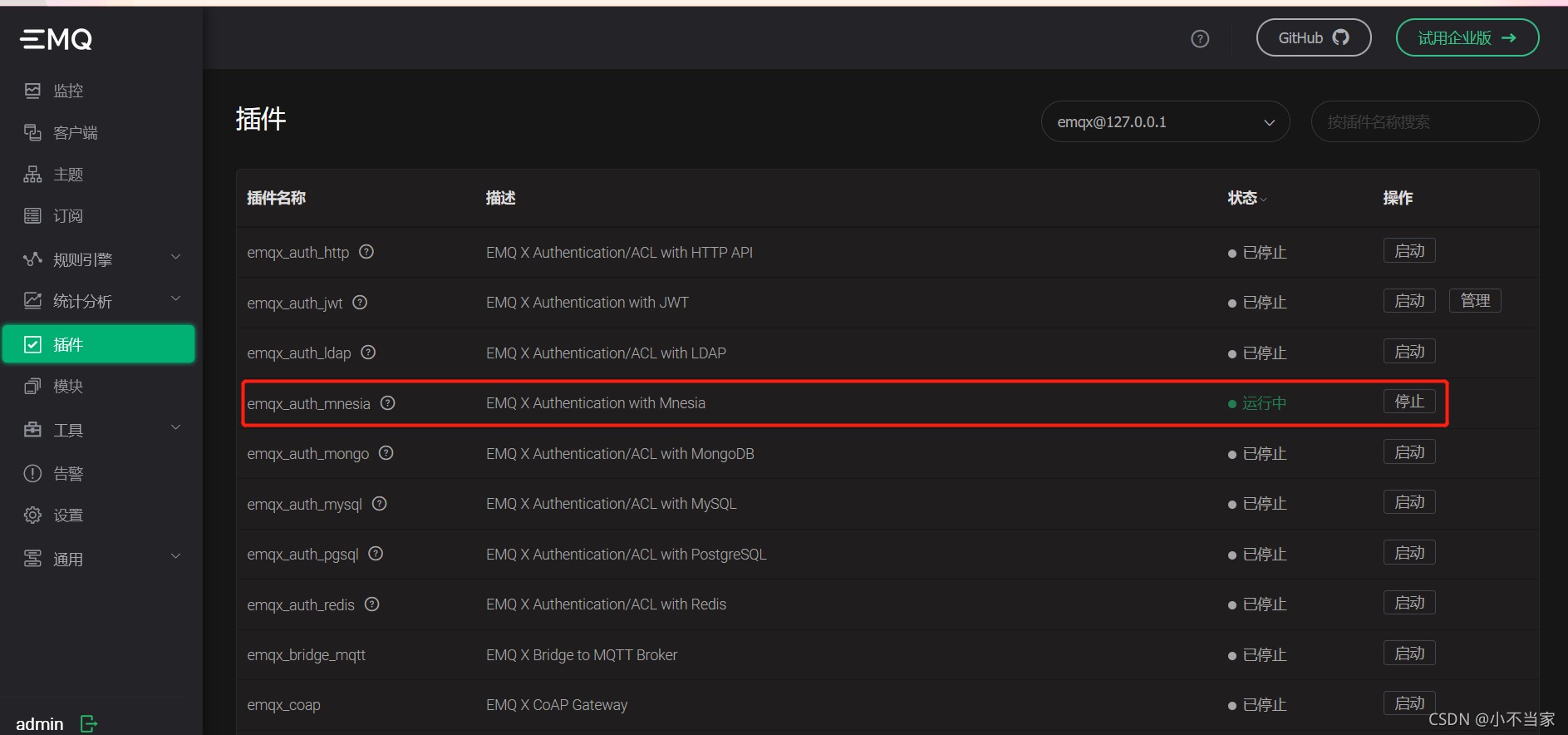
开启 Mnesia 认证插件
5. 使用客户端连接测试
来自 “ ITPUB博客 ” ,链接:https://blog.itpub.net/70000523/viewspace-3130896/ ,如需转载,请注明出处,否则将追究法律责任。

