使用Sphinx生成项目的Read the Docs
- 环境配置
# pip install sphinx sphinx_rtd_theme- 原始代码目录
# tree
文件夹 PATH 列表
卷序列号为 0007-1DAC
D:.
├─web
└─web_gzip.py- 创建api文档
# 在代码目录中创建doc目录,存放相应的信息
# sphinx-apidoc -o ./doc/ .
Creating file ./doc/web_gzip.rst.
Creating file ./doc/modules.rst.- 运行sphinx-quictstart ```
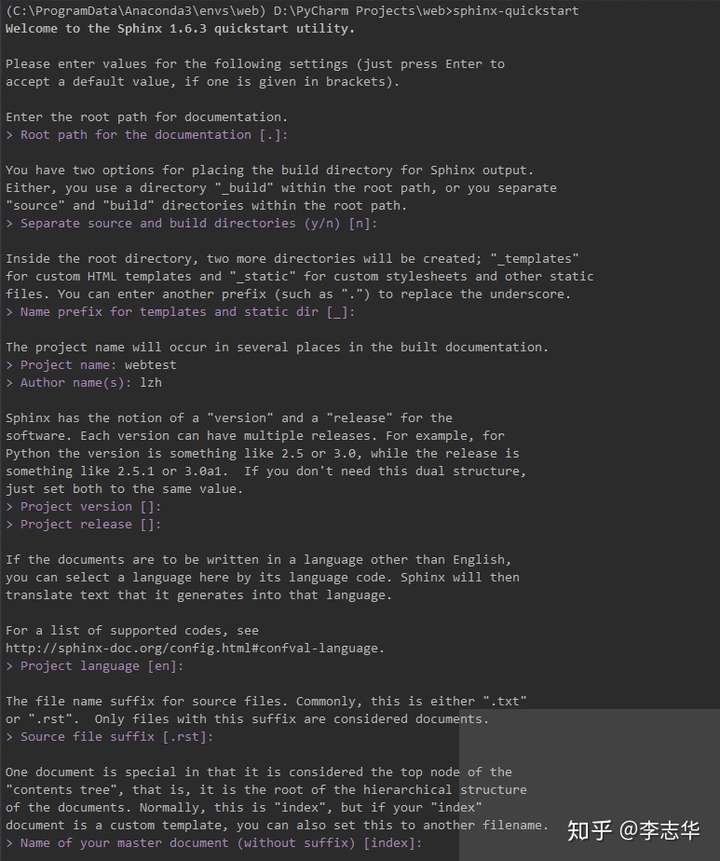
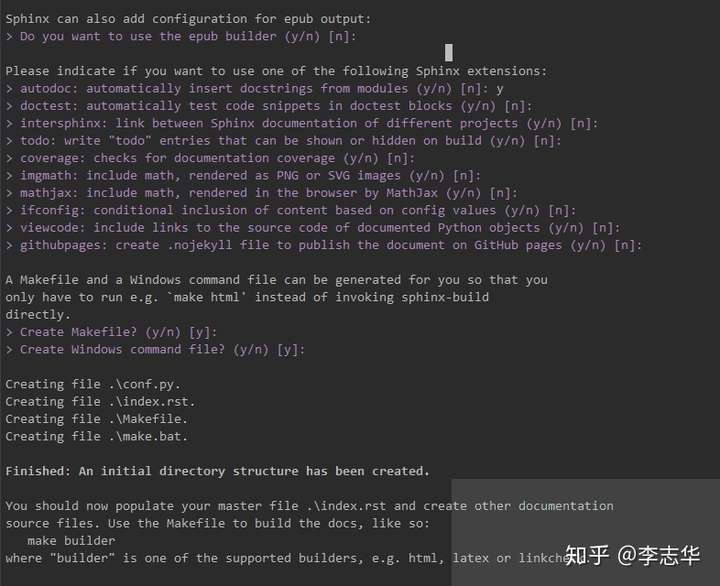
sphinx-quickstart
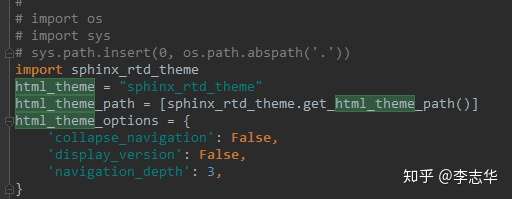
- 修改conf.py 在最开始处加入rtd theme相关配置
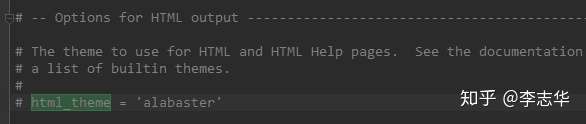
同时要注释原来的theme设置
- 修改index.rst
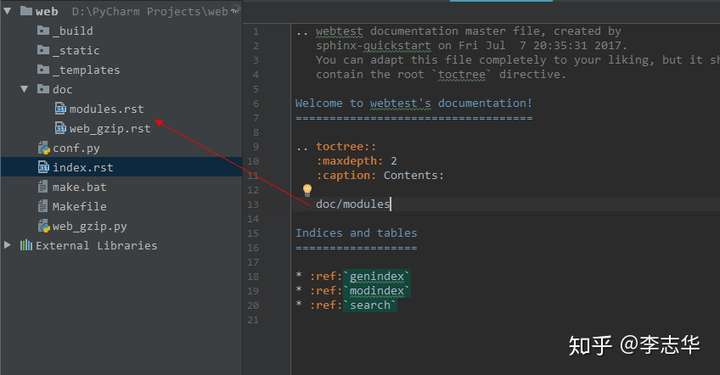
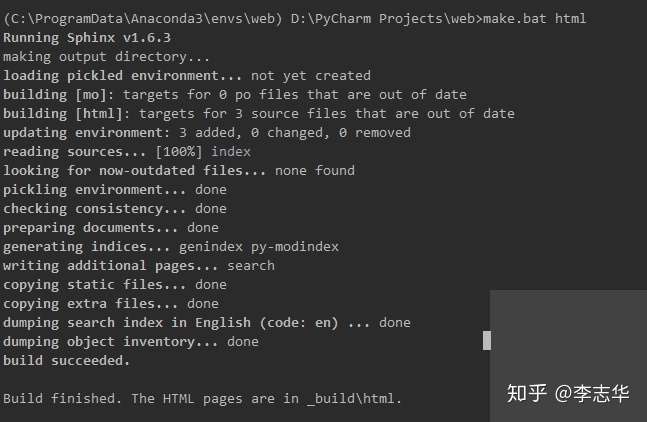
- 执行make.bat html
- 查看
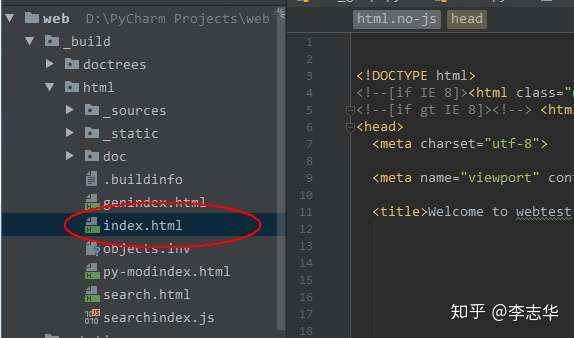
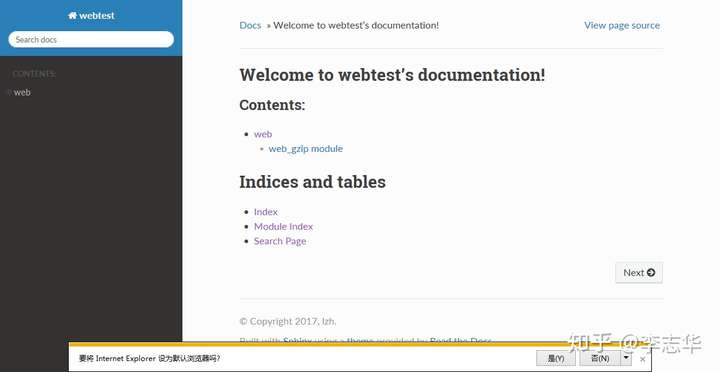
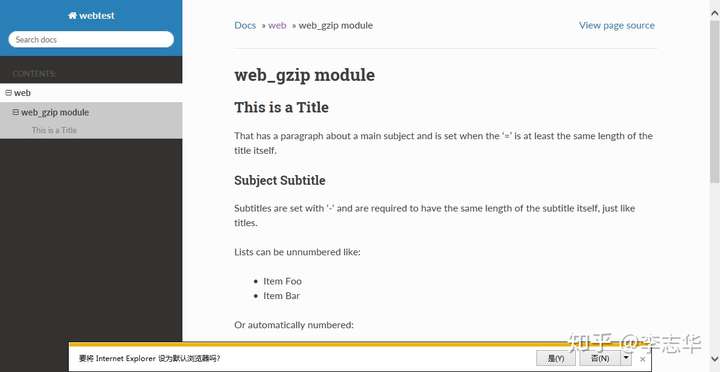
来源 https://zhuanlan.zhihu.com/p/67068696
来自 “ ITPUB博客 ” ,链接:https://blog.itpub.net/69999831/viewspace-3135760/ ,如需转载,请注明出处,否则将追究法律责任。
上一篇:
【2022/5/28】ITPUB新闻早报

请登录后发表评论
登录
全部评论
