我们针对于HongHu cloud的eureka项目做以下构建,整个构建的过程很简单,我会将每一步都构建过程记录下来,希望可以帮助到大家:
1. 创建一个名为particle-common-eureka的maven项目,继承particle-commonservice,具体的pom.xml配置文件如下:
Xml代码

- <? xml version = "1.0" encoding = "UTF-8" ?>
- < project xmlns = "http://maven.apache.org/POM/4.0.0" xmlns:xsi = "http://www.w3.org/2001/XMLSchema-instance"
- xsi:schemaLocation = "http://maven.apache.org/POM/4.0.0 http://maven.apache.org/xsd/maven-4.0.0.xsd" >
- < modelVersion > 4.0.0 </ modelVersion >
- < parent >
- < groupId > com.ml.honghu </ groupId >
- < artifactId > particle-commonservice </ artifactId >
- < version > 0.0.1-SNAPSHOT </ version >
- </ parent >
- < artifactId > particle-commonservice-eureka </ artifactId >
- < packaging > jar </ packaging >
- < name > particle-commonservice-eureka </ name >
- < description > particle-commonservice project for Spring Boot </ description >
- < dependencies >
- < dependency >
- < groupId > org.springframework.cloud </ groupId >
- < artifactId > spring-cloud-starter-eureka-server </ artifactId >
- </ dependency >
- < dependency >
- < groupId > org.springframework.boot </ groupId >
- < artifactId > spring-boot-starter-security </ artifactId >
- </ dependency >
- < dependency >
- < groupId > org.springframework.boot </ groupId >
- < artifactId > spring-boot-devtools </ artifactId >
- </ dependency >
- < dependency >
- < groupId > org.springframework.boot </ groupId >
- < artifactId > spring-boot-starter-test </ artifactId >
- < scope > test </ scope >
- </ dependency >
- </ dependencies >
- < build >
- < plugins >
- < plugin >
- < groupId > org.springframework.boot </ groupId >
- < artifactId > spring-boot-maven-plugin </ artifactId >
- < executions >
- < execution >
- < id > 1 </ id >
- < goals >
- < goal > repackage </ goal >
- </ goals >
- </ execution >
- < execution >
- < id > 2 </ id >
- < goals >
- < goal > build-info </ goal >
- </ goals >
- </ execution >
- </ executions >
- < configuration >
- < executable > true </ executable >
- </ configuration >
- </ plugin >
- </ plugins >
- </ build >
- </ project >
2. 在启动类入口引用eureka的相关配置,代码如下:
Java代码
- package com.ml.honghu;
- import org.springframework.boot.SpringApplication;
- import org.springframework.boot.autoconfigure.SpringBootApplication;
- import org.springframework.cloud.netflix.eureka.server.EnableEurekaServer;
- @EnableEurekaServer
- @SpringBootApplication
- public class ServiceApplication {
- public static void main(String[] args) {
- SpringApplication.run(ServiceApplication. class , args);
- }
- }
3. 配置application.yml文件
Xml代码
- # server (eureka 默认端口为:8761)
- server:
- port: 8761
- # spring
- spring:
- application:
- name: particle-commonservice-erueka
- # eureka
- eureka:
- client:
- # 是否注册到eureka
- register-with-eureka: true
- # 是否从eureka获取注册信息
- fetch-registry: false
- availability-zones:
- honghu: honghuZone
- service-url:
- honghuZone: http://honghu:123456@localhost:8761/eureka/
- defaultZone: http://honghu:123456@localhost:8761/eureka/
- instance:
- prefer-ip-address: true
- hostname: localhost
- metadataMap:
- zone: honghuZone
- user: ${security.user.name}
- password: {security.user.password}
- # 指定环境
- environment: dev
- #指定数据中心
- datacenter: honghu
- # 关闭自我保护模式
- server:
- enable-self-preservation: false
- #设置清理无效节点的时间间隔,默认60000,即是60s
- eviction-interval-timer-in-ms: 60000
- # 服务认证
- security:
- basic:
- enabled: true
- user:
- name: honghu
- password: 123456
- management:
- security:
- enabled: false
4. 增加项目的log机制和打包运行机制(后面我们会详细编写针对于Linux Centos下的打包部署机制)
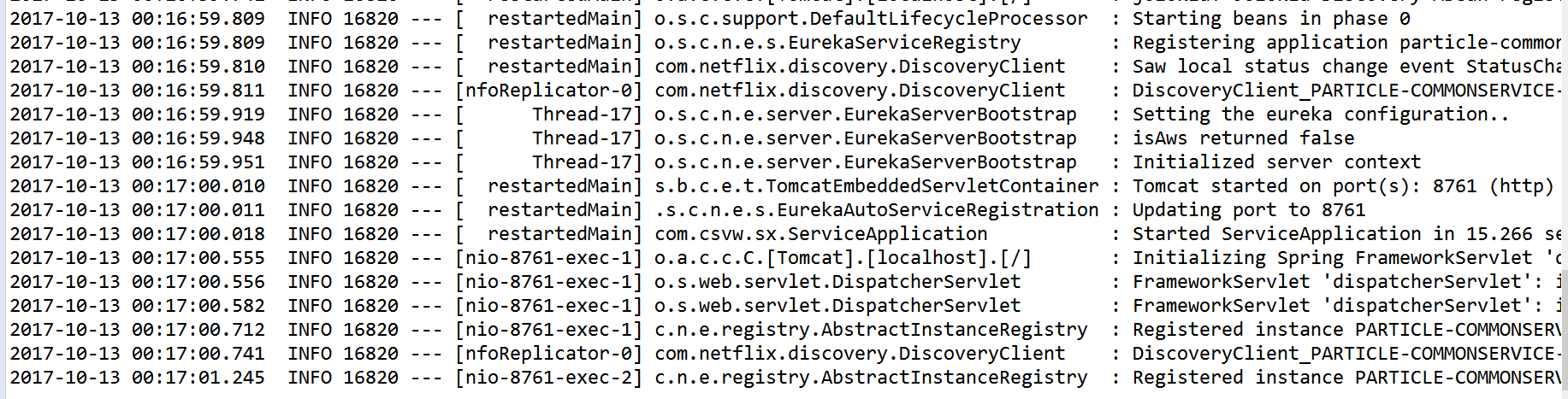
5. 自此整个项目部署完成,通过手动方式进行Run As --> Spring Boot App,运行结果如下:
控制台运行结果:
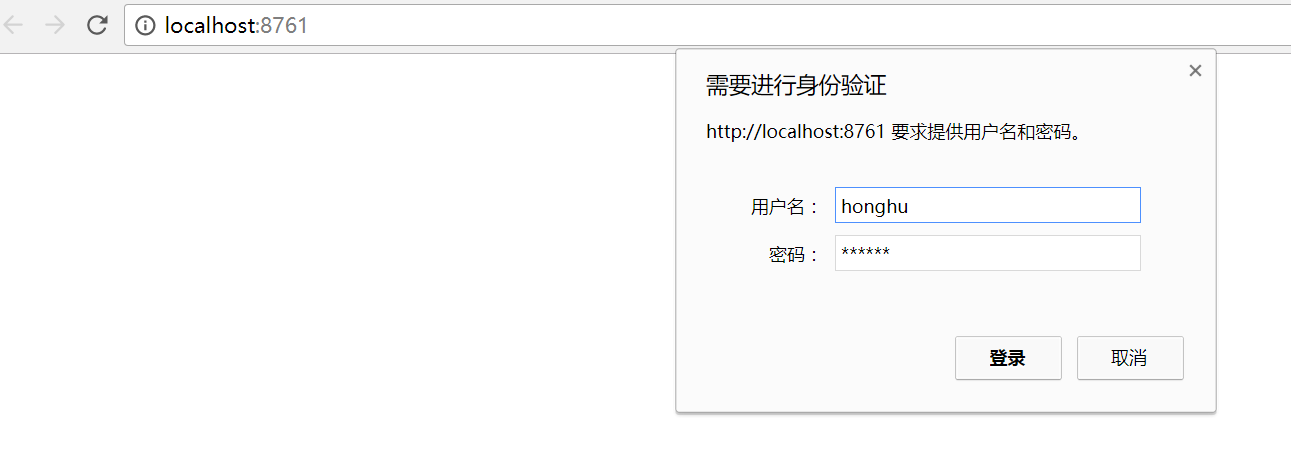
访问控制台并登陆:
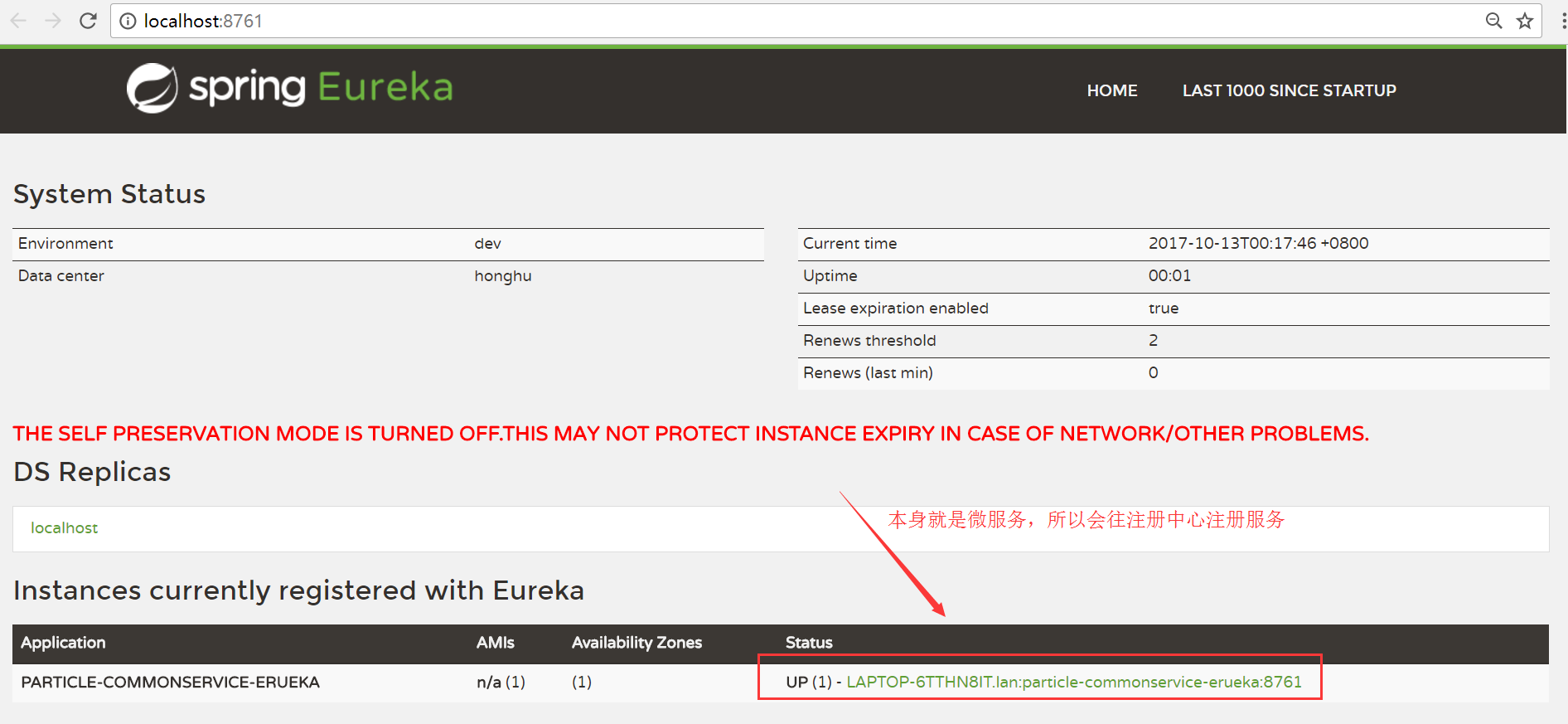
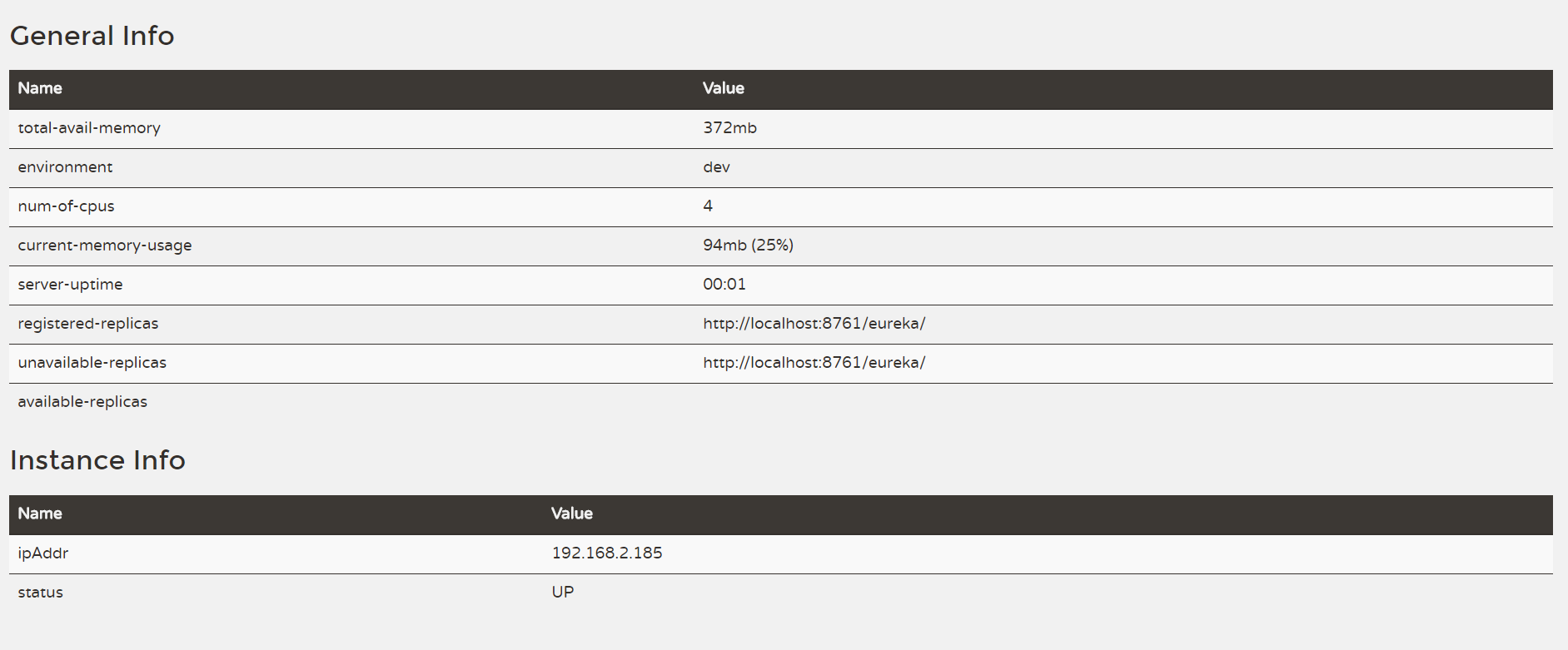
控制台运行效果:
从现在开始,我这边会将近期研发的spring cloud微服务云架构的搭建过程和精髓记录下来,帮助更多有兴趣研发spring cloud框架的朋友,大家来一起探讨spring cloud架构的搭建过程及如何运用于企业项目。
来自 “ ITPUB博客 ” ,链接:https://blog.itpub.net/69948899/viewspace-2657759/ ,如需转载,请注明出处,否则将追究法律责任。

请登录后发表评论
登录
全部评论
最新文章
- java版b2b2c社交电商spring cloud分布式微服务
- java版b2b2c社交电商spring cloud分布式微服务
- java springcloud版b2b2c社交电商spring cloud分布式微服务
- java版spring cloud+spring boot+redis多租户社交电子商务平台
- java版spring cloud+spring boot+redis社交电子商务平台
- java版spring cloud+spring boot 社交电子商务平台
- java springcloud版b2b2c社交电商spring cloud分布式微服务
- java版b2b2c社交电商spring cloud分布式微服务
