一 iis7远程桌面
主页:
iis7
远程桌面管理工具下载
特点:
iis7远程桌面连接工具,又叫做iis7远程桌面管理软件,是一款绿色小巧,功能实用的远程桌面管理工具,其界面简洁,操作便捷,能够同时远程操作多台服务器,并且多台服务器间可以自由切换,适用于网站管理人员使用。
截图:

二RemoteDesktopManager (windows到windows和Linux的remote的管理)
下载:http://remotedesktopmanager.com/remotedesktopmanager/Home.aspx
特点:分为免费和企业版本,免费版本基本有所有的功能,但是是对家庭或个人用户使用;功能很强大,很多的自定义的设置;支持主流的windows和linux远程连接工具,对于windows的连接还是调用mstsc.exe,对于Linux我们可以使用ssh支持的putty,但如果使用vnc的话,可以连接windows,mac,linux:
# Microsoft Remote Desktop (RDP)
# VNC (UltraVNC, TightVNC and RealVNC)
# LogMeIn
# Team Viewer
# FTP (Explorer, Filezilla and WinSCP)
# X Window
# Putty (SSH, Telnet, RAW and rLogin)
# Dameware Mini Remote Control
# Radmin Viewer
# Citrix XenApp (ICA)
# Symantec PC Anywhere
# Microsoft Hyper-V
# Microsoft Virtual PC
# VMware Player
截图:
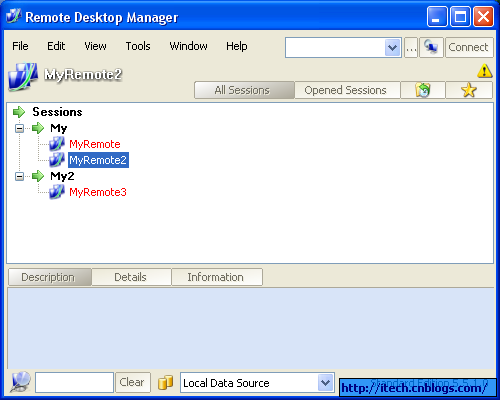
1 多远程机器管理主窗口,可以管理多种远程软件
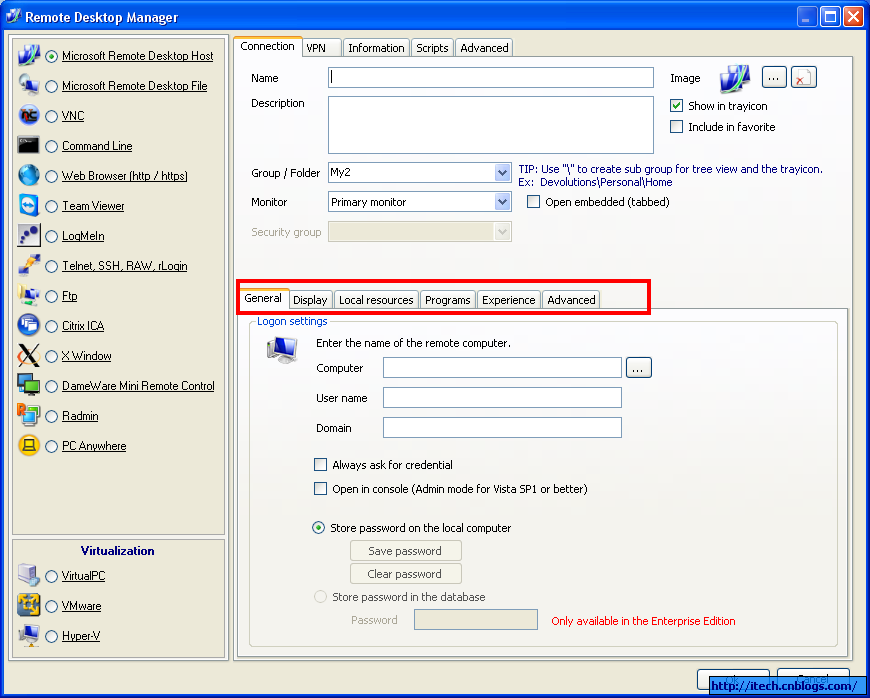
2每个remote机器可设置参数
3 直接操作远程机器的工具

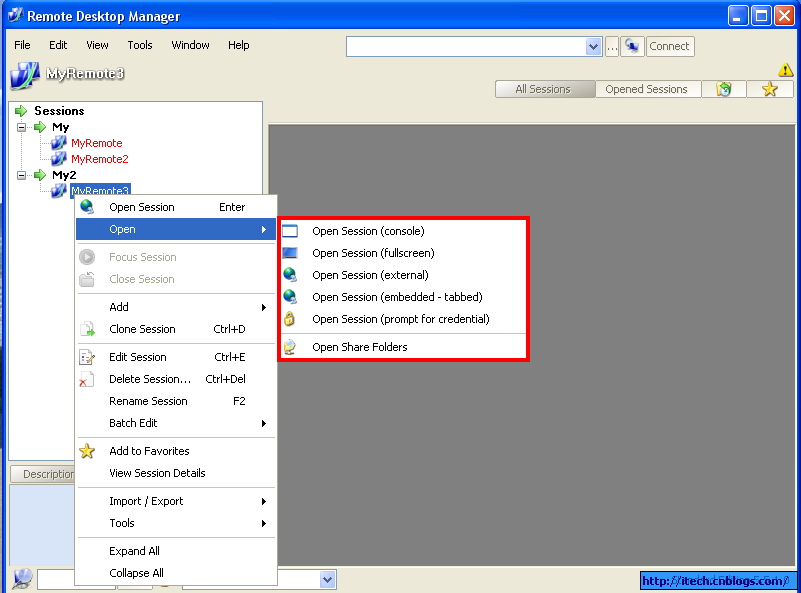
4 打开远程机器的各种方法
三 Putty(windows到Linux的remote的管理)
下载:http://www.chiark.greenend.org.uk/~sgtatham/putty/download.html
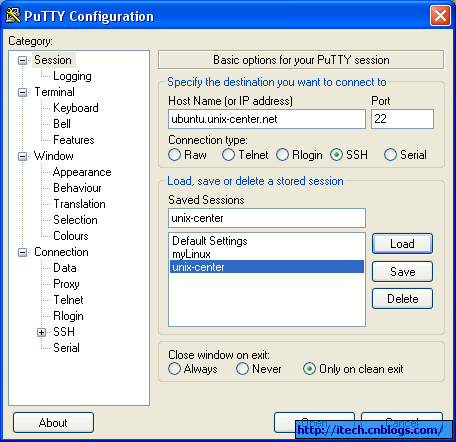
功能:windows到linux的远程连接,而且同时可以管理多个连接。
截图:
四 PuTTY Connection Manager
http://www.thegeekstuff.com/2009/03/putty-extreme-makeover-using-putty-connection-manager/
1) need install net framework 2.0
2) If the PuTTY Connection Manager opens the original PuTTY in a separate window, instead of opening as a TAB, please go to Tools -> Options -> Select the check-box “Enable additional timing for PuTTY capture (ms)” -> set the value to 500 ms. This will open the PuTTY window inside the TAB as shown below.

完!
来自 “ ITPUB博客 ” ,链接:https://blog.itpub.net/69946374/viewspace-2659506/ ,如需转载,请注明出处,否则将追究法律责任。

