Generate Distribution Model from SAP ERP to SAP EWM in SAP S/4Hana
Generate Distribution Model from SAP ERP to SAP EWM in SAP S/4Hana
The distribution model enables to transfer the transaction data such as inbound delivers, outbound deliveries, production delivers or delivers you are created in SAP S/4Hana System to Embedded EWM. All deliveries are send from S/4Hana system to Embedded EWM.
Scenarios
- What kind of data you can transfer to SAP EWM system, the data can be any type of – Transactional Data or Master Data
- The distribution model transfer the data from S/4Hana system to embedded via qRFC
How to Generate Distribution Model From SAP ERP to SAP EWM
You can generate distribution model from S/4Hana System to Embedded EWM by using the following configuration steps
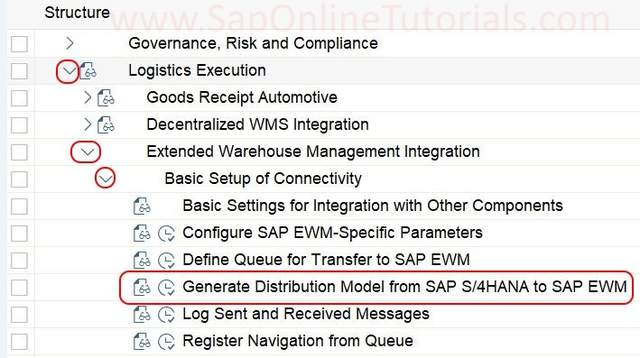
IMG Path: SPRO {Transaction Code} > SAP Reference IMG > Logistics Execution > Extended Warehouse Management Integration > Basic Setup of Connectivity > Generate Distribution Model from S/4Hana to SAP EWM
Step 1: Execute transaction code “SPRO” in SAP command field

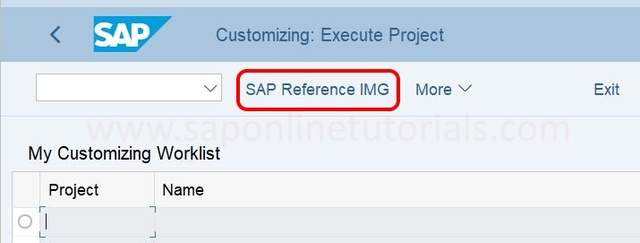
Step 2: Choose “SAP Reference IMG”
Step 3: Follow the IMG navigation path and click on IMG activity of Generate Distribution Model from S/4Hana to SAP EWM
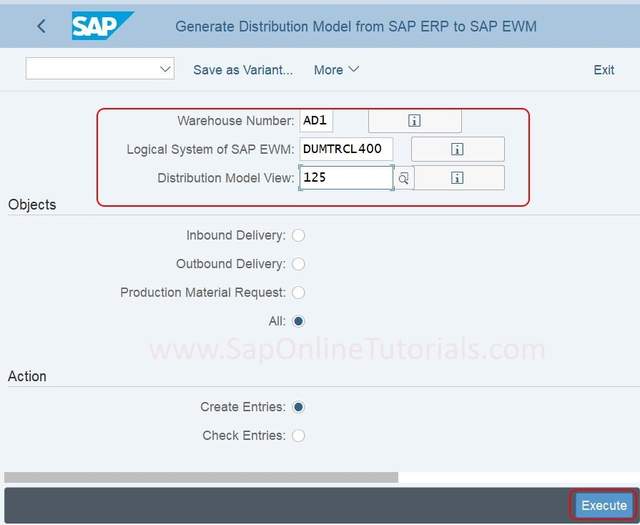
Step 4: On Generate Distribution Model from SAP ERP to SAP EWM screen, Update the following details
- Warehous No – Enter the warehouse number for the objects that to be included in the distribution model
- Logical System of SAP EWM : Enter the logical system name of the target SAP EWM system. The logical system name of S/4hana system will be read automatically.
- Distribution model view: Enter the name of distribution model, this enables to locate the distribution model in the distribution model transaction.
- Objects: Choose the type of transfers – Inbound delivery, Outbound delivery, Product Materials request. Choose All option radio button for above types.
- Action: Choose option “Create entries” or Check entries”
After entering the required details, execute.
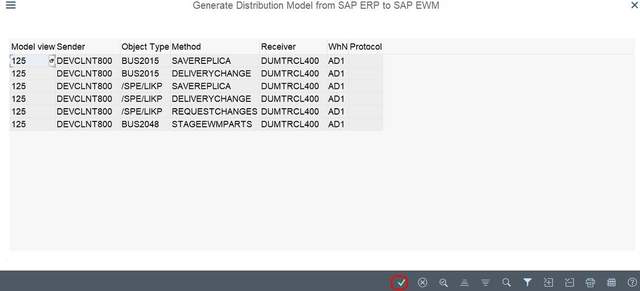
Now displays general distribution model that how data contents are exchanged between the systems. Press enter to continue.
Click on Save as variant
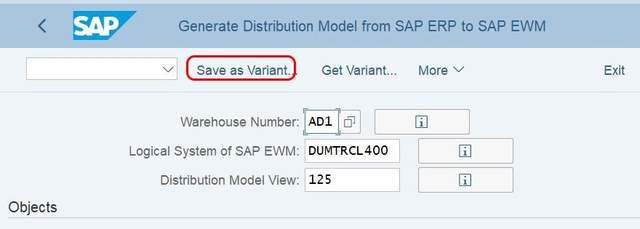
Now enter the variant key and name of variant and Choose Save option and save the details.
https://blog.csdn.net/weixin_42137700/article/details/118698115
来自 “ ITPUB博客 ” ,链接:https://blog.itpub.net/69946223/viewspace-2781027/ ,如需转载,请注明出处,否则将追究法律责任。

