1. 环境准备
1.1 Java环境
1.2 Maven
1.3 IDEA
1.4 Docker环境
1.5 Mysql8.0.28
https://mp.weixin.qq.com/s/5PC_VXtNc8689ag8b8cYLA
1.6 其它环境准备
还需要如下的如下环境:
https://mp.weixin.qq.com/s/qHHcbl6AMmdEbZLKnhz_tA
https://mp.weixin.qq.com/s/BaXK0dMu4whOrnKQbb6G-A
Windows10之wsl-Linux子系统安装JDK、Maven环境
https://mp.weixin.qq.com/s/Lq30469wZgikM72s8tv1ZA
在阅读本文需要对Apache SeaTunne有一点了解
https://mp.weixin.qq.com/s/uHZ-29OF-NawOL4oZW6z2A
2. 源码包下载
https://seatunnel.apache.org/download
https://github.com/apache/seatunnel
https://github.com/apache/seatunnel-web
3. idea项目配置
3.1 项目导入
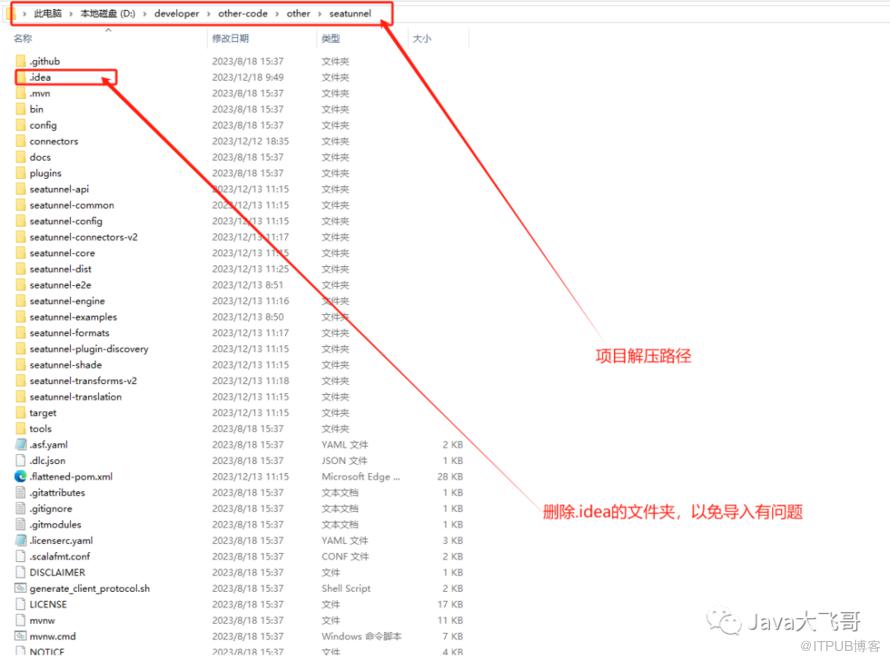
seatunnel解压路径如下:
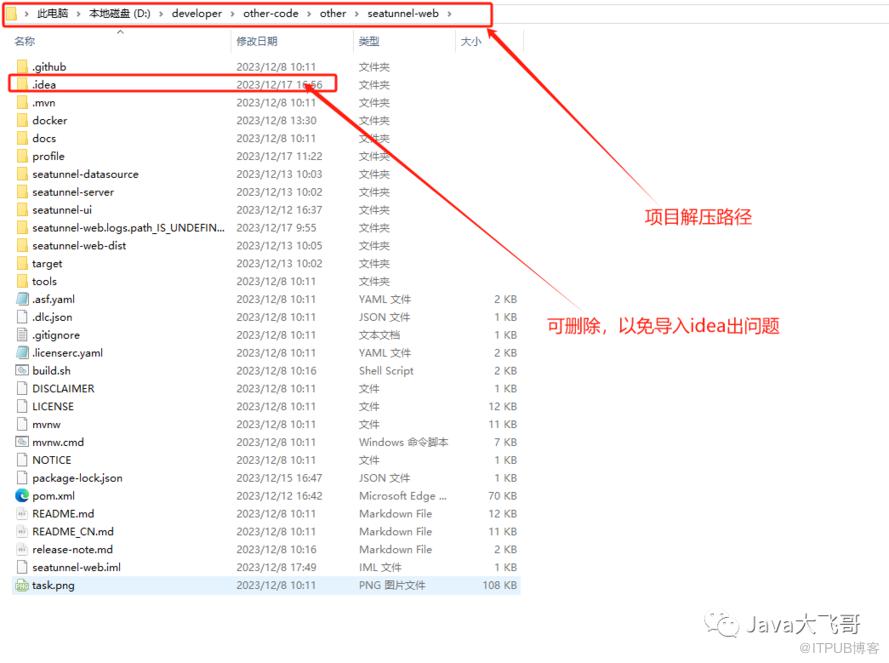
git clone https://github.com/apache/seatunnel-web.gitgit checkout 1.0.0-release或者使用git拉取,git环境可要可不要
3.2 maven配置
 <localRepository>D:\developer\repository</localRepository> <!--改为自己的本地maven仓库的路径即可-->
<mirrors>
    <mirror>
      <id>aliyunmaven</id>
      <mirrorOf>*</mirrorOf>
      <name>阿里云公共仓库</name>
      <url>https://maven.aliyun.com/repository/public</url>
    </mirror>
    <mirror>
      <id>aliyunmaven2</id>
      <mirrorOf>*</mirrorOf>
      <name>阿里云公共仓库2</name>
      <url>https://maven.aliyun.com/repository/apache-snapshots</url>
    </mirror>
    <mirror>
      <id>aliyunmaven3</id>
      <mirrorOf>*</mirrorOf>
      <name>阿里云公共仓库3</name>
      <url>https://maven.aliyun.com/repository/central</url>
    </mirror>
  </mirrors>

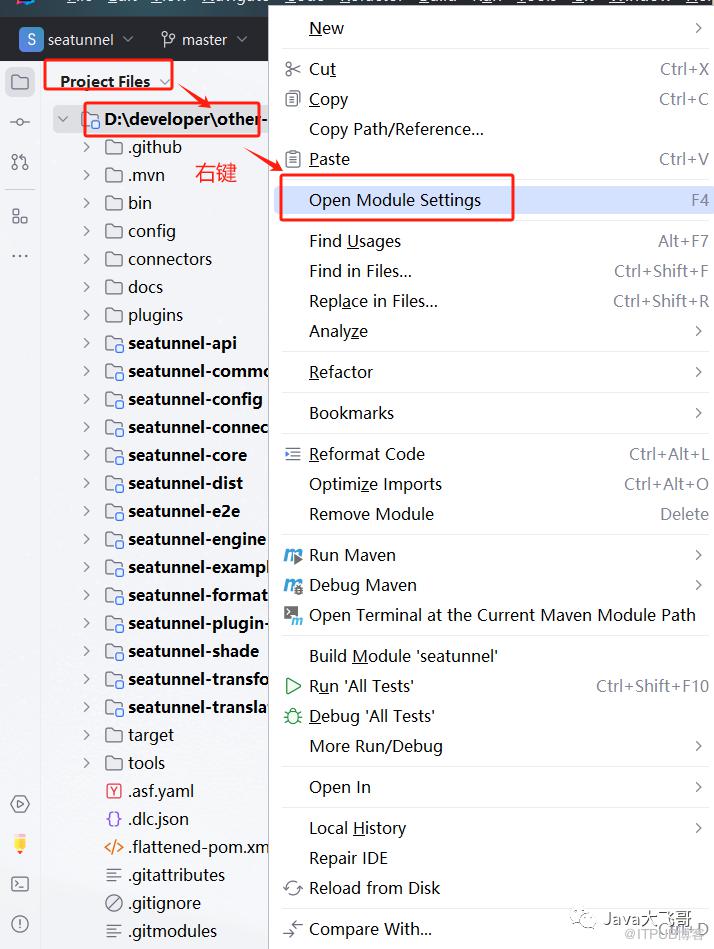
3.3 项目JDK配置

3.4 项目启动参数配置
3.4.1 seatunnel项目启动参数配置
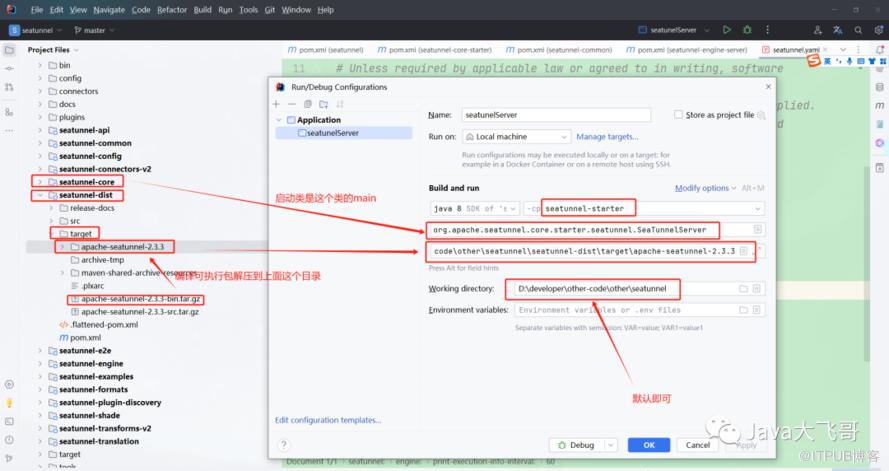
-DSEATUNNEL_HOME=D:\developer\other-code\other\seatunnel\seatunnel-dist\target\apache-seatunnel-2.3.3
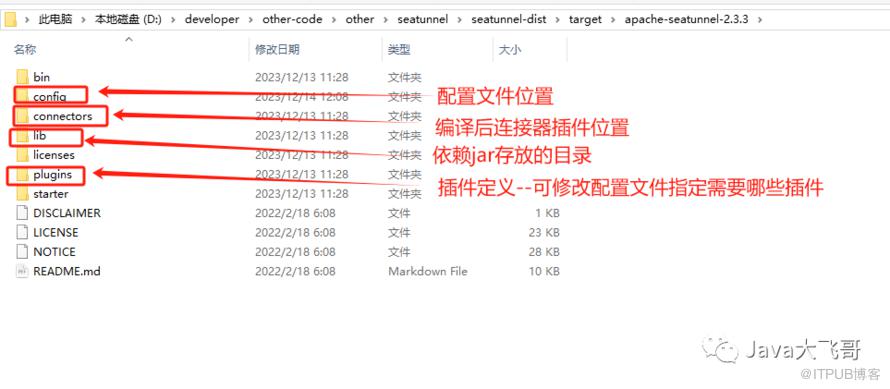
3.4.2 seatunnel-web项目启动参数配置


jvm参数
-DSEATUNNEL_HOME=D:\developer\other-code\other\seatunnel\seatunnel-dist\target\apache-sea
环境变量
ST_WEB_BASEDIR_PATH=D:\developer\other-code\other\seatunnel-web\seatunnel-web-dist\target\apache-seatunnel-web-1.0.1-SNAPSHOT\apache-seatunnel-web-1.0.1-SNAPSHOT
4. 源码编译运行
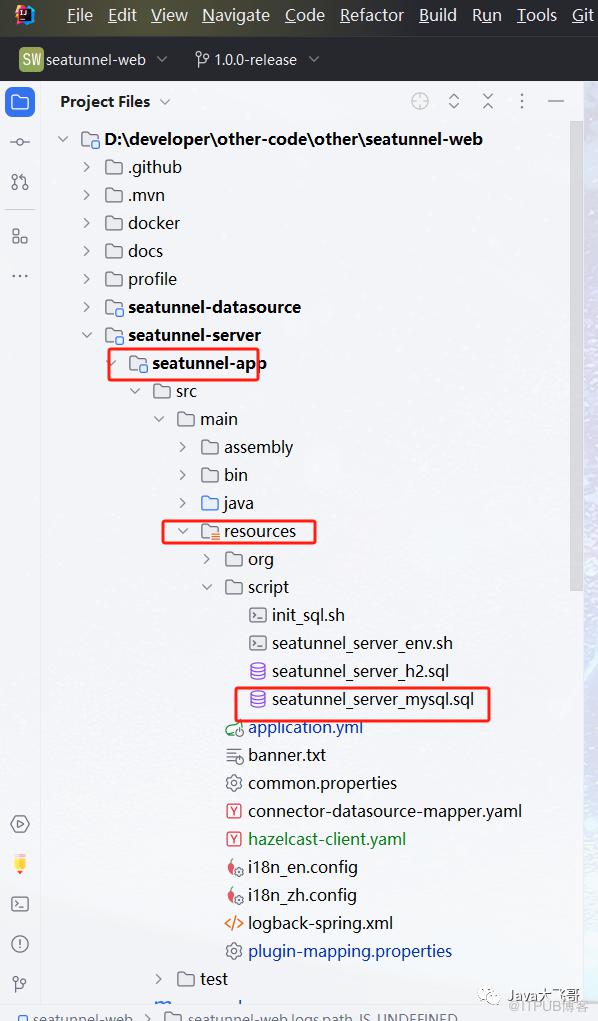
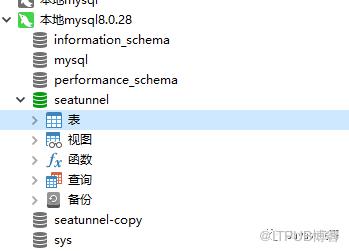
4.1 sql脚本执行
脚本如下,复制出来执行即可:
4.2 编译构建
4.2.1 seatunnel编译构建
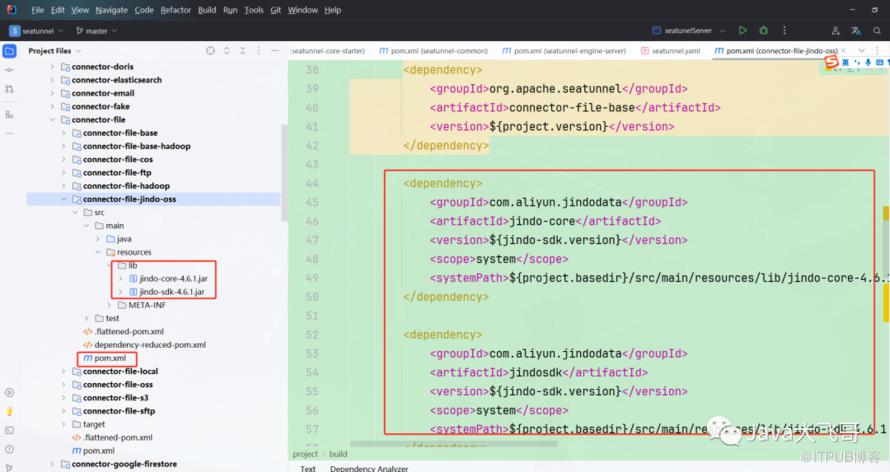
       <dependency>
            <groupId>com.aliyun.jindodata</groupId>
            <artifactId>jindo-core</artifactId>
            <version>${jindo-sdk.version}</version>
            <scope>system</scope>
            <systemPath>${project.basedir}/src/main/resources/lib/jindo-core-4.6.1.jar</systemPath>
        </dependency>

        <dependency>
            <groupId>com.aliyun.jindodata</groupId>
            <artifactId>jindosdk</artifactId>
            <version>${jindo-sdk.version}</version>
            <scope>system</scope>
            <systemPath>${project.basedir}/src/main/resources/lib/jindo-sdk-4.6.1.jar</systemPath>
        </dependency>

        <build>
        <plugins>
            <plugin>
                <groupId>org.springframework.boot</groupId>
                <artifactId>spring-boot-maven-plugin</artifactId>
                <version>2.4.2</version>
                <configuration>
                    <includeSystemScope>true</includeSystemScope>
                </configuration>
            </plugin>
        </plugins>
    </build>
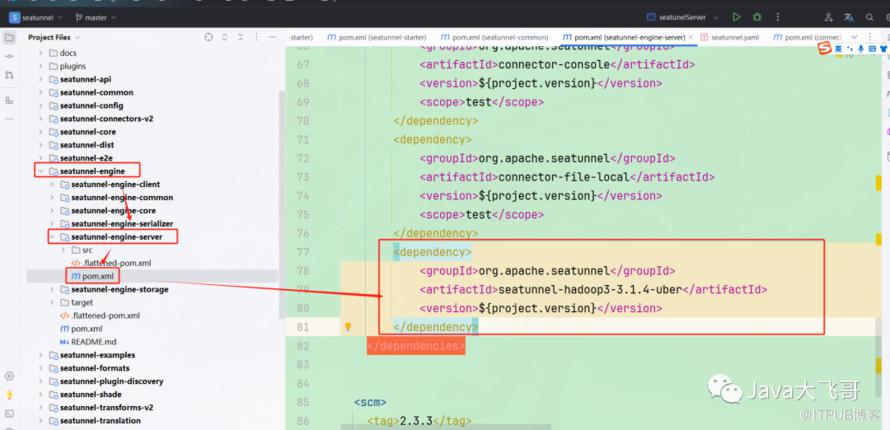

              <plugin>
                <groupId>org.apache.maven.plugins</groupId>
                <artifactId>maven-gpg-plugin</artifactId>
                <version>3.0.1</version>
                <executions>
                    <execution>
                        <id>sign-artifacts</id>
                        <phase>verify</phase>
                        <goals>
                            <goal>sign</goal>
                        </goals>
                    </execution>
                </executions>
                <configuration>
                    <skip>true</skip>
                </configuration>
            </plugin>
4.2.3 seatunnel-web编译构建
         <dependency>
            <groupId>mysql</groupId>
            <artifactId>mysql-connector-java</artifactId>
            <version>8.0.33</version>
        </dependency>
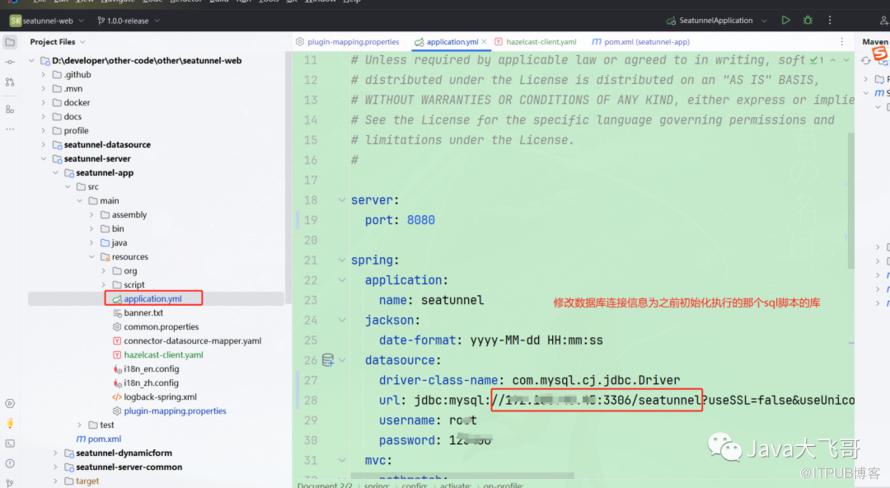
seatunnel.source.Jdbc = connector-jdbc
seatunnel.sink.Jdbc = connector-jdbc
4.3 编译打包命令
seatunnel项目运行这个:
mvn clean package -pl seatunnel-dist -am -Dmaven.test.skip=true
seatunnel打包插件命令实例如下:
mvn clean package -pl seatunnel-connectors-v2/connector-jdbc -am -DskipTests -T 1C

seatunnel-web项目运行这个:
mvn clean package -pl seatunnel-web-dist -am -Dmaven.test.skip=true
或者可以直接点击右侧maven的package打包即可
https://seatunnel.apache.org/docs/2.3.3/contribution/setup
https://github.com/apache/seatunnel-web
4.4 启动运行
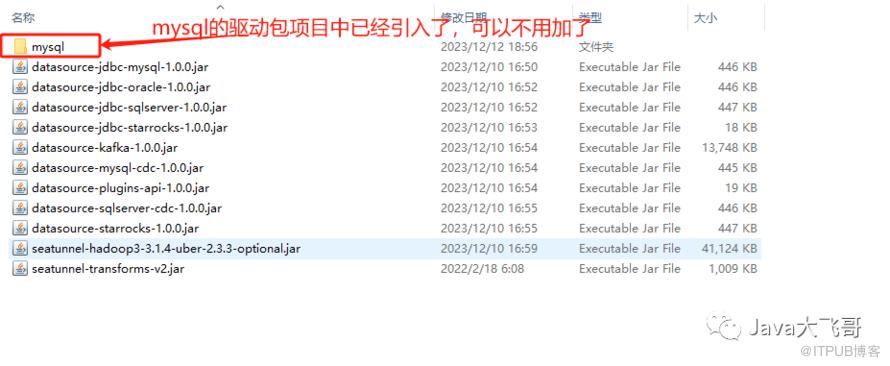

npm install
npm run dev
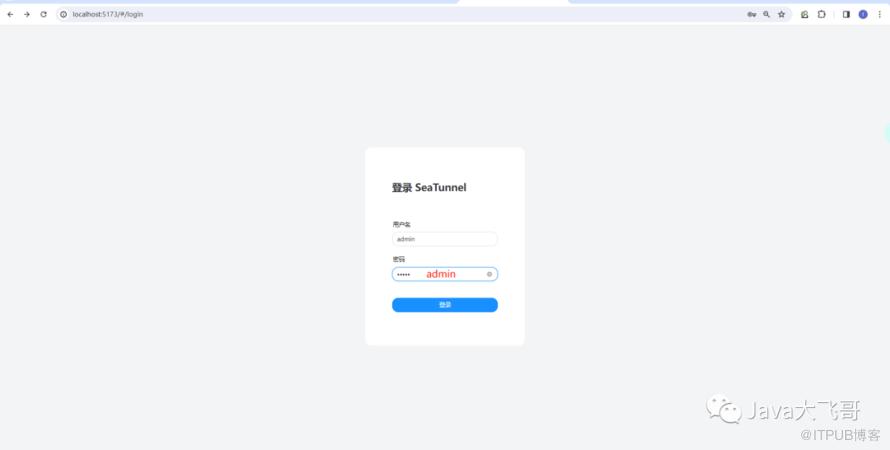
4.5 访问首页
http://localhost:5173/
用户名/密码都是admin
5. mysql-jdbc 到mysql-jdbc的单表数据同步
5.1 添加数据源

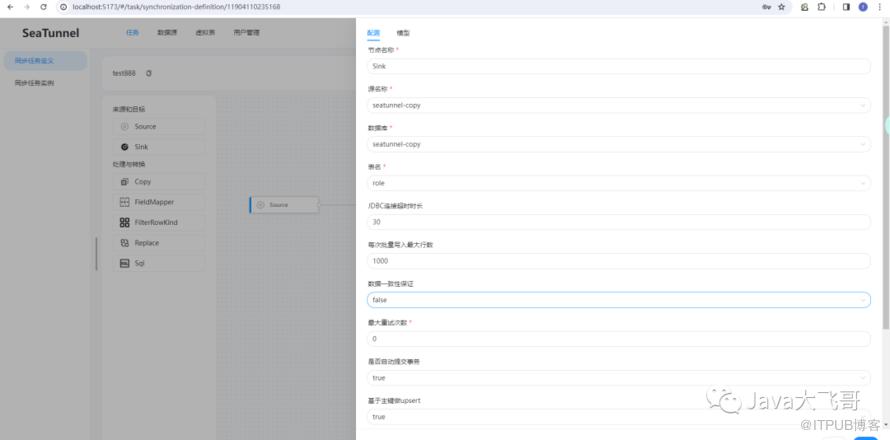
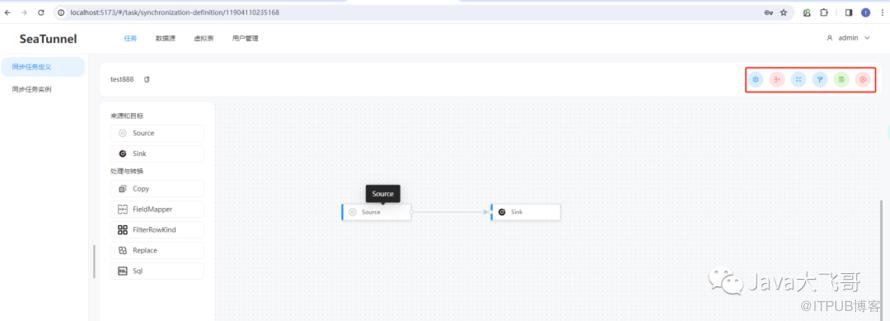
5.2 同步任务定义

5.3 同步任务执行


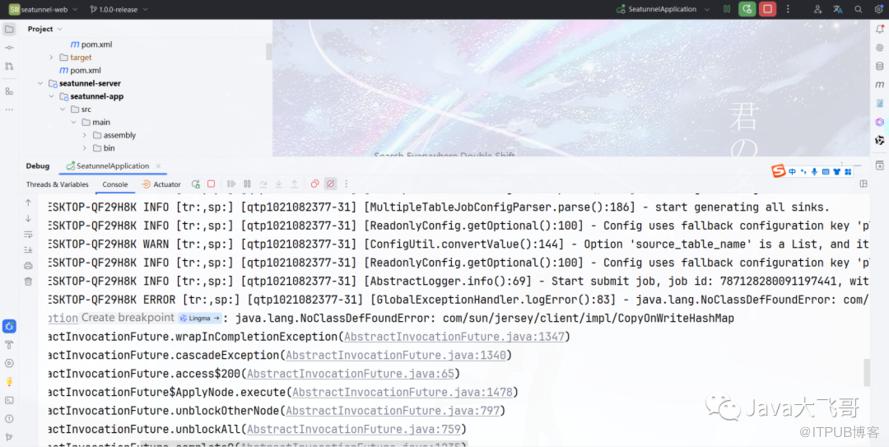
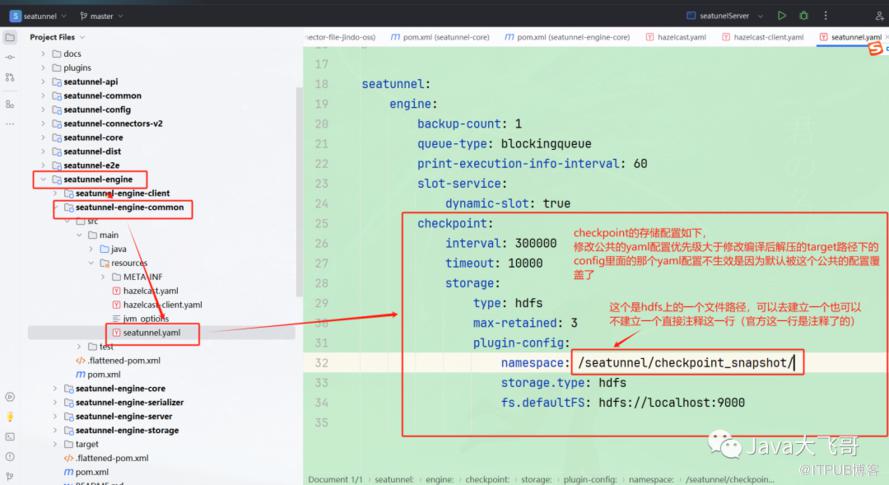
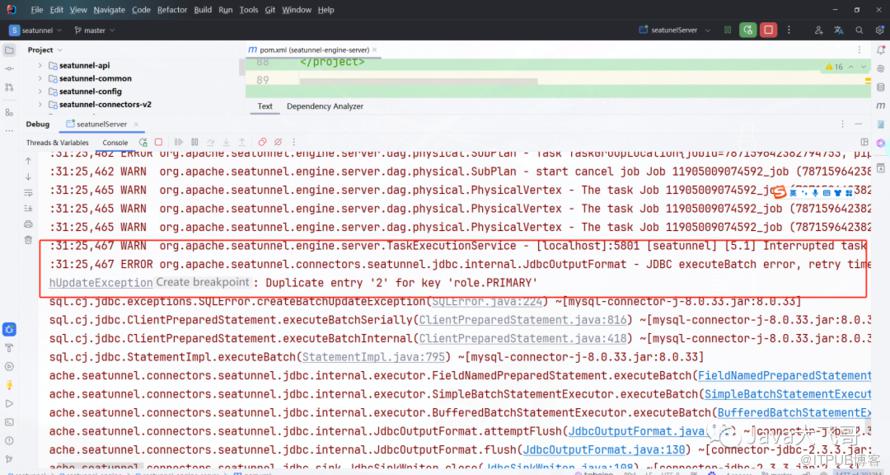
5.4 同步任务执行遇到的问题


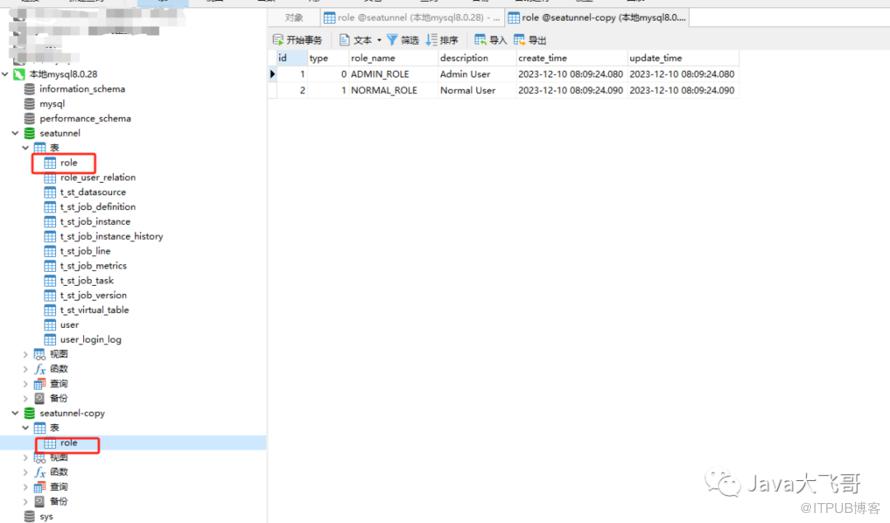
5.5 同步任务执行的结果
6. 总结
7.资料分享
链接:https://pan.baidu.com/s/1DWKpX2j5nyvDT3UucVc1Sg提取码:ip7p
原文作者:Java大飞哥;如有侵权,请联系管理员删除。

请登录后发表评论
登录
全部评论
最新文章
- CentOs7.9安装Docker,SpringBoot项目分层构建镜像
- windows10下安装docker且使用wsl2安装双系统并构建最小jre镜像和应用镜像
- 乐企数电发票分布式发票号码生成重复的问题修复思路分享
- disruptor-spring-boot-start版本优化升级
- spring-rabbit的CachingConnectionFactory默认参数导致消费者Channel数量暴增问题解决
- disruptor-spring-boot-start生产实践导致pod节点CPU爆表100%的问题解决说明
- rabbitmq-spring-boot-start版本优化升级
- 使用shell脚本批量curl调用POST接口
- windwos上jps既不是内部命令也不是外部命令解决方法
- 接口对外安全交互新姿势
