1. 安装之前检查
1.1. 获取系统位数
[root@localhost ~]# getconf LONG_BIT
64
1.2. 查询操作系统release信息
[root@localhost ~]# cat /etc/redhat-release
Red Hat Enterprise Linux Server release 6.8 (Santiago)
1.3. 查询系统信息
[root@localhost ~]# cat /etc/issue
Red Hat Enterprise Linux Server release 6.8 (Santiago)
Kernel \r on an \m
1.4. 查询系统名称
[root@localhost ~]# uname -a
Linux localhost.localdomain 2.6.32-642.el6.x86_64 #1 SMP Wed Apr 13 00:51:26 EDT 2016 x86_64 x86_64 x86_64 GNU/Linux
1.5. 修改主机名
[root@localhost ~]# vi /etc/sysconfig/network
NETWORKING=yes
HOSTNAME=dameng
[root@localhost ~]# hostname dameng
2. 创建系统用户
2.1. 创建用户
[root@dameng ~]# groupadd -g 12349 dinstall
[root@dameng ~]# useradd -u12345 -g dinstall -m -d /home/dmdba -s /bin/bash dmdba
[root@dameng ~]# passwd dmdba
Changing password for user dmdba.
New password:
BAD PASSWORD: it is too short
BAD PASSWORD: is too simple
Retype new password:
passwd: all authentication tokens updated successfully.
2.2. 创建安装目录
[root@dameng ~]# mkdir /dm
[root@dameng ~]# chown -R dmdba:dinstall /dm
3. 检查并修改操作系统限制
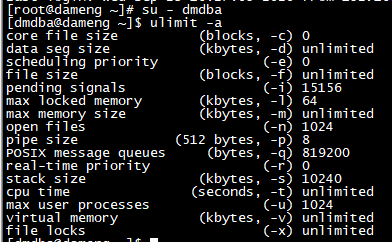
1.data seg size
data seg size (kbytes, -d)
建议用户设置为1048576(即1GB)以上或unlimited(无限制),此参数过小将导致数据库启动失败。
2. file size
file size(blocks, -f)
建议用户设置为unlimited(无限制),此参数过小将导致数据库安装或初始化失败。
3. open files
open files(-n)
建议用户设置为65536以上或unlimited(无限制)。
4.virtual memory
virtual memory (kbytes, -v)
建议用户设置为1048576(即1GB)以上或unlimited(无限制),此参数过小将导致数据库启动失败。
修改/etc/security/limits.conf文件
[root@dameng ~]# vi /etc/security/limits.conf
尾行添加
# End of file
dmdba soft nofile 65536
dmdba hard nofile 65536
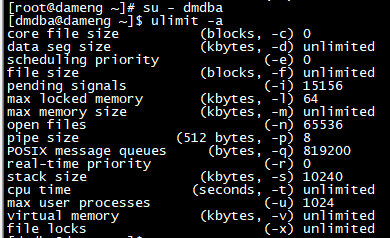
再次检查
4. 检查系统内存与存储空间
4.1. 获取内存总大小
[root@dameng data]# grep -i memtotal /proc/meminfo
MemTotal:        1906280 kB
4.2. 获取交换分区大小
[root@dameng data]# grep -i swaptotal /proc/meminfo
SwapTotal:       4095996 kB
4.3. 获取内存使用详情
[root@dameng data]# free -m
             total       used       free     shared    buffers     cached
Mem:          1861       1688        172          4         34        643
-/+ buffers/cache:       1009        851
Swap:         3999          0       3999
4.4. 检查存储空间
[root@dameng ~]# df -h
Filesystem      Size  Used Avail Use% Mounted on
/dev/sda3        95G  2.5G   87G   3% /
tmpfs           1.9G   72K  1.9G   1% /dev/shm
/dev/sda1       283M   39M  229M  15% /boot
4.5. 检查tmp空间
[root@dameng ~]# df -h /tmp
Filesystem      Size  Used Avail Use% Mounted on
/dev/sda3        95G  2.5G   87G   3% /
5. 安装达梦
5.1. 挂载达梦安装镜像
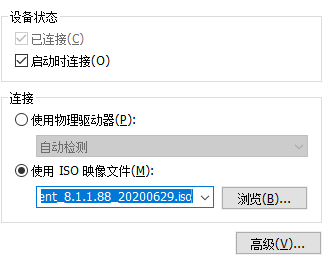
[root@dameng ~]# mkdir /media/cdrom
[root@dameng ~]# mount /dev/sr0 /media/cdrom/
mount: block device /dev/sr0 is write-protected, mounting read-only
5.2. 安装达梦数据库软件
5.2.1. 方式1——图形化安装
[root@dameng cdrom]# su - dmdba
[dmdba@dameng ~]$ export DISPLAY=192.168.83.1:0.0
[dmdba@dameng ~]$ cd /media/cdrom/
[dmdba@dameng cdrom]$ ./DMInstall.bin
Extract install files.........
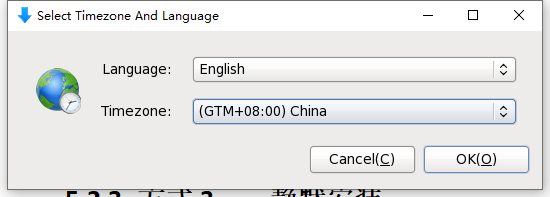
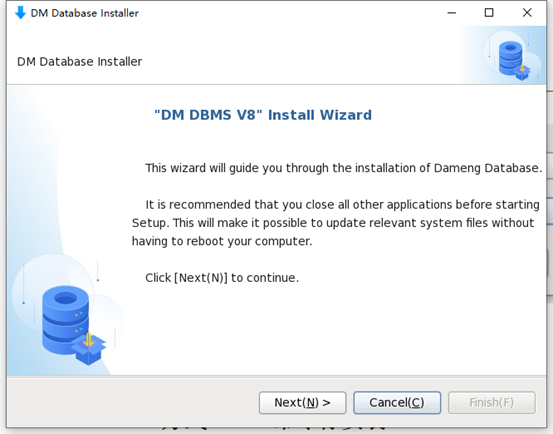
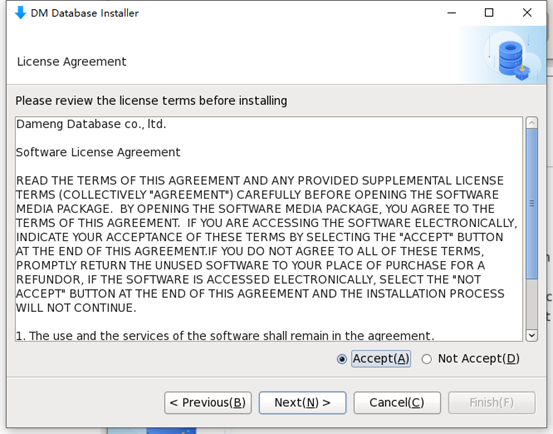
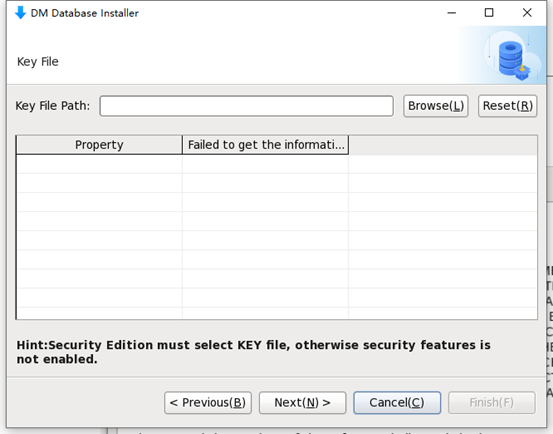
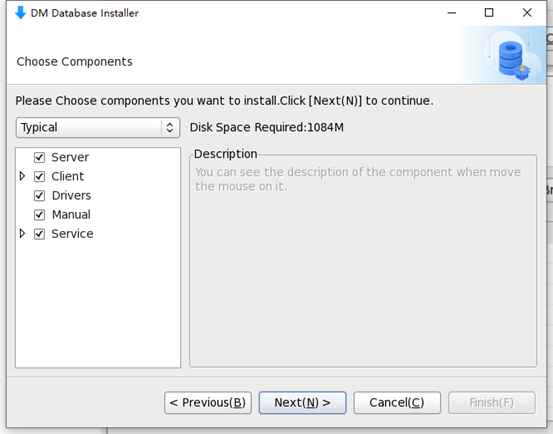
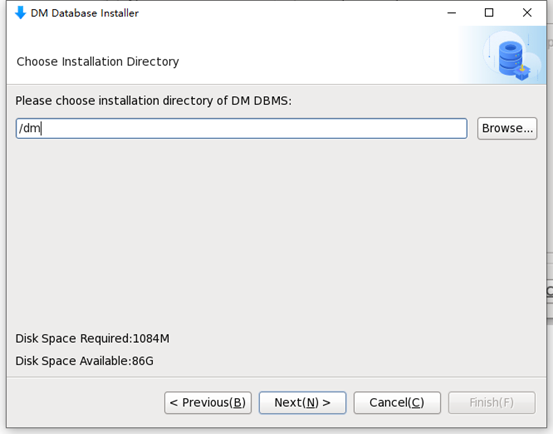
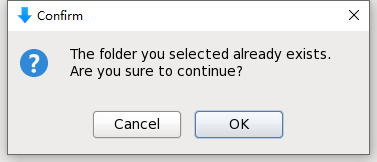
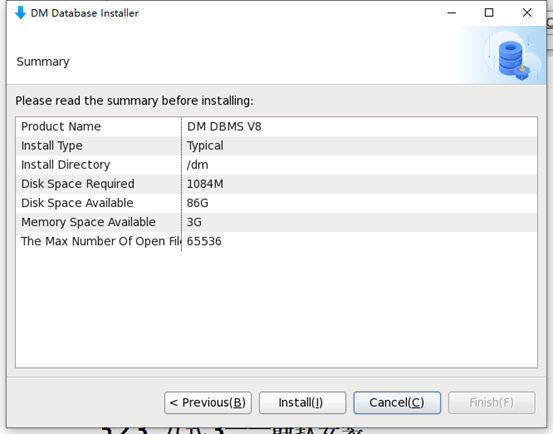
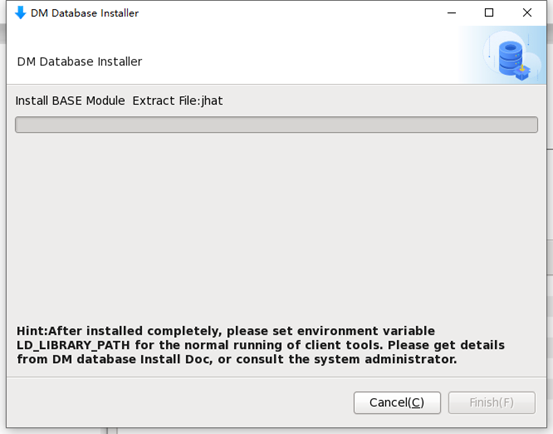
切换到命令行用root用户执行脚本

[root@dameng ~]# /dm/script/root/root_installer.sh
Move /dm/bin/dm_svc.conf to /etc
Modify the files' mode of DM Server
Create the DmAPService service
Move the service script file(/dm/bin/DmAPService to /etc/rc.d/init.d/DmAPService)
Finished to create the service (DmAPService)
Start the DmAPService service
Starting DmAPService:     [ OK ]
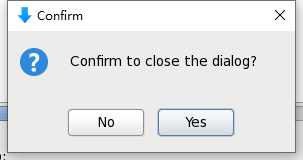
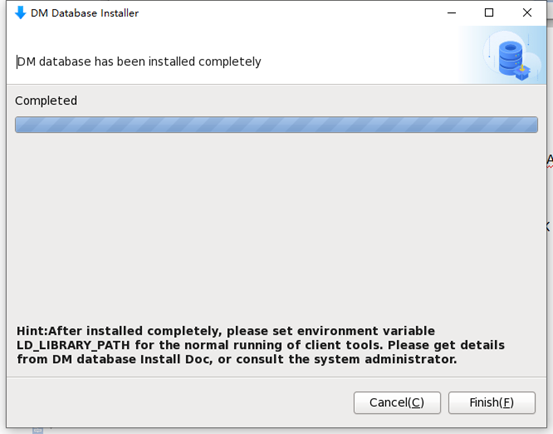
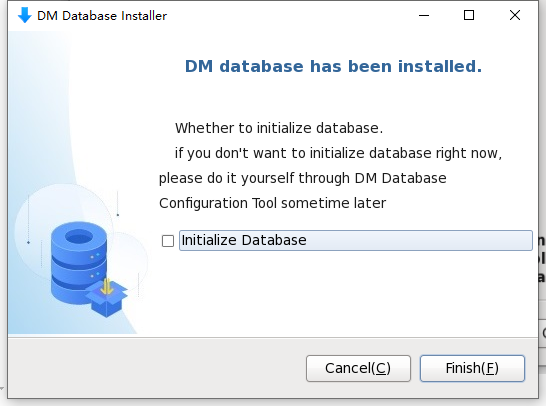
暂时不初始化数据库
5.2.2. 方式2——命令行安装
[dmdba@dameng cdrom]$ ./DMInstall.bin -i
Please select the installer's language (E/e:English C/c:Chinese) [E/e]:E
Extract install files..........
Welcome to DM DBMS Installer
Whether to input the path of Key File? (Y/y:Yes N/n:No) [Y/y]:n
Whether to Set The TimeZone? (Y/y:Yes N/n:No) [Y/y]:y
TimeZone:
[ 1]: GTM-12=West Date Line
[ 2]: GTM-11=Samoa
[ 3]: GTM-10=Hawaii
[ 4]: GTM-09=Alaska
[ 5]: GTM-08=Pacific(America and Canada)
[ 6]: GTM-07=Arizona
[ 7]: GTM-06=Central(America and Canada)
[ 8]: GTM-05=East(America and Canada)
[ 9]: GTM-04=Atlantic(America and Canada)
[10]: GTM-03=Brasilia
[11]: GTM-02=Middle Atlantic
[12]: GTM-01=Azores
[13]: GTM=Greenwich Mean Time
[14]: GTM+01=Sarajevo
[15]: GTM+02=Cairo
[16]: GTM+03=Moscow
[17]: GTM+04=AbuDhabi
[18]: GTM+05=Islamabad
[19]: GTM+06=Dakar
[20]: GTM+07=BangKok,Hanoi
[21]: GTM+08=China
[22]: GTM+09=Seoul
[23]: GTM+10=Guam
[24]: GTM+11=Solomon
[25]: GTM+12=Fiji
[26]: GTM+13=Nukualofa
[27]: GTM+14=Kiribati
Please Select the TimeZone [6]:21
Installation Type:
1 Typical
2 Server
3 Client
4 Custom
Please Input the number of the Installation Type [1 Typical]:1
Require Space: 1084M
Please Input the install path [/home/dmdba/dmdbms]:/dm
Available Space:85G
Please Confirm the install path(/dm)? (Y/y:Yes N/n:No) [Y/y]:y
Pre-Installation Summary
Installation Location: /dm
Require Space: 1084M
Available Space: 85G
Version Information:
Expire Date:
Installation Type: Typical
Confirm to Install? (Y/y:Yes N/n:No):y
2020-09-23 16:53:52
[INFO] Installing DM DBMS...
2020-09-23 16:53:53
[INFO] Installing BASE Module...
2020-09-23 16:53:55
[INFO] Installing SERVER Module...
2020-09-23 16:53:55
[INFO] Installing CLIENT Module...
2020-09-23 16:53:57
[INFO] Installing DRIVERS Module...
2020-09-23 16:53:57
[INFO] Installing MANUAL Module...
2020-09-23 16:53:57
[INFO] Installing SERVICE Module...
2020-09-23 16:53:58
[INFO] Move ant log file to log directory.
2020-09-23 16:53:58
[INFO] Installed DM DBMS completely.
Please execute the commands by root:
/dm/script/root/root_installer.sh
End
最后用root用户执行脚本
[root@dameng ~]# /dm/script/root/root_installer.sh
Move /dm/bin/dm_svc.conf to /etc
Modify the files' mode of DM Server
Create the DmAPService service
Move the service script file(/dm/bin/DmAPService to /etc/rc.d/init.d/DmAPService)
Finished to create the service (DmAPService)
Start the DmAPService service
Starting DmAPService:                                      [ OK ]
5.2.3. 方式3——静默安装(仅安装软件)
编辑配置文件
[dmdba@dameng ~]$ vi auto_install.xml
<?xml version="1.0"?>
<DATABASE>
<LANGUAGE>en</LANGUAGE>
<TIME_ZONE>+08:00</TIME_ZONE>
<KEY></KEY>
<INSTALL_TYPE>0</INSTALL_TYPE>
<INSTALL_PATH>/dm</INSTALL_PATH>
<INIT_DB>n</INIT_DB>
<TIME_ZONE>+08:00</TIME_ZONE>
</DATABASE>
开始安装
[dmdba@dameng cdrom]$ ./DMInstall.bin -q /home/dmdba/auto_install.xml
Extract install files..........
2020-09-23 17:09:19
[INFO] Installing DM DBMS...
2020-09-23 17:09:19
[INFO] Installing BASE Module...
2020-09-23 17:09:22
[INFO] Installing SERVER Module...
2020-09-23 17:09:22
[INFO] Installing CLIENT Module...
2020-09-23 17:09:23
[INFO] Installing DRIVERS Module...
2020-09-23 17:09:23
[INFO] Installing MANUAL Module...
2020-09-23 17:09:23
[INFO] Installing SERVICE Module...
2020-09-23 17:09:24
[INFO] Move ant log file to log directory.
2020-09-23 17:09:30
[INFO] Installed DM DBMS completely.
Please execute the commands by root:
/dm/script/root/root_installer.sh
用root用户执行脚本

5.3. 创建达梦数据库
5.3.1. 方式1——图形化方式
[root@dameng ~]# su - dmdba
[dmdba@dameng ~]$ cd /dm/tool/
[dmdba@dameng tool]$ export DISPLAY=192.168.89.1:0.0
[dmdba@dameng tool]$ ./dbca.sh
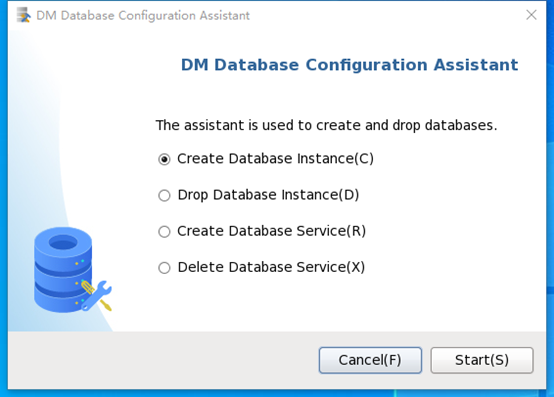
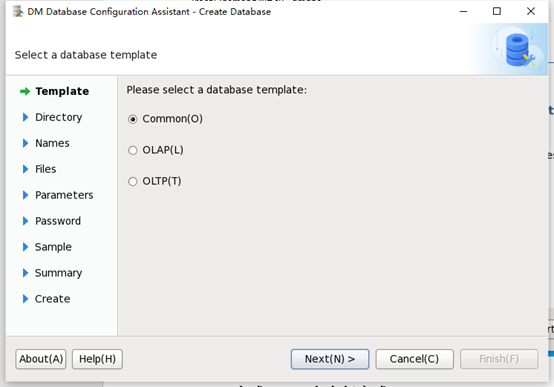
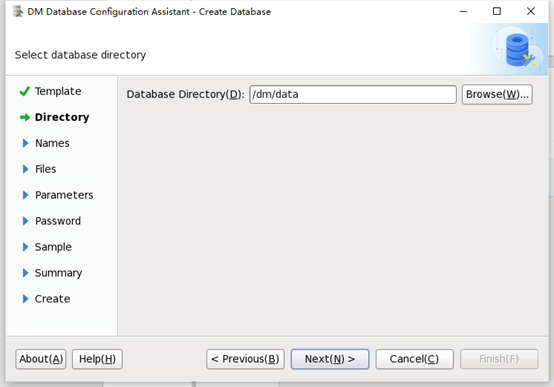
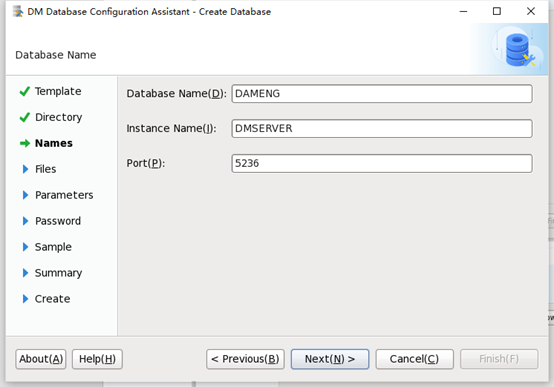
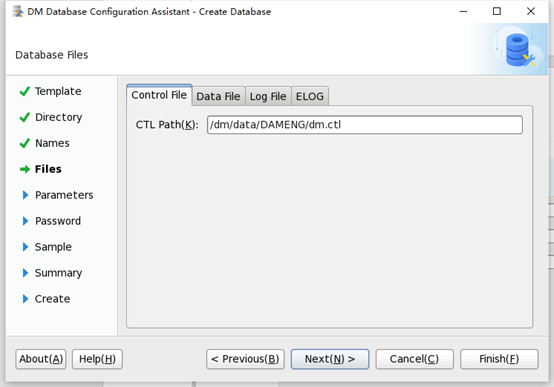
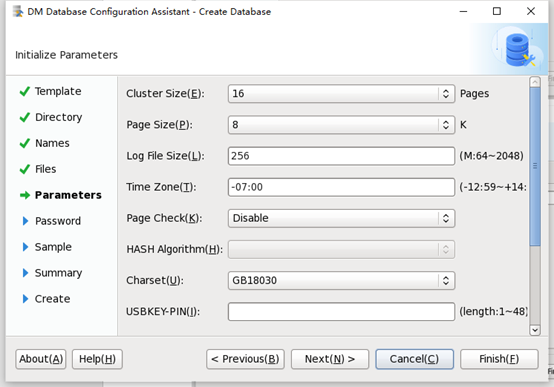
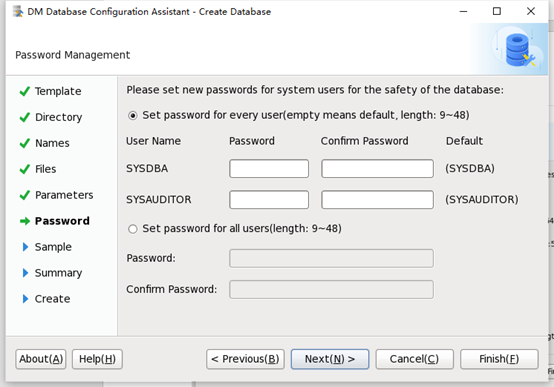

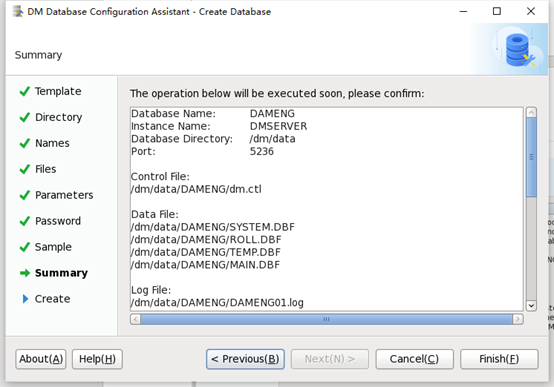
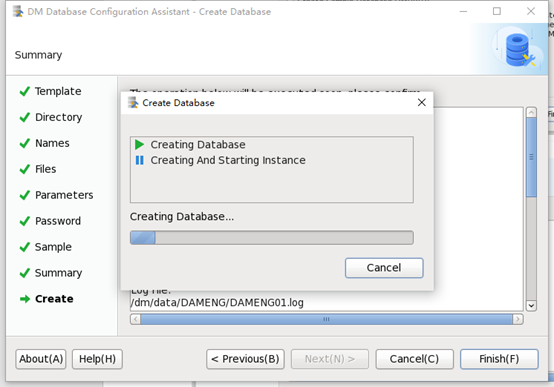

根据提示,用root用户执行脚本,注册数据库服务
[root@dameng ~]# /dm/script/root/dm_service_installer.sh -s /dm/bin/DmServiceDMSERVER
Move the service script file(/dm/bin/DmServiceDMSERVER to /etc/rc.d/init.d/DmServiceDMSERVER)
Finished to create the service (DmServiceDMSERVER)
[root@dameng ~]# service DmServiceDMSERVER start
Starting DmServiceDMSERVER:                                [ OK ]
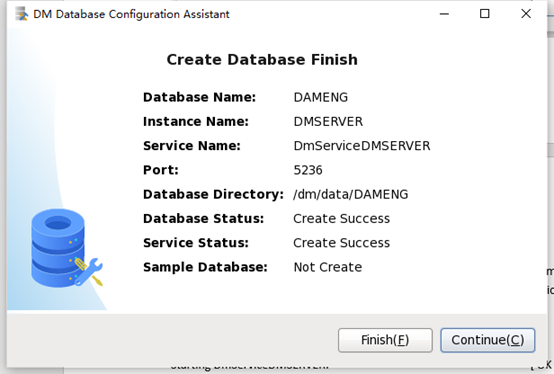

可以看到数据库服务在以非控制台方式启动。
5.3.2. 方式2——命令行方式
[dmdba@dameng dm]$ cd bin
[dmdba@dameng bin]$ ./dminit PATH=/dm/data PAGE_SIZE=16
initdb V8
db version: 0x7000a
file dm.key not found, use default license!
License will expire on 2021-06-24
 log file path: /dm/data/DAMENG/DAMENG01.log
 log file path: /dm/data/DAMENG/DAMENG02.log
write to dir [/dm/data/DAMENG].
create dm database success. 2020-09-24 02:41:22、
此处参数全部默认,需要自定义参数请使用 ./dminit help进行参考。
6. 数据库服务的注册与卸载(linux平台)
6.1. 注册
[root@dameng data]# /dm/script/root/dm_service_installer.sh -t dmserver -dm_ini /dm/data/DAMENG/dm.ini -p DMSERVER
Move the service script file(/dm/bin/DmServiceDMSERVER to /etc/rc.d/init.d/DmServiceDMSERVER)
Finished to create the service (DmServiceDMSERVER)
6.2. 卸载
/dm/script/root/dm_service_uninstaller.sh -n DmServiceDMSERVER
7. 连接达梦数据库
[dmdba@dameng bin]$ ./disql
disql V8
username:SYSDBA
password:
Server[LOCALHOST:5236]:mode is normal, state is open
login used time: 7.195(ms)
SQL>
来自 “ ITPUB博客 ” ,链接:https://blog.itpub.net/69908733/viewspace-2723768/ ,如需转载,请注明出处,否则将追究法律责任。

