
用command(命令)打开jupyter的方法:
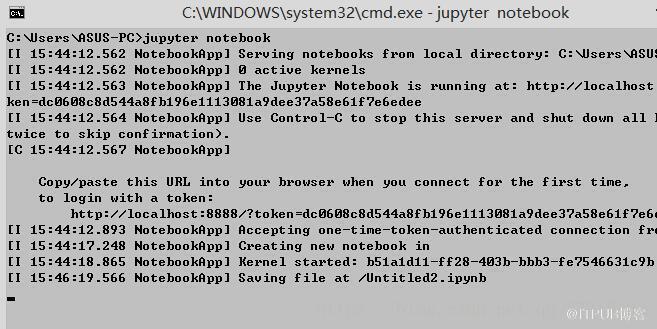
直接在cmd下输入”jupyter notebook”命令,然后回车即可直接打开jupyter,同时会在浏览器界面打开网页版jupyter。
如果安装了Anaconda,并想使用指定的python版本,那么启动步骤如下:
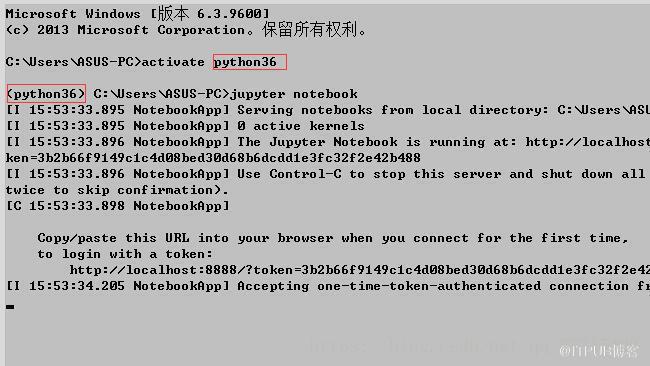
WIN+R输入cmd,在cmd下输入命令”activate python36”
输入”jupyter notebook”命令回车即可自动打开jupyter:
推荐:jupyter使用教程
来自 “ ITPUB博客 ” ,链接:https://blog.itpub.net/658/viewspace-2833892/ ,如需转载,请注明出处,否则将追究法律责任。
上一篇:
如何在java中深复制?
下一篇:
centos怎么安装vim-gnome?

请登录后发表评论
登录
全部评论
