
修改jupyter中字体的方法:先使用pip install --upgrade jupyterthemes命令安装主题,然后在主题设置命令jt中使用-f参数即可设置字体样式。
具体设置方法:
安装主题:
pip install --upgrade jupyterthemes
查看可用主题:
jt -l
主要设置参数是-t 设置主题 -f 代码字体 -fs 代码字号 -cellw(占屏比或宽度) -ofs(输出段的字号) -T(显示工具栏)等等
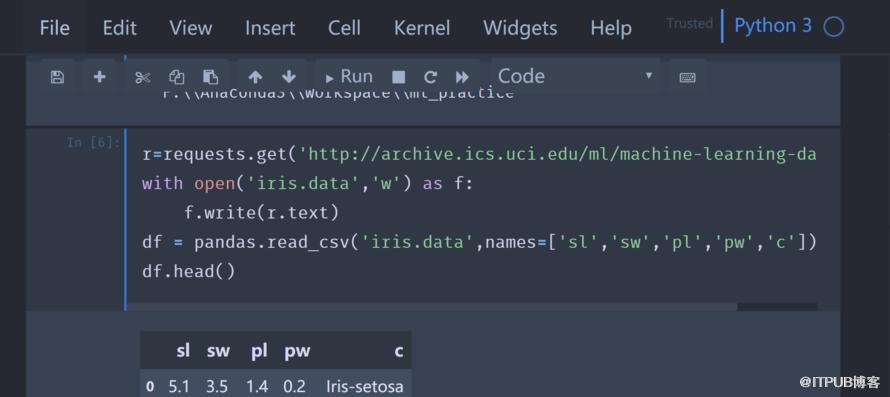
我的设置为:
jt -t oceans16 -f fira -fs 12 -cellw 90% -ofs 10 -dfs 11 -T
效果为:
 推荐学习:《python教程》
来自 “ ITPUB博客 ” ,链接:https://blog.itpub.net/4741/viewspace-2834799/ ,如需转载,请注明出处,否则将追究法律责任。
上一篇:
64位系统能用32位的eclipse吗?
下一篇:
python eval() 怎么用

请登录后发表评论
登录
全部评论
