
CentOS如何启动PostgreSQL
CentOS启动PostgreSQL使用systemctl start postgresql-9.4.service命令即可。
推荐:postgresql教程
其他命令如下:
1、查看正在运行的服务
systemctl
2、启动,停止,重启服务
systemctl start  postgresql-9.4.service
systemctl stop postgresql-9.4.service
systemctl restart postgresql-9.4.service
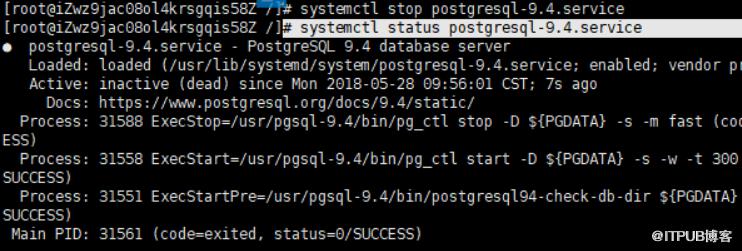
3、查看一个服务的状态
systemctl status postgresql-9.4.service
4、开机时启用一个服务
systemctl enable postgresql-9.4.service
5、开机时关闭一个服务
systemctl disable postgresql-9.4.service
6、查看服务是否开机启动
systemctl is-enabled postgresql-9.4.service
更多技术请关注Python视频教程。
来自 “ ITPUB博客 ” ,链接:https://blog.itpub.net/4662/viewspace-2834062/ ,如需转载,请注明出处,否则将追究法律责任。
上一篇:
mysql服务找不到如何解决
下一篇:
python怎么做web开发

请登录后发表评论
登录
全部评论
