在 Unity 中, Component.transform 是我们经常会用到的.
比如:
void Start(){
    transform.position = Vector3.Zero;
}
但是要知道 transform不是一个变量,他是一个属性
所以假如我们频繁的要使用 transform 的时候,那效率可就不好说了.最好的方法是我们把要频繁使用的 transform 用变量先缓存一下然后再使用,我们可以用一段代码来测试一下:
using System.Collections;
using System.Collections.Generic;
using System.Diagnostics;
using UnityEngine;

public class CacheTransformStopWatch : MonoBehaviour {

    public Transform trans;

    public int Count = 10000;

    private long NoCache = 0;
    private long Cache = 0;

    private void Start () {
        trans = this.transform;

        Stopwatch sw = new Stopwatch ();
        sw.Start ();
        for (int i = 0; i
我们随便把脚本挂在一个物体上运行一下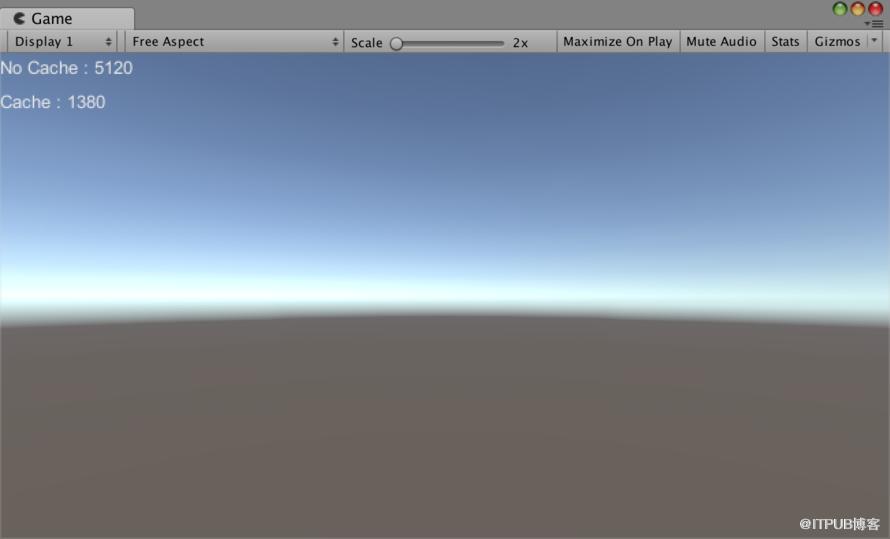
我们可以看到,缓存之后比没缓存,速度快了将近4倍.所以在平时的开发中要是需要频繁的使用 transform 的属性,还是先缓存下来比较好.
来自 “ ITPUB博客 ” ,链接:https://blog.itpub.net/4565/viewspace-2800904/ ,如需转载,请注明出处,否则将追究法律责任。

请登录后发表评论
登录
全部评论
