tags: 移动商城项目
提供对应的controller方法
    /**
     * 查看商品的单品页信息
     *
     * @return
     */
    @RequestMapping("/toProductDetail.do")
    public String toProductDetail() {

        return "productDetail";
    }
进入到页面上,我们来查看一下有什么属性要展示出来的:
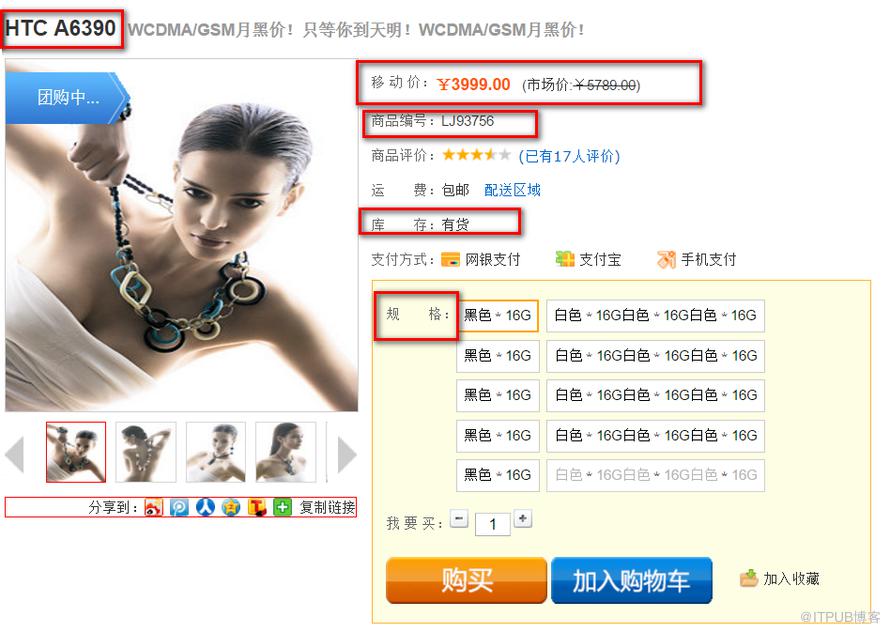
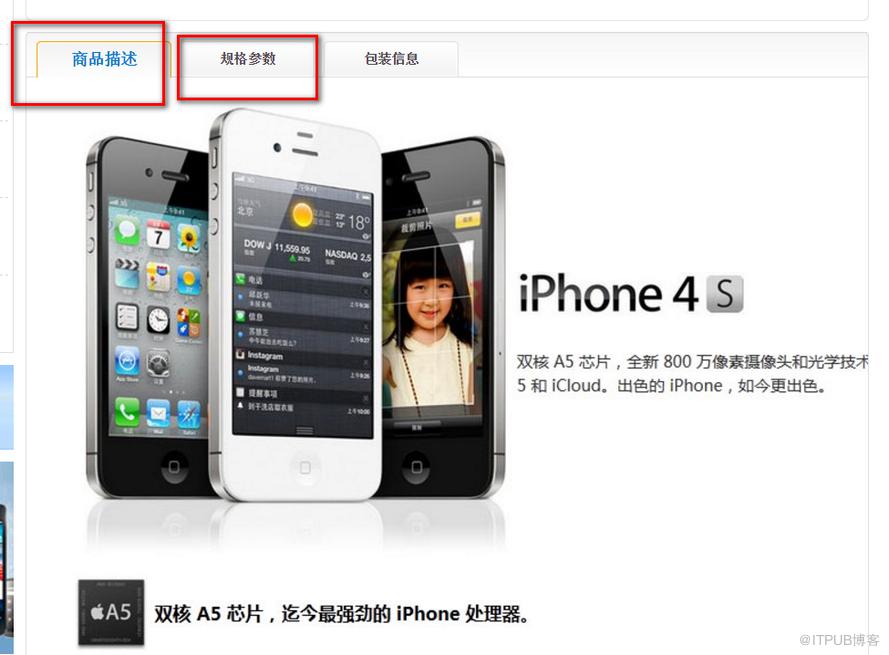
我们发现这些数据涉及到了多张表的查询,下面就来分析一下吧:
- item实体表
- feature属性表
- paraValue存放属性值的表
- sku库存表
- specValue库存特殊属性值表
- 大字段数据 clob表
我们主要查询的是商品的信息,因此商品需要联合上边那些关联关系一次查询出来!
修改后:
                                            ${spec.specValue }
                                        #list>


                                            ${spec.specValue }
                                        #list>

                                #if>

                        #list>
freemarker语法自动带有,号的数值类型,我们一般不使用。于是使用?c来格式化
skuId="${sku.skuId?c }时间的转换:
${sendTime?string("yyyy-MM-dd HH:mm:ss")}
package com.rl.ecps.utils;

import java.io.BufferedWriter;
import java.io.File;
import java.io.FileOutputStream;
import java.io.OutputStreamWriter;
import java.io.Writer;
import java.util.Map;

import freemarker.template.Configuration;
import freemarker.template.Template;

public class FMutil {

    /**
     *
     * @param ftlName:模板名
     * @param fileName:生成的html名字
     * @param map 数据库中的数据
     * @throws Exception
     */
    public void ouputFile(String ftlName, String fileName,  Map map) throws Exception{
        //创建fm的配置
        Configuration config = new Configuration();
        //指定默认编码格式
        config.setDefaultEncoding("UTF-8");
        //设置模板的包路径
        config.setClassForTemplateLoading(this.getClass(), "/com/rl/ecps/ftl");
        //获得包的模板
        Template template = config.getTemplate(ftlName);
        //指定文件输出的路径
        String path = "X:\Users\ozc\Desktop\parent1\portal\src\main\webapp\static";
        //定义输出流,注意的必须指定编码
        Writer writer = new BufferedWriter(new OutputStreamWriter(new FileOutputStream(new File(path+"/"+fileName)),"UTF-8"));
        //生成模板
        template.process(map, writer);
    }

}
    @Test
    public void TestFreemarker() throws Exception {
        EbItem ebItem = itemService.selectItemDetail((long) 3100);

        Map map = new HashMap();
        map.put("item", ebItem);
        FMutil fMutil = new FMutil();
        fMutil.ouputFile("productDetail.ftl", ebItem.getItemId() + ".html", map);

    }
最终生成我们的静态页面:

访问静态页面:
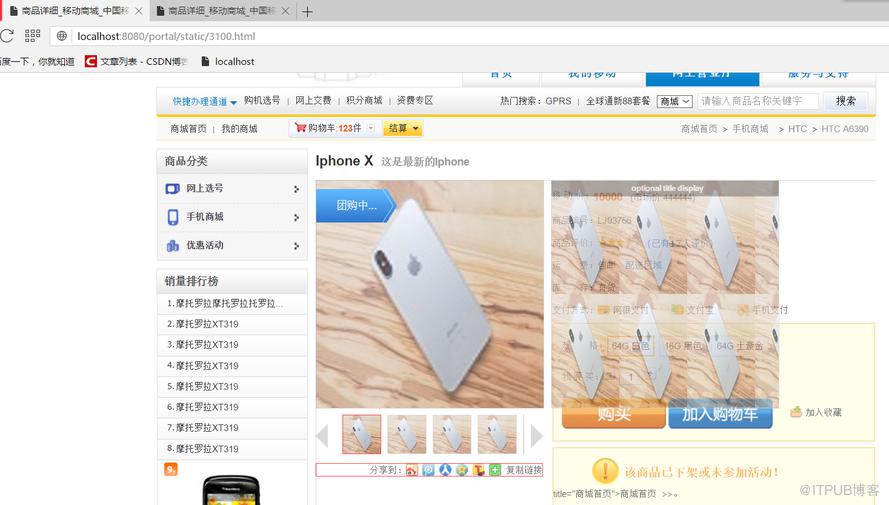
我们上边是通过test的方式来生成我们的静态页面的。明显地,我们生成静态页面就不是在portal进行处理的。应该是交由console来进行处理的。
那现在问题来了,怎么将console处理后的页面交由到portal中呢??
- console和portal是属于两台不同的机器的(IP地址是不同的)。是在不同的工作目录下的。
由于IP地址不同,是两台不同的机器,我们就可以想到webservice!
- 由portal中发布服务,console进行调用,那么portal就能够有对应的静态页面了!
编写webService代码:
@WebService
public interface EbWSItemService {

    public String publishItem(Long itemId, String password) throws Exception;

}
@Service
public class EbWSItemServiceImpl implements EbWSItemService {

    @Autowired
    private EbItemDao itemDao;

    public String publishItem(Long itemId, String password) throws Exception {
        String pass = ResourcesUtils.readProp("ws_pass");
        if(StringUtils.equals(password, pass)){
            EbItem item  = itemDao.selectItemDetail(itemId);
            Map map = new HashMap();
            map.put("item", item);
            FMutil fm = new FMutil();
            fm.ouputFile("productDetail.ftl", item.getItemId()+".html", map);
            return "success";
        }else{
            return "pass_error";
        }
    }

} 使用CXF框架将我们的webService服务在portal端发布:
cxf-servlet.xml配置文件:
<!-- 引入CXF Bean定义如下,早期的版本中使用 --> portal端进行加载该配置文件:
org.springframework.web.context.ContextLoaderListener contextConfigLocation <!--加载cxf配置文件-->classpath*:beans.xml,classpath*:cxf-servlet.xml cxf org.apache.cxf.transport.servlet.CXFServlet cxf /services/* 当访问portal端的services的时候,就可以看到服务进行发出去了!
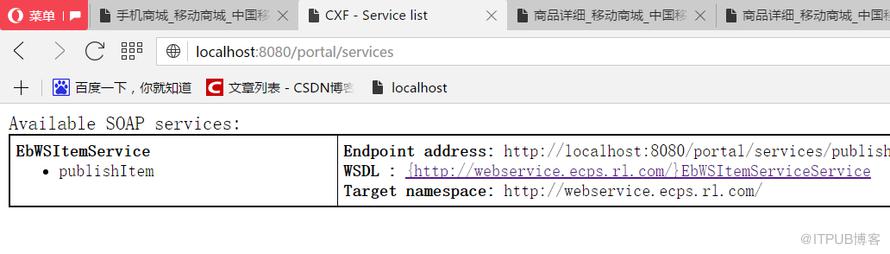
使用IDEA的工具将WSDL地址转成是Java类
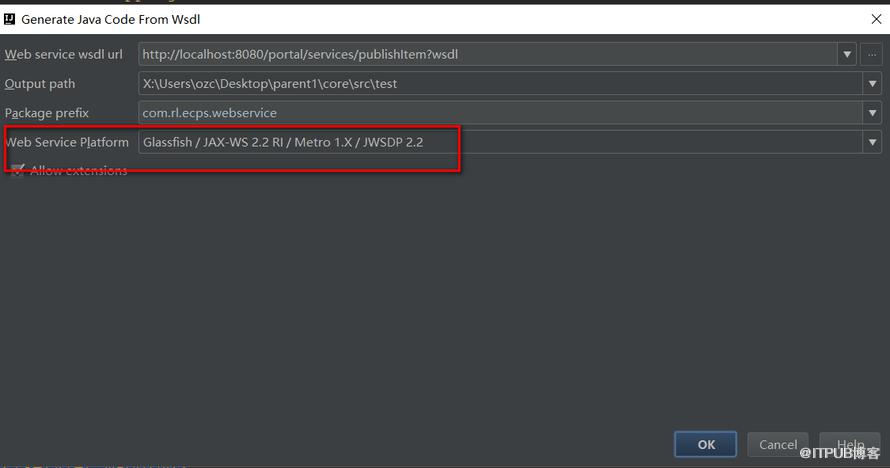
得出这么一堆对象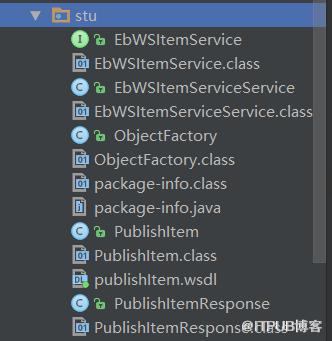
在service层调用这么一些对象(也就是portal发布的服务)
    public String publishItem(Long itemId, String password) throws Exception {

        EbWSItemServiceService itemServiceService = new EbWSItemServiceService();
        EbWSItemService ebWSItemServicePort = itemServiceService.getEbWSItemServicePort();
        return ebWSItemServicePort.publishItem(itemId, password);
    }
controller调用service
    @RequestMapping("/publishItem.do")
    public void publishItem(Long itemId, PrintWriter out) throws Exception {
        String password = ResourcesUtils.readProp("ws_pass");
        String result = itemService.publishItem(itemId, password);
        out.write(result);
    }
前台时候ajax进行调用:
        function publishItem(itemId) {
            $.ajax({
                url:"${path}/item/publishItem.do",
                type:"post",
                dataType:"text",
                data:{
                    itemId:itemId
                },
                success:function(responseText){
                    if(responseText == "success"){
                        alert("发布成功");
                    }else{
                        alert("密码错误");
                    }
                    tipHide("#importLoadDiv");
                },
                error:function(){
                    alert("系统错误");
                }
            })

}这样一来,console是调用portal发布的webservice程序。那么生成的静态页面就是portal上的。
总结- 关联查询数据的时候,要想想如果有一张表没有数据时,另一张表的数据是否要查询出来。要使用外连接!
- 在获取后台数据的时候,可以在html中自定义属性来进行获取。很好用。
- 使用trigger方法能够用程序的方式来响应我们的事件
- 使用静态化页面能够减少对数据库的访问,浏览速度会大大加快
-
使用freemarker语法将JSTL的标签替换掉,再将后缀改成是ftl就行了。
- 使用工具类将模版渲染成html类型
- 由于前后端的分离,将模版渲染成html类型是在后端干的。但在访问的时候是在前台的工作目录上。
- 问题就是怎么将后台生成的html页面发送给前台
- 因为前台和后台的电脑是不一样的,IP地址也是不一样的。
- 要使用到webservice,webservice能够调用远程的服务。
- 在portal上发布远程的服务
- console调用portal的服务,生成的数据就在portal上了。
来自 “ ITPUB博客 ” ,链接:https://blog.itpub.net/4418/viewspace-2800095/ ,如需转载,请注明出处,否则将追究法律责任。

