神秘魔法从天而降,艾莎生世如何揭晓
让我们一探究竟...

网页作品介绍
本HTML静态网页作品采用DW制作,主题为华为热门产品,共10个页面,首页1页,二级图文页面1页,二级产品1页,三级产品详情6页,留言表单1页。 学生基础水平,未使用特殊技术,制作了留言表单页面,表单页面插入了背景图,美化了表单项。三级产品介绍页面直接调用的图片。 页面整体精美但!无技术难点,只是图片漂亮,适合中低要求。
图片描述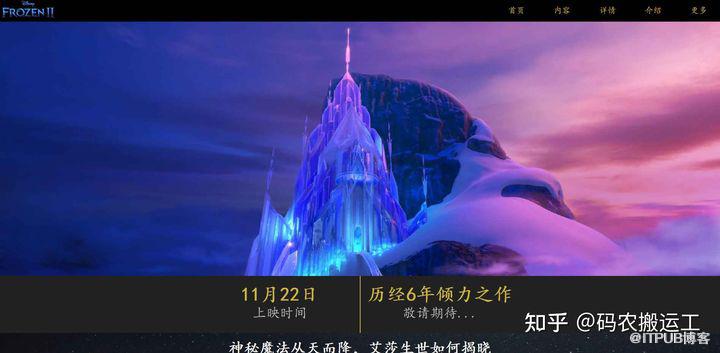
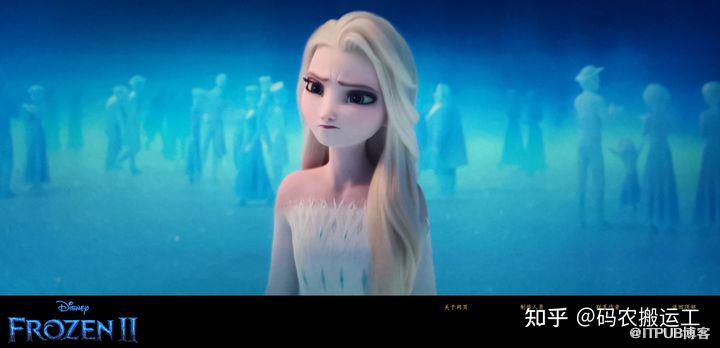
代码演示
首页
<!--添加链入式-->
<!--添加链入式结束-->我在找OA系统 a>
<!--添加head-->
 <!--添加head_hf-->
首页 a>
内容 a>
详情 a>
介绍 a>
更多 a>
<!--添加head_hf结束-->
<!--添加head结束-->
<!--添加top-->
<!--添加top结束-->
<!--添加banner-->
<!--添加banner结束-->
<!--添加conten-->
<!--添加head_hf-->
首页 a>
内容 a>
详情 a>
介绍 a>
更多 a>
<!--添加head_hf结束-->
<!--添加head结束-->
<!--添加top-->
<!--添加top结束-->
<!--添加banner-->
<!--添加banner结束-->
<!--添加conten-->
神秘魔法从天而降,艾莎生世如何揭晓
让我们一探究竟...
<!--添加conten结束-->
<!--添加nav-->
<!--添加nav结束-->
<!--添加sc-->
<!--添加sc结束-->
<!--添加footer-->
 <!--添加footer_right-->
a>
<!--添加footer_right结束-->
<!--添加footer结束-->
<!--添加footer_right-->
a>
<!--添加footer_right结束-->
<!--添加footer结束-->
@charset "utf-8";
/*设置全局控制*/
  *{ margin:0; padding:0;}
/*添加body的背景图片*/
  body{ background-color:000;
        font-family:楷体;   /*给予body全体文字为楷体*/
  }
/*设置head开始*/
  #head{ height:60px;
		 background-color:#000;
  }
  #head_hf{ height:60px;
            width:600px;
	        background-color:#000;
		    float:right;   /*设置为右浮动*/
			line-height:60px;   /*行高为60px*/
  }
  #head_hf a{ display:block;
              width:120px;
			  height:55px;
			  float:left;   /*设置为左浮动*/
			  text-align:center;
			  font-size:22px;
  }
  #head_hf a:link,#head_hf a:visited{
	  background-color:#000;
	  color:#CFB53B;
	  text-decoration:none;   /*消除下划线*/
  }
  #head_hf a:hover{ border-bottom:solid 2px #CFB53B;
                    background-color:#212121;
                    color:#FFF;
  }
/*设置head结束*/
/*设置top开始*/
  #top{ height:670px;
    	background-image:url(../images/44.jpg);
 	    background-size:100% 100%;   /*背景图片大小*/
        background-repeat:no-repeat;   /*背景图片不做任何平铺*/
  }
/*设置top结束*/
/*设置banner开始*/
  #banner{ height:150px;
		   margin:0 auto;   /*上下边距为0,且此盒子居中于父级*/
		   background-color:#212121;
  }
  #banner_nr{ width:842px;
              height:150px;
			  margin:0 auto;   /*上下边距为0,且此盒子居中于父级*/
			  background-color:#cfb53b;
  }
  #banner_nr_left{ float:left;   /*设置为左浮动*/
                   height:150px;
				   width:420px;
				   background-color:#212121;
  }
  #banner_nr_left h2{ text-align:center;   /*此盒子文本元素居中*/
                      color:#cfb53b;
					  font-size:50px;
					  margin-top:20px;
  }
  #banner_nr_left p{ color:#bdbdbd;
                     text-align:center;
					 font-size:36px;
  }
  #banner_nr_right{ float:right;   /*设置为右浮动*/
                    height:150px;
					width:420px;
					background-color:#212121;
  }
  #banner_nr_right h2{ text-align:center;
                       color:#cfb53b;
					   font-size:50px;
					   margin-top:20px;
  }
  #banner_nr_right p{ color:#bdbdbd;
                      text-align:center;
					  font-size:36px;
  }
/*设置banner结束*/
/*设置content开始*/
  #content{ height:1200px;
            background-image:url(../images/010.jpg);
			background-attachment:fixed;   /*给予此背景图片固定位置*/
			background-size:100% 100%;   /*背景图片大小为100%*/
			background-repeat:no-repeat;   /*背景图片不做任何平铺*/
  }
/*对于one类设置*/
  .one{ width:920px;
        height:920px;
		margin:50px auto;
  }

  #content h2{ color:#FFF;
               font-size:40px;
			   text-align:center;
			   line-height:80px;   /*设置行高为80px*/
			   margin-bottom:30px;
  }
  #content p{ color:#bdbdbd;
              text-align:center;
              font-size:28px;
			  margin-top:20px;
  }
/*设置content结束*/
/*设置nav开始*/
  #nav{ height:600px;
        background-color:#000;
  }
  #nav h2{ color:#FFF;
           font-size:40px;
	       text-align:center;
		   line-height:60px;   /*行高设为60px*/
  }
  #nav p{ color:#bdbdbd;
          text-align:center;
          font-size:28px;
  }
/*设置nav结束*/
/*设置视频*/
  #vi{ width:800px;
       height:500px;
	   margin:0px auto;
  }
  .two{ background-color:#212121;
        height:100px;
		width:100%;
  }
  #sc{ height:800px;
       background-image:url(../images/55.jpg);
	   background-size:100% 100%;   /*背景图片大小为100%*/
	   background-repeat:no-repeat;   /*背景图片不做任何平铺*/
  }
/*设置footer开始*/
  #footer{ height:150px;
           background-color:#000;
  }
  #footer img{float:left;}
  #footer_right{ background-color:#000;
                 width:800px;
		         height:60px;
		         text-align:center;
				 line-height:60px;   /*设置行高为60px*/
				 float:right;   /*设置为右浮动*/
  }
  #footer_right a{ display:block;   /*将a标签转换为块级元素*/
                   width:200px;
				   height:58px;

  }
  #footer_right a:link,#footer_right a:visited{
	     background-color:#000;
	     color:#CFB53B;
	     text-decoration:none;   /*清除下划线*/
  }
  #footer_right a:hover{ border-bottom:solid 2px #CFB53B;
                         background-color:#212121;
                         color:#FFF;
  }
  #footer span{float:left;}   /*设置为左浮动*/
/*设置footer结束*/
来自 “ ITPUB博客 ” ,链接:https://blog.itpub.net/393/viewspace-2796676/ ,如需转载,请注明出处,否则将追究法律责任。

北京盛拓优讯信息技术有限公司. 版权所有 京ICP备16024965号-8 北京市公安局海淀分局网监中心备案编号:11010802021510 niuxiaotong@pcpop.com 17352615567 未成年人举报专区
广播电视节目制作经营许可证(京) 字第1234号 中国互联网协会会员
违法和不良信息举报电话:18101376593
