欢迎访问我的GitHub
内容:所有原创文章分类汇总及配套源码,涉及Java、Docker、Kubernetes、DevOPS等;
本文是《Flink on Yarn三部曲》系列的终篇,先简单回顾前面的内容:
- 《Flink on Yarn三部曲之一:准备工作》:准备好机器、脚本、安装包;
- 《Flink on Yarn三部曲之二:部署和设置》:完成CDH和Flink部署,并在管理页面做好相关的设置;
现在Flink、Yarn、HDFS都就绪了,接下来实践提交Flink任务到Yarn执行;
全文链接
两种Flink on YARN模式
实践之前,对Flink on YARN先简单了解一下,如下图所示,Flink on Yarn在使用的时候分为两种模式,Job Mode和Session Mode: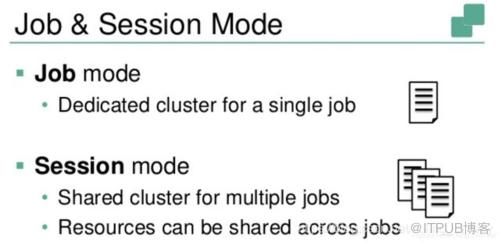
Session Mode:在YARN中提前初始化一个Flink集群,以后所有Flink任务都提交到这个集群,如下图: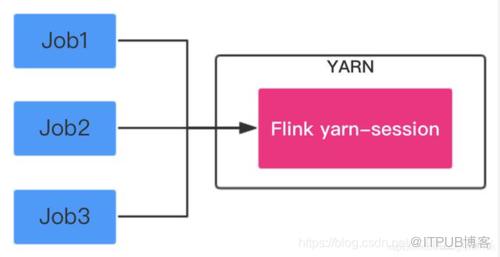
Job Mode:每次提交Flink任务都会创建一个专用的Flink集群,任务完成后资源释放,如下图: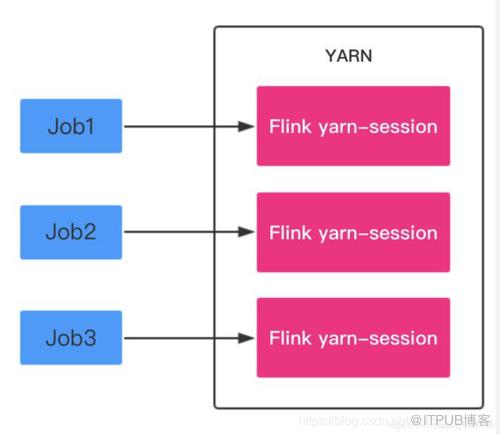
接下来分别实战这两种模式;
准备实战用的数据(CDH服务器)
接下来提交的Flink任务是经典的WordCount,先在HDFS中准备一份文本文件,后面提交的Flink任务都会读取这个文件,统计里面每个单词的数字,准备文本的步骤如下:
- SSH登录CDH服务器;
- 切换到hdfs账号:su - hdfs
- 下载实战用的txt文件:
wget https://github.com/zq2599/blog_demos/blob/master/files/GoneWiththeWind.txt
- 创建hdfs文件夹:hdfs dfs -mkdir /input
- 将文本文件上传到/input目录:hdfs dfs -put ./GoneWiththeWind.txt /input
准备工作完成,可以提交任务试试了。
Session Mode实战
- SSH登录CDH服务器;
- 切换到hdfs账号:su - hdfs
- 进入目录:/opt/flink-1.7.2/
- 执行如下命令创建Flink集群,-n参数表示TaskManager的数量,-jm表示JobManager的内存大小,-tm表示每个TaskManager的内存大小:
./bin/yarn-session.sh -n 2 -jm 1024 -tm 1024
- 创建成功后,控制台输出如下图,注意红框中的提示,表明可以通过38301端口访问Flink:

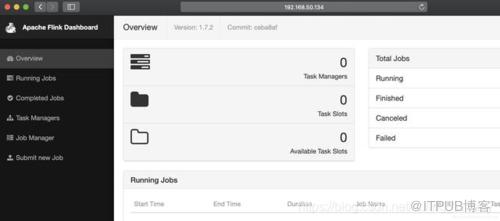
- 浏览器访问CDH服务器的38301端口,可见Flink服务已经启动:
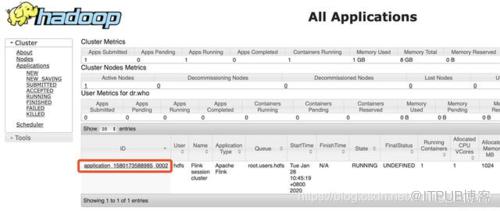
- 浏览器访问CDH服务器的8088端口,可见YARN的Application(即Flink集群)创建成功,如下图,红框中是任务ID,稍后结束Application的时候会用到此ID:
- 再开启一个终端,SSH登录CDH服务器,切换到hdfs账号,进入目录:/opt/flink-1.7.2
- 执行以下命令,就会提交一个Flink任务(安装包自带的WordCount例子),并指明将结果输出到HDFS的wordcount-result.txt文件中:
bin/flink run ./examples/batch/WordCount.jar
-input hdfs://192.168.50.134:8020/input/GoneWiththeWind.txt
-output hdfs://192.168.50.134:8020/wordcount-result.txt
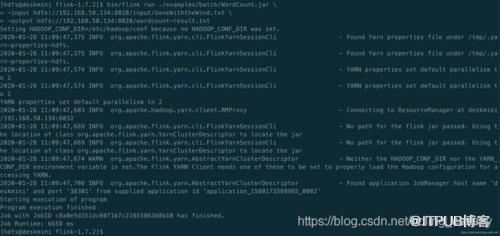
- 执行完毕后,控制台输出如下:
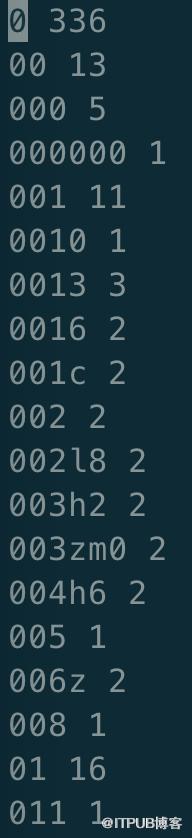
- flink的WordCount任务结果保存在hdfs,我们将结果取出来看看:hdfs dfs -get /wordcount-result.txt
- vi打开wordcount-result.txt文件,如下图,可见任务执行成功,指定文本中的每个单词数量都统计出来了:
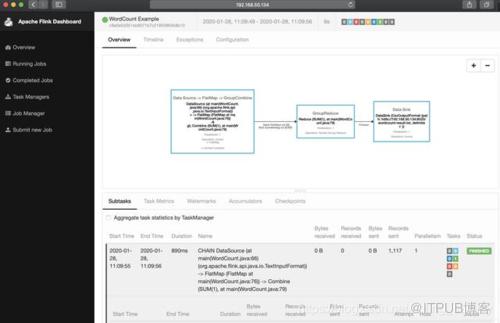
- 浏览器访问Flink页面(CDH服务器的38301端口),也能看到任务的详细情况:
- 销毁这个Flink集群的方法是在控制台执行命令:yarn application -kill application_1580173588985_0002

Session Mode的实战就完成了,接下来我们来尝试Job Mode;
Job Mode
- 执行以下命令,创建一个Flink集群,该集群只用于执行参数中指定的任务(wordCount.jar),结果输出到hdfs的wordcount-result-1.txt文件:
bin/flink run -m yarn-cluster
-yn 2
-yjm 1024
-ytm 1024
./examples/batch/WordCount.jar
-input hdfs://192.168.50.134:8020/input/GoneWiththeWind.txt
-output hdfs://192.168.50.134:8020/wordcount-result-1.txt
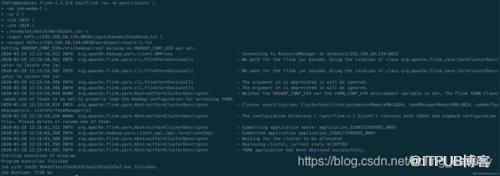
- 控制台输出如下,表明任务执行完成:
- 如果您的内存和CPU核数充裕,可以立即执行以下命令再创建一个Flink集群,该集群只用于执行参数中指定的任务(wordCount.jar),结果输出到hdfs的wordcount-result-2.txt文件:
bin/flink run -m yarn-cluster
-yn 2
-yjm 1024
-ytm 1024
./examples/batch/WordCount.jar
-input hdfs://192.168.50.134:8020/input/GoneWiththeWind.txt
-output hdfs://192.168.50.134:8020/wordcount-result-2.txt
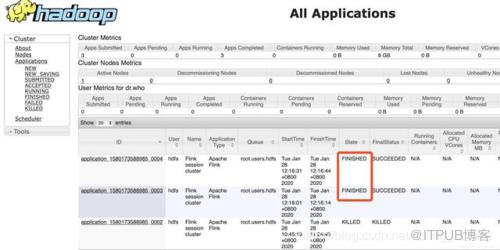
- 在YARN管理页面可见任务已经结束:
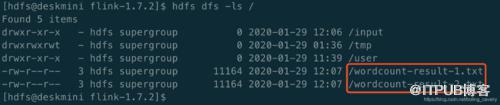
- 执行命令hdfs dfs -ls /查看结果文件,已经成功生成:
- 执行命令hdfs dfs -get /wordcount-result-1.txt下载结果文件到本地,检查数据正常;
- 至此,Flink on Yarn的部署、设置、提交都实践完成,《Flink on Yarn三部曲》系列也结束了,如果您也在学习Flink,希望本文能够给您一些参考,也建议您根据自身情况和需求,修改ansible脚本,搭建更适合自己的环境;
来自 “ ITPUB博客 ” ,链接:https://blog.itpub.net/3657/viewspace-2826433/ ,如需转载,请注明出处,否则将追究法律责任。

请登录后发表评论
登录
全部评论
