
jupyter的一些默认设置都设置在一个默认的配置文件中,我们可以查看并且修改配置文件中的内容。
查看配置文件:
在cmd中使用如下命令:jupyter-notebook --generate-config
(base) C:Userslenovo>jupyter-notebook --generate-config
Writing default config to: C:Userslenovo.jupyterjupyter_notebook_config.py
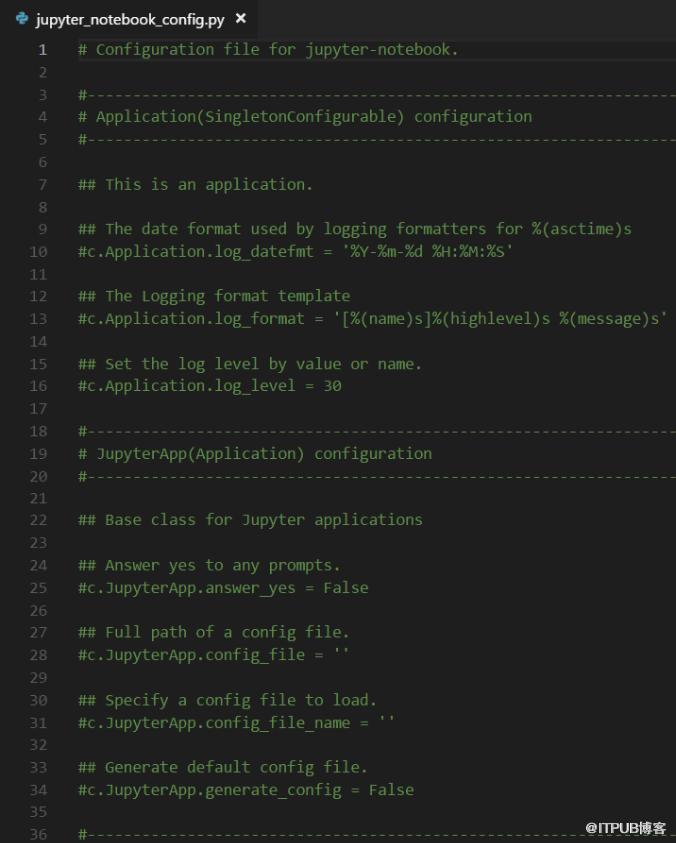
可见我的默认配置文件在:C:Userslenovo.jupyterjupyter_notebook_config.py中,现在我们查看配置文件的信息。得到如下:
Python学习网,有大量免费的Jupyter使用教程,欢迎大家学习!
来自 “ ITPUB博客 ” ,链接:https://blog.itpub.net/3276/viewspace-2834713/ ,如需转载,请注明出处,否则将追究法律责任。
上一篇:
初学者如何下载Python?
下一篇:
help()是Python的函数吗

请登录后发表评论
登录
全部评论
