小菜准备展示一个简单的饼状图,因需要比较简单单一,所以小菜准备自己绘制一个;今天小菜只尝试绘制过程,暂不涉及手势操作;
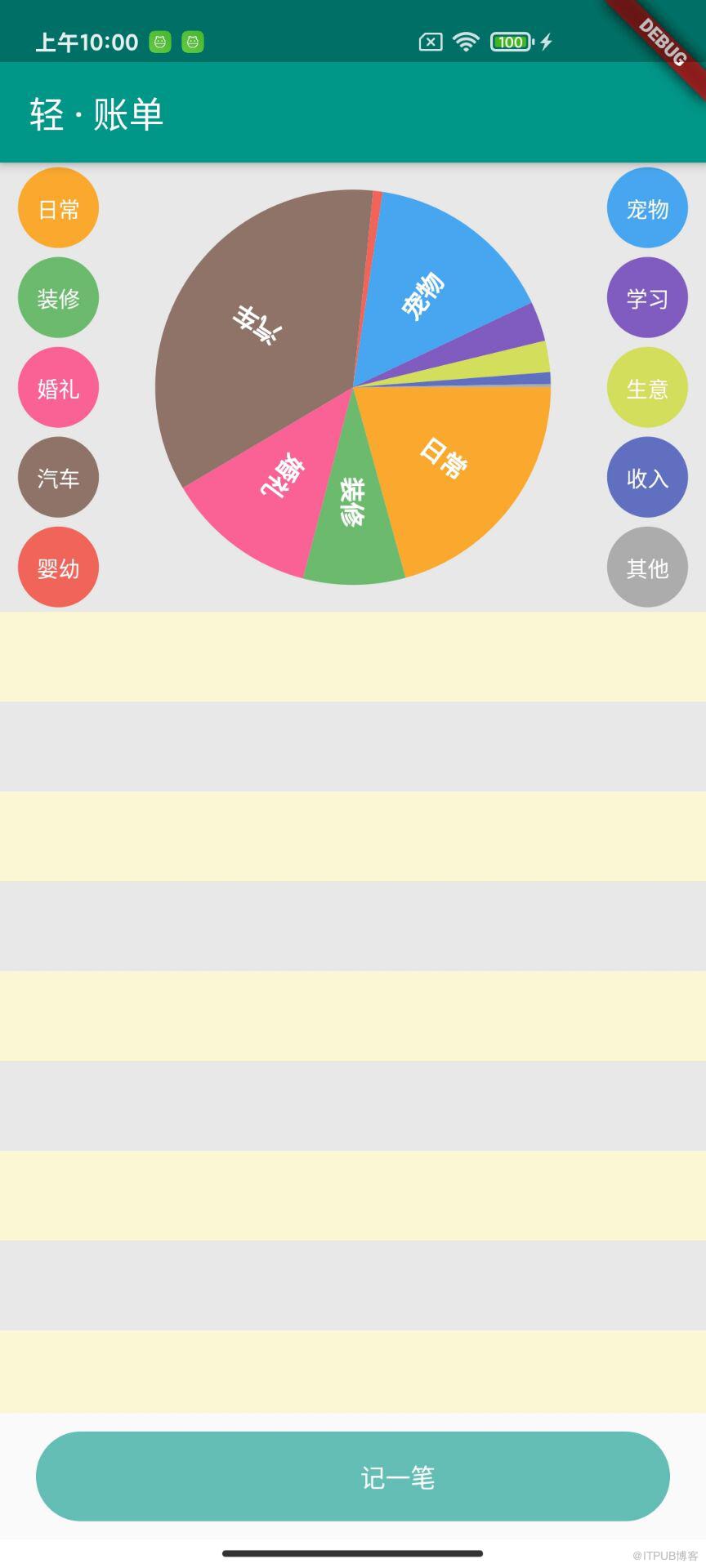
ACEPieWidget
小菜对于绘制分为三个步骤:
- 类别选项球;
- 切割绘制饼状图;
- 饼状图中绘制文字;
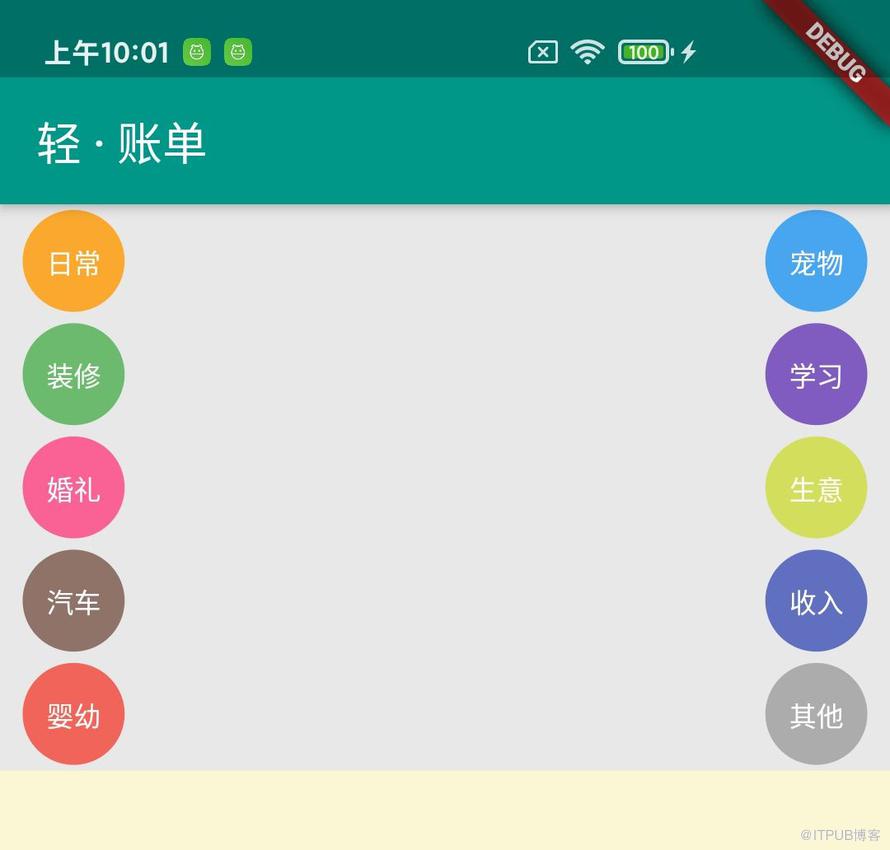
1. 类别选项球
对于两侧不同颜色类别选项卡,仅需要简单设置一下 Container 的 decoration 装饰器即可,只是方便用户查看饼状图分类而已;
return Container(
    height: 45, width: 45,
    margin: EdgeInsets.symmetric(vertical: 2.5, horizontal: 10),
    decoration: BoxDecoration(color: _color, borderRadius: BorderRadius.circular((25.0))),
    child: Center(child: Text(_text, style: TextStyle(fontSize: 12, color: Colors.white))));
2. 饼状图绘制
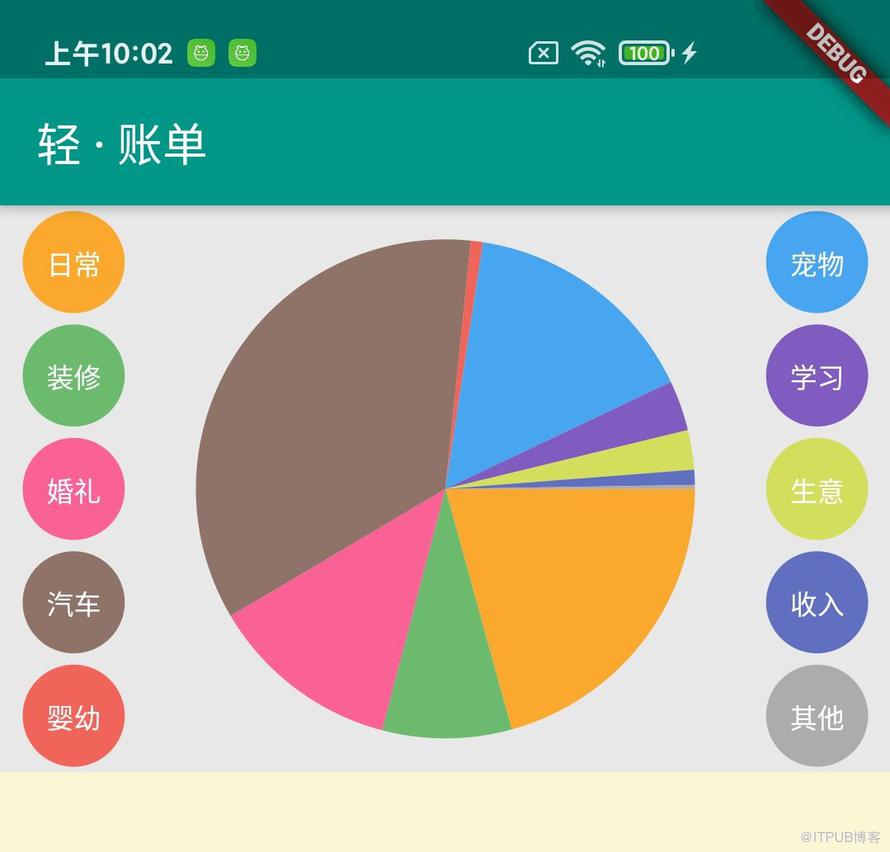
对于 Canvas 的基本绘制,小菜在之前的博客中有过简单介绍;此次小菜也是使用最基本的 drawArc 绘制扇形拼接为一个完整圆形方式;
- 获取 ListData 总的数据值;
- 遍历 ListData 根据各个子类别数据比例和旋转角度进行不同颜色的扇形图绘制;
- 最终拼接为完整饼状图;
注意:在绘制扇形图时需要注意扇形图的起始角度和终止角度,需要累加上一次绘制的扇形图角度;
// 1. 设置画笔
Paint _paint = Paint()..color = Colors.grey
    ..strokeWidth = 4.0..style = PaintingStyle.fill;
// 2. 获取 ListData 总的数据值
_sumData() {
  if (_listData != null) {
    for (int i = 0; i < _listData.length; i++) {
      _sum += _listData[i].values.first;
    }
  }
}
// 3. 根据各个子类别数据比例和旋转角度进行不同颜色的扇形图绘制
if (_listData != null) {
  for (int i = 0; i < _listData.length; i++) {
    startAngle += sweepAngle;
    sweepAngle = _listData[i].values.first * 2 * PI / _sum;
    canvas.drawArc(_circle, startAngle, sweepAngle, true,
        _paint..color = _subPaint(_listData[i].keys.first));
    }
  }
}
3. 文字绘制
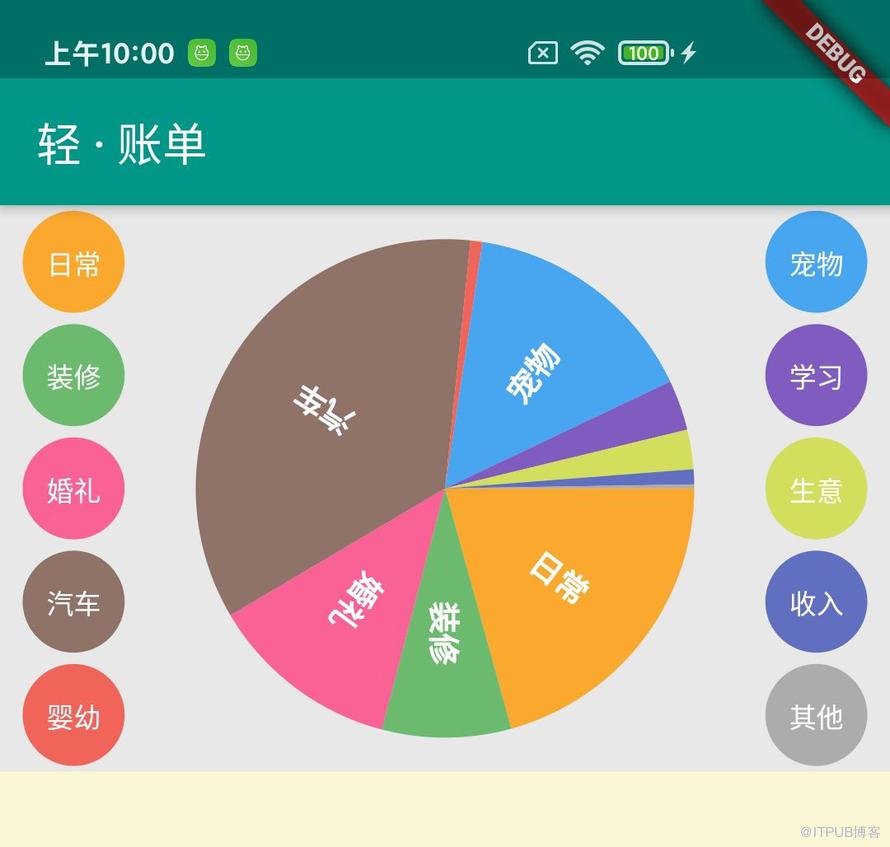
饼状图绘制好之后就是在各自的扇形面积上绘制文字;其中小菜规定,只有扇形图角度大于等于 30 度的时候才会进行文字绘制,如果扇形图角度太小绘制显示效果不佳;
- 文字的初始绘制点默认是以屏幕左上角为坐标原点,此时在扇形面内进行绘制时首先需要通过 translate() 平移坐标系至饼状图圆心;
- 绘制文字的角度要与扇形的角平分线平行,此时通过 rotate() 对坐标系进行适当角度的旋转;
- 小菜无法得知文字占据坐标长度,但是可以通过 Paragraph 获取文字绘制时所占据高度,因此在通过 drawParagraph 绘制文字时适当设置文字起始坐标,y 轴坐标向上平移文字高度的一半;
- 再文字绘制结束之后,将坐标系 rotate() 旋转回正常水平竖直方向,并将起始坐标 translate() 平移恢复至屏幕左上角;待下次文字绘制;
// 1. 绘制文笔属性(颜色,尺寸等)和最大段落宽度
ParagraphBuilder _pb = ParagraphBuilder(ParagraphStyle(
    textAlign: TextAlign.left, fontWeight: FontWeight.w600,
    fontStyle: FontStyle.normal, fontSize: 14))
  ..pushStyle(ui.TextStyle(color: Colors.white));
ParagraphConstraints _paragraph = ParagraphConstraints(width: size.width * 0.5);

if (sweepAngle >= PI / 6) {
  // 2. 平移坐标系
  canvas.translate(size.width * 0.5, size.height * 0.5);
  // 3. 设置旋转角度
  canvas.rotate(startAngle + sweepAngle * 0.5);
  // 4. 文字绘制
  Paragraph paragraph = (_pb..addText(_subName)).build()..layout(_paragraph);
  canvas.drawParagraph(paragraph, Offset(50.0, 0.0 - paragraph.height * 0.5));
  // 5. 恢复旋转角度
  canvas.rotate(-startAngle - sweepAngle * 0.5);
  // 6. 恢复起始坐标
  canvas.translate(-size.width * 0.5, -size.height * 0.5);
}
[ACEPieWidget 案例源码] github.com/ACE-YANGCE/FlutterApp/blob/master/lib/page/ace_pie_page.dart
小菜仅简短的介绍了一下基本饼状图的样式绘制,其功能还不够完善,后续会加入适当的手势操作;如有错误,请多多指导!
来源: 阿策小和尚
来自 “ ITPUB博客 ” ,链接:https://blog.itpub.net/3244/viewspace-2826983/ ,如需转载,请注明出处,否则将追究法律责任。
上一篇:
PHP设计模式之模板方法模式
下一篇:
使用代理IP的主要功能是什么

请登录后发表评论
登录
全部评论
