| SE Linux或Security-Enhanced Linux是提供访问控制安全策略的机制或安全模块。 简而言之,它是一项功能或服务,用于将用户限制为系统管理员设置的某些政策和规则。 |
在本主题中,您将学习如何临时禁用SELinux,然后在 CentOS 8 Linux上永久禁用它。
如何在CentOS 8上暂时禁用SELinux
在开始在CentOS 8上禁用SELinux之前,请务必先检查SELinux的状态。
为此,请运行以下 命令:
[root@localhost ]# sestatus
SELinux status:                enabled
SELinuxfs mount:                /sys/fs/selinux
SELinux root directory:        /etc/selinux
Loaded policy name:            targeted
Current mode:                  enforcing
Mode from config file:          enforcing
Policy MLS status:              enabled
Policy deny_unknown status:    allowed
Memory protection checking:    actual (secure)
Max kernel policy version:      31
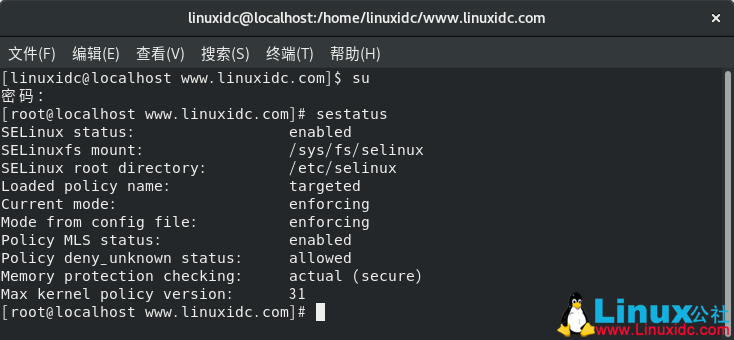
这表明SELinux已启动并正在运行。
要暂时禁用SELinux,请运行 命令。
# setenforce 0
另外,您可以运行命令。
# setenforce Permissive
这些命令中的任何一个都将暂时禁用SELinux,直到下次重启为止。
如何在CentOS 8上永久禁用SELinux
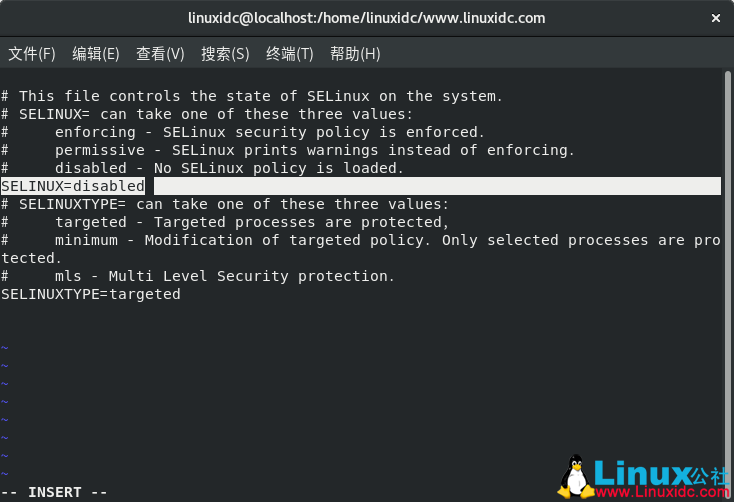
现在,让我们看看如何永久禁用SELinux。 SElinux的配置文件位于 /etc/selinux/config。 因此,我们需要对该文件进行一些修改。
# vi /etc/selinux/config
将SELinux属性设置为Disabled,如下所示:
# This file controls the state of SELinux on the system.
# SELINUX= can take one of these three values:
#    enforcing - SELinux security policy is enforced.
#    permissive - SELinux prints warnings instead of enforcing.
#    disabled - No SELinux policy is loaded.SELINUX=disabled# SELINUXTYPE= can take one of these three values:
#    targeted - Targeted processes are protected,
#    minimum - Modification of targeted policy. Only selected processes are protected.
#    mls - Multi Level Security protection.
SELINUXTYPE=targeted
保存并退出配置文件,然后使用以下任何命令重新启动CentOS 8 Linux系统。
# reboot
# init 0
# telinit 0
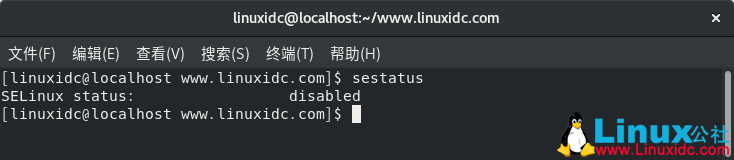
现在,使用命令检查SELinux的状态。
[linuxidc@localhost ]$ sestatus
SELinux status:                disabled
SELinux是CentOS 8上非常关键的功能,有助于限制未经授权的用户访问系统上的某些服务。
在本指南中,我们演示了如何在CentOS 8上禁用SELinux。理想情况下,除配置需要禁用SELinux的服务的实例外,始终建议保持SELinux处于启用状态。
希望您对本指南有所了解。 今天就这些。 非常欢迎您提供反馈。
来自 “ ITPUB博客 ” ,链接:https://blog.itpub.net/31559985/viewspace-2668640/ ,如需转载,请注明出处,否则将追究法律责任。
上一篇:
交换机的基本配置与管理
下一篇:
交换机划分 VLAN 配置

请登录后发表评论
登录
全部评论
