| Dmidecode是一个可读性的检索系统硬件信息的工具。Dmidecode的意思是DMI表(桌面管理接口)解码器,顾名思义,它从DMI表读取数据,并以人类可读的格式输出。DMI表包含系统硬件细节,如BIOS,序列号,RAM(DIMMs)和CPU细节等,除了这个,dmidecode还可以检索关于系统支持的最大配置的细节(如DIMMs和处理器等)。 |
理解dmidecode输出的信息
运行dmidecode 命令之后,屏幕会输出大量记录,可以使用less分页查看,每个记录有4个不同的值:
- Handle: 标识符号
- DMI type: DMI类型,下图中类型为0,指的是BIOS信息。
- 占用的大小: 指的是这条记录占用的大小
- 解码值: 关于记录类型的信息。下图中,显示BIOS的厂商名、版本号、发布日期等信息。
运行如下 命令:
[root@localhost ~]# dmidecode | less
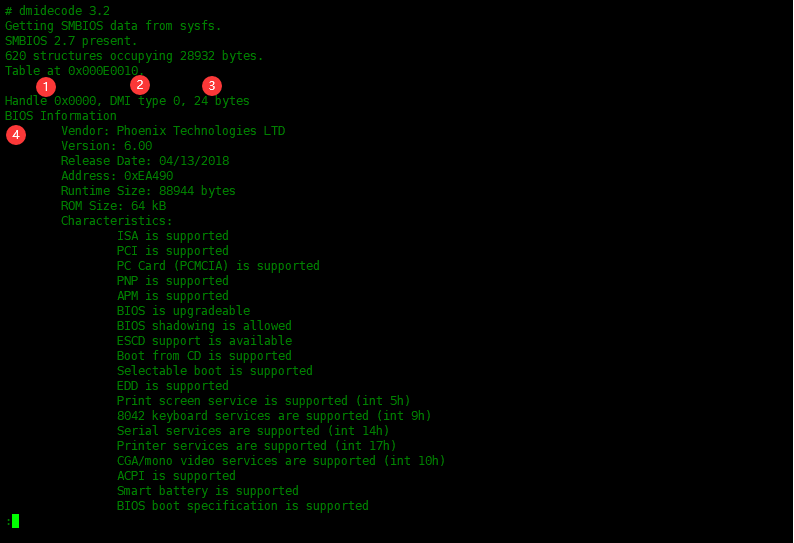
dmidecode命令中DMI类型列表
SMBIOS规范定义了以下DMI类型:
Type   Information
────────────────────────────────────────────
   0   BIOS
   1   System
   2   Baseboard
   3   Chassis
   4   Processor
   5   Memory Controller
   6   Memory Module
   7   Cache
   8   Port Connector
   9   System Slots
  10   On Board Devices
  11   OEM Strings
  12   System Configuration Options
  13   BIOS Language
  14   Group Associations
  15   System Event Log
  16   Physical Memory Array
  17   Memory Device
  18   32-bit Memory Error
  19   Memory Array Mapped Address
  20   Memory Device Mapped Address
  21   Built-in Pointing Device
  22   Portable Battery
  23   System Reset
  24   Hardware Security
  25   System Power Controls
  26   Voltage Probe
  27   Cooling Device
  28   Temperature Probe
  29   Electrical Current Probe
  30   Out-of-band Remote Access
  31   Boot Integrity Services
  32   System Boot
  33   64-bit Memory Error
  34   Management Device
  35   Management Device Component
  36   Management Device Threshold Data
  37   Memory Channel
  38   IPMI Device
  39   Power Supply
  40   Additional Information
  41   Onboard Devices Extended Information
  42   Management Controller Host Interface
输出时可以使用关键字来代替数字形式的类型。需要添加--type参数。
Keyword     Types
──────────────────────────────
bios            0, 13
system       1, 12, 15, 23, 32
baseboard  2, 10, 41
chassis       3
processor   4
memory      5, 6, 16, 17
cache         7
connector   8
slot             9
使用类型id和关键字显示硬件信息
显示bios的信息:
[root@localhost ~]# dmidecode -t bios
或者
[root@localhost ~]# dmidecode -t 0,13
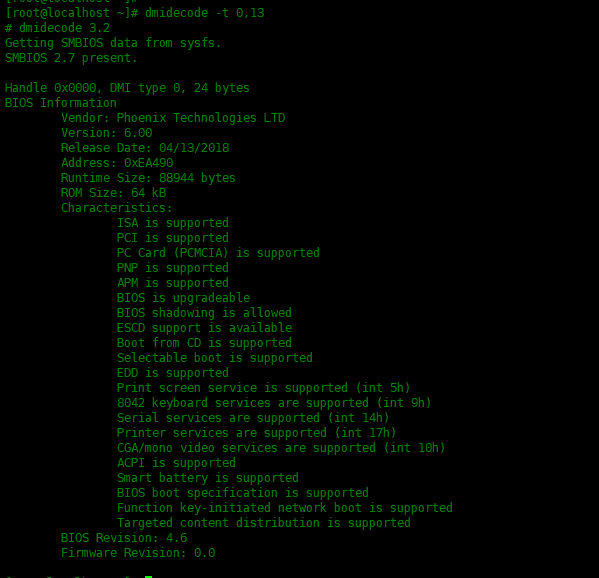
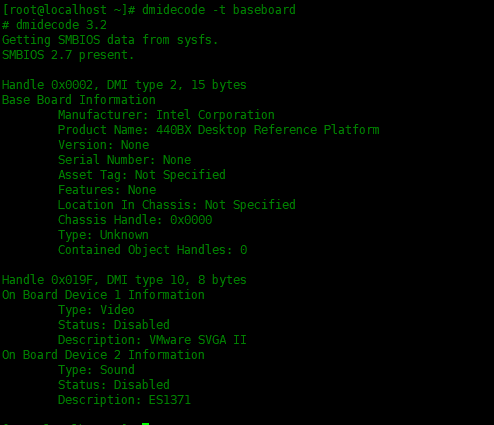
输出主板信息
[root@localhost ~]# dmidecode -t baseboard
显示安装的物理内存
显示有关已安装物理内存(RAM)的信息,请运行以下命令:
[~] # dmidecode -t 17

显示我的物理机安装了两条DDR3的内存,每根内存条的容量为4GB等信息。
使用下面类型查看机器支持最大物理内存是多少:
[~] # dmidecode -t 16
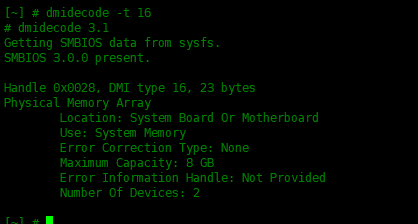
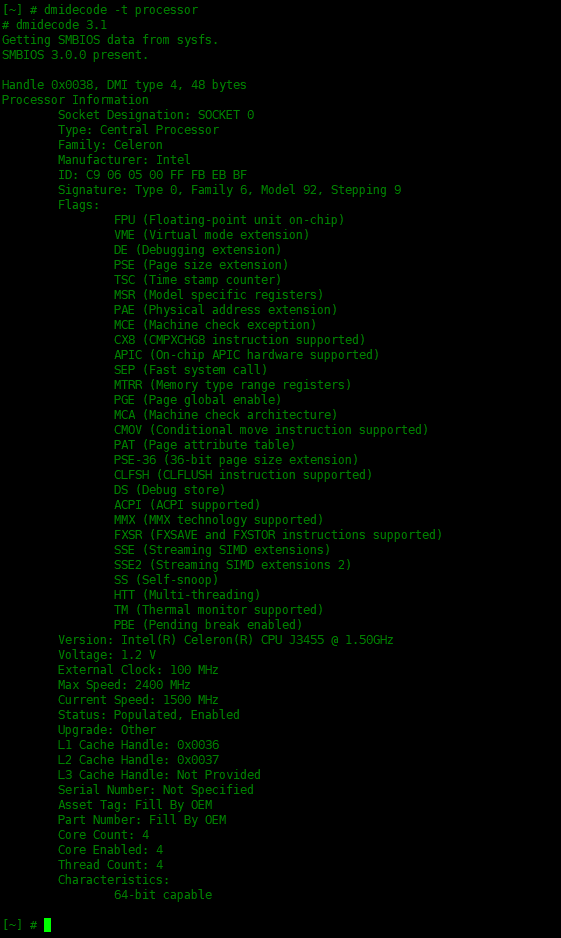
显示cpu相关的信息
[~] # dmidecode -t processor
总结
需要了解更多信息,可以使用
man dmidecode查看帮助信息。
来自 “ ITPUB博客 ” ,链接:https://blog.itpub.net/31524109/viewspace-2794504/ ,如需转载,请注明出处,否则将追究法律责任。
下一篇:
在LVM中恢复已删除的逻辑卷

请登录后发表评论
登录
全部评论
