| 在本文中我们将使用一个名为speedtest-cli的 命令行工具来测试网速。它是用Python语言编写的工具,系统通过向speedtest.net网站上传和下载数据来测试带宽。 |
环境
安装speedtest-cli工具
在安装speedtest-cli之前,我们需要安装先安装python3-pip包管理器,然后通过pip安装speedtest-cli工具。
[root@localhost ~]# yum -y install python3-pip
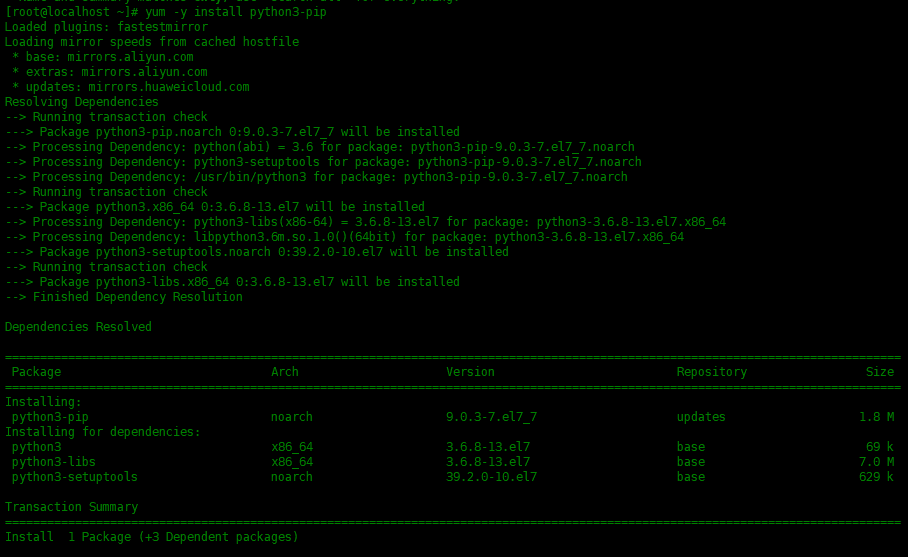
安装成功之后,我们可以用pip3
命令安装speedtest-cli:
[root@localhost ~]# pip3 install speedtest-cli

通过speedtest cli检测网络
[root@localhost ~]# speedtest-cli
Retrieving speedtest.net configuration...
Testing from China Telecom (*.*.*.*)...
Retrieving speedtest.net server list...
Selecting best server based on ping...
Hosted by China Telecom JiangSu 5G (Lianyungang) [196.15 km]: 31.424 ms
Testing download speed................................................................................
Download: 47.64 Mbit/s
Testing upload speed......................................................................................................
Upload: 94.56 Mbit/s

总结
在本文中我们将使用一个名为speedtest-cli的命令行工具来测试网速。它是用Python语言编写的工具,系统通过向speedtest.net网站上传和下载数据来测试带宽。
本文原创地址: https://www.linuxprobe.com/use-speedtest-cli.html 编辑:逄增宝,审核员:逄增宝
来自 “ ITPUB博客 ” ,链接:https://blog.itpub.net/31524109/viewspace-2732746/ ,如需转载,请注明出处,否则将追究法律责任。
上一篇:
安装 Docker
下一篇:
Linux工作常见的面试题

请登录后发表评论
登录
全部评论
