The SvcHost.exe process hosts services that run in the background on Windows. It's literally "Service Host." You may have a dozen services or more running inside that process. More complex is that you'll sometimes see multiple SvcHost.exe's in your TaskManager.
Let me tell you now, Task Manager will not save you. You can see the PIDs for a running Service for the Services tab, but when a service goes insane, good luck nailing it down.
This inevitably leads you to questions like, "What Services are running inside what SvcHost.exe?" and "Which Service is using 100% CPU."
There's lots of ways to figure this out, but first I'll tell you that simply killing the SvcHost.exe process that is using the most CPU will also kill ALL the other services that were running inside that host process.
There's many command line ways to figure this stuff out, like
net start
or
sc query type= service
or
tasklist /svc
But this post is about doing it the easy way without lining up Process IDs and such.
Which Service is Freaking Out?
From the Start Menu, type "Resource Monitor" and run it.
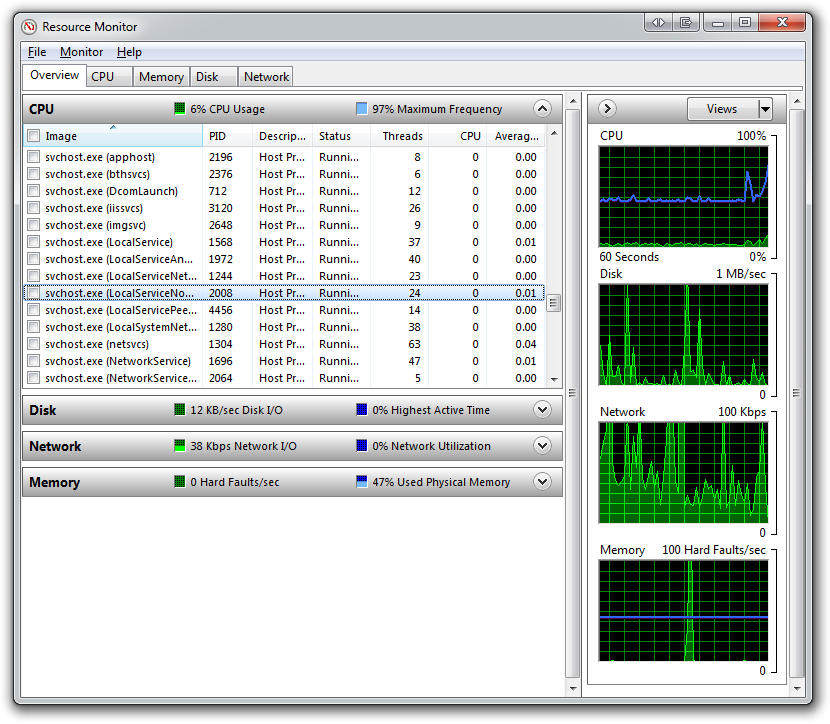
Click the checkboxes to the left of each of the svchost.exe processes (or just those that you care about). Now, switch to the CPU tab:
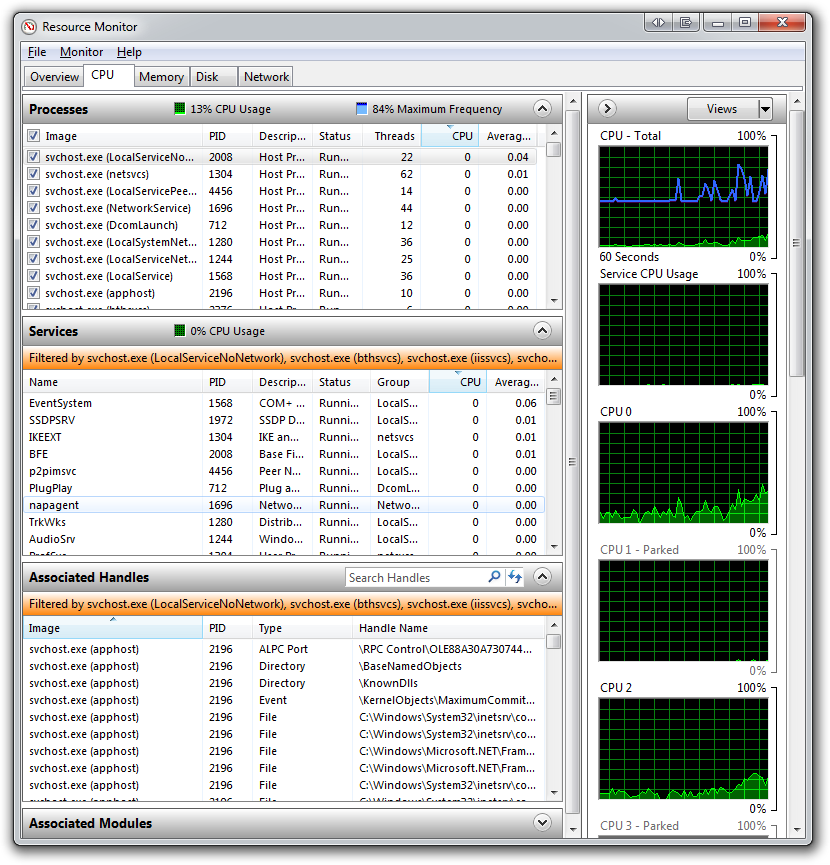
See the names of the logical services in the middle pane? Now you can sort by the CPU column and you've got the name of your out of control process.
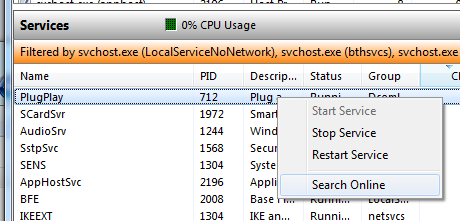
You can right click and try to stop or restart just the one services, or even use default browser's default search engine to "Search Online" for that service name:
This tip has helped me several times while writing and debugging services. Resource Monitor is your friend. Many folks don't' even know it's there!
Enjoy!
来自 “ ITPUB博客 ” ,链接:https://blog.itpub.net/310974/viewspace-2080183/ ,如需转载,请注明出处,否则将追究法律责任。

-
博文量51
-
访问量795696
最新文章
- Notepad++无法升级插件管理器Plugin manager
- package control, There are no packages available for installation
- 百度网盘真实地址解析(告别下载百度网盘)--修改版
- Sublime Text3 3143 注册码,亲测可用
- Sublime: how to overwrite the Emmet plugin keyboard shortcuts
- AttributeError: 'module' object has no attribute 'lock'
- Python的UnboundLocalError: local variable 'xxx' referenced before assignment
- malformed database schema (is_transient) - near "where"
- Upgrading Python’s SQLite
- 在ASP.NET中有用的技巧
