操作系统版本 suse linux 11
创建物理卷PV
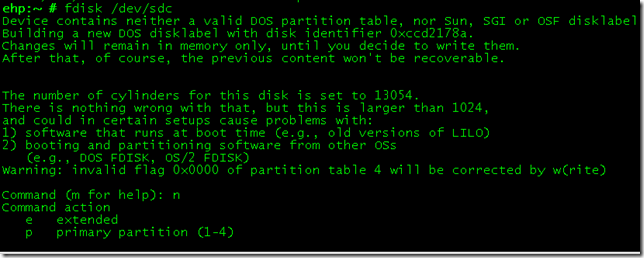
给磁盘新建分区
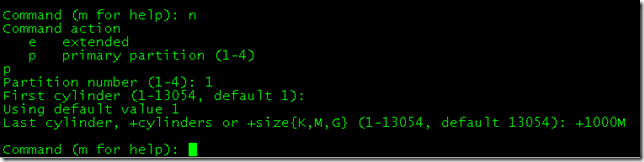
大小1000M
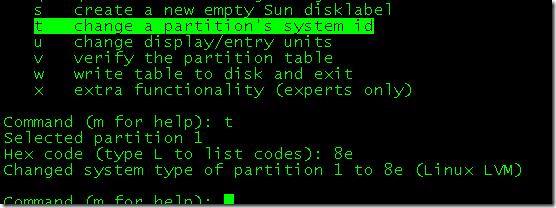
将分区调整为8e linux LVM
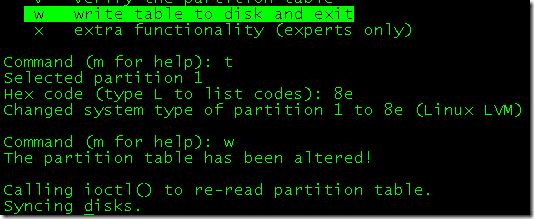
W写入保存
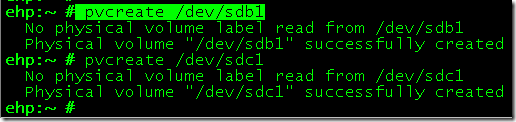
将分区转换为PV
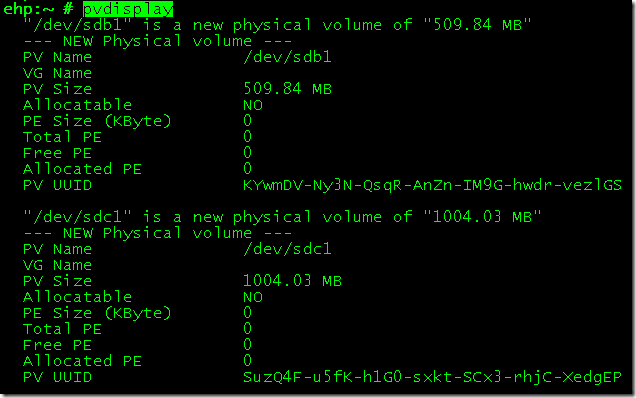
查看现有PV信息
创建卷组

创建卷组

查看卷组
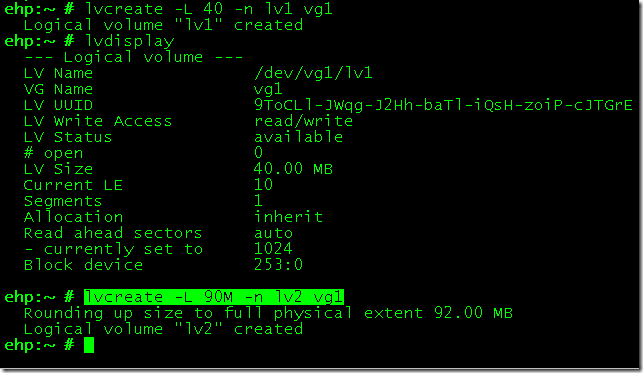
创建逻辑卷LV
使用LV 创建文件系统
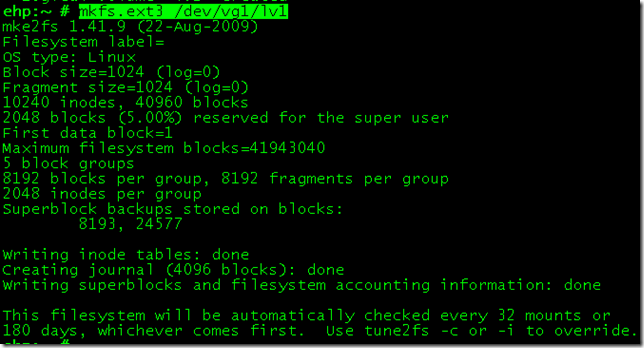
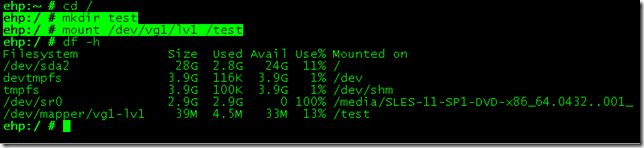
加入文件系统成功!!
扩展LV

无变化
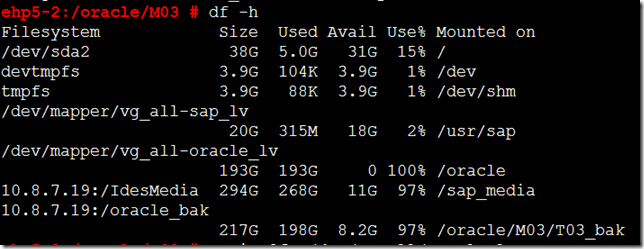
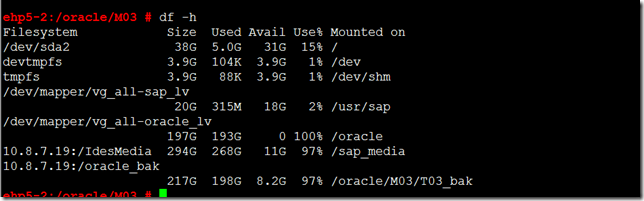
resize文件系统

已添加
扩展VG
创建PV
hp5-2:~ # fdisk /dev/sdc
Device contains neither a valid DOS partition table, nor Sun, SGI or OSF disklabel
Building a new DOS disklabel with disk identifier 0x5c2e7bc3.
Changes will remain in memory only, until you decide to write them.
After that, of course, the previous content won't be recoverable.
The number of cylinders for this disk is set to 1566.
There is nothing wrong with that, but this is larger than 1024,
and could in certain setups cause problems with:
1) software that runs at boot time (e.g., old versions of LILO)
2) booting and partitioning software from other OSs
(e.g., DOS FDISK, OS/2 FDISK)
Warning: invalid flag 0x0000 of partition table 4 will be corrected by w(rite)
Command (m for help): n
Command action
e extended
p primary partition (1-4)
p
Partition number (1-4): 1
First cylinder (1-1566, default 1):
Using default value 1
Last cylinder, +cylinders or +size{K,M,G} (1-1566, default 1566):
Using default value 1566
Command (m for help): m
Command action
a toggle a bootable flag
b edit bsd disklabel
c toggle the dos compatibility flag
d delete a partition
l list known partition types
m print this menu
n add a new partition
o create a new empty DOS partition table
p print the partition table
q quit without saving changes
s create a new empty Sun disklabel
t change a partition's system id
u change display/entry units
v verify the partition table
w write table to disk and exit
x extra functionality (experts only)
Command (m for help): t
Selected partition 1
Hex code (type L to list codes): 8e
Changed system type of partition 1 to 8e (Linux LVM)
Command (m for help): w
The partition table has been altered!
Calling ioctl() to re-read partition table.
Syncing disks.
ehp5-2:~ #
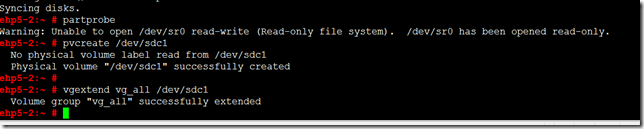
扩展成功。
现在我们就可以灵活使用磁盘和文件系统了,添加删除都可以
来自 “ ITPUB博客 ” ,链接:https://blog.itpub.net/29734436/viewspace-1224377/ ,如需转载,请注明出处,否则将追究法律责任。

