[ABAP]Day 001 - Hello world!
Step 1:Create a program
T-code:SE38
Program:ZLQPTEST0002
Click the "Create" button
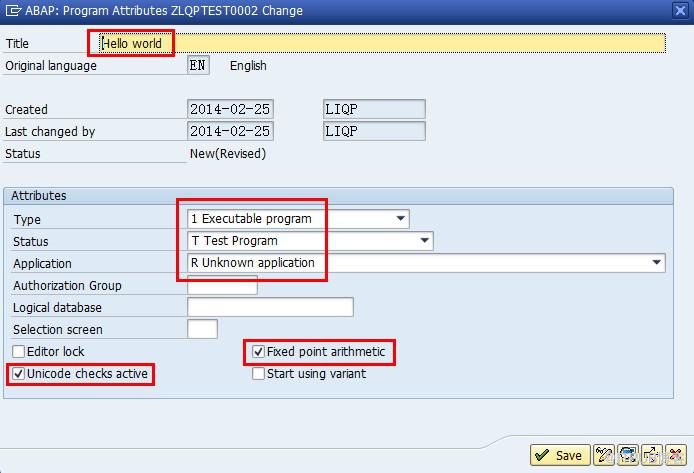
Then click the "Save" button.
Step 2:Create Object Direcotry Entry
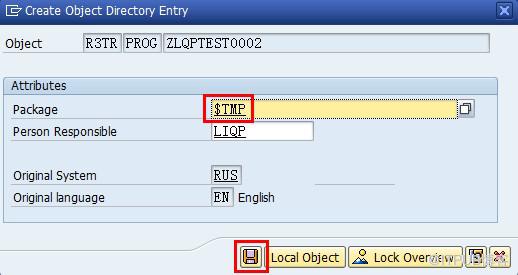
Package:$TMP
Then click the "Save" button.
Step 3:Fill the ABAP Editor with command lines
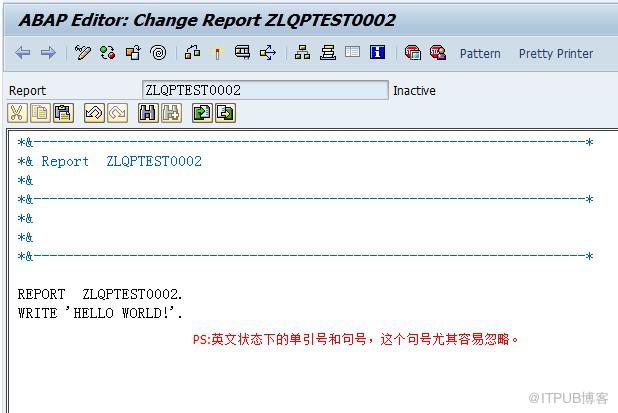
Step 4:Direct Processing
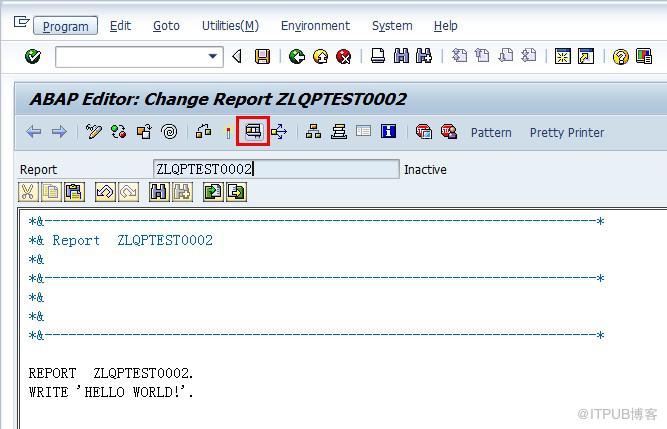
点击"Direct Processing(F8)"。
Step 5:Done

如果想知道程序中是否存在语法错误,可以通过 "Program - Check - Syntax" 来对语法进行检查。如果系统左下角提示“Program ZLQPTEST0002 is syntactically correct”,说明程序中的语法都正确。
Step 6:Allocate a T-code for the new program
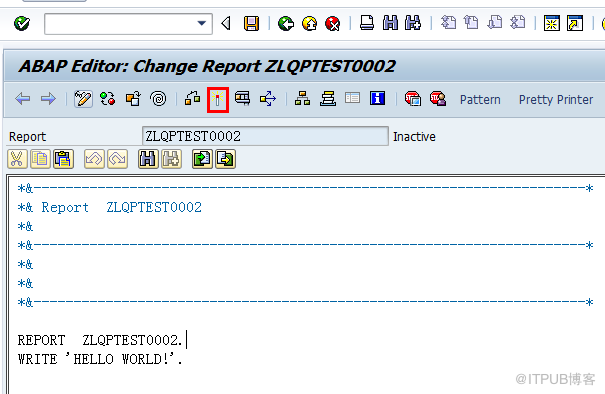
点击"Active(Ctrl+F3)"
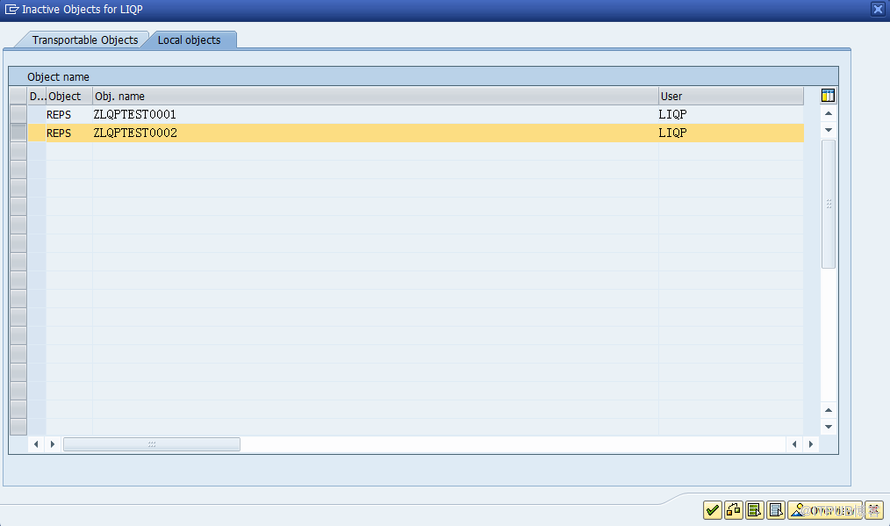
选择需要激活的程序后点击确认,系统会提示对象已激活。
Step 7: Maintain Transcation
T-code:SE93
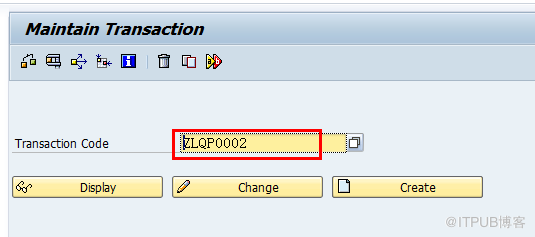
输入需要关联的事务代码,例如ZLQP0002,然后点击"Create".
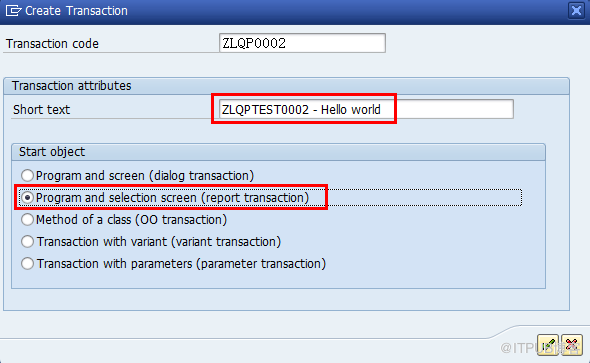
输入Short text,Start Object选择"Program and selection screen(report transction)"
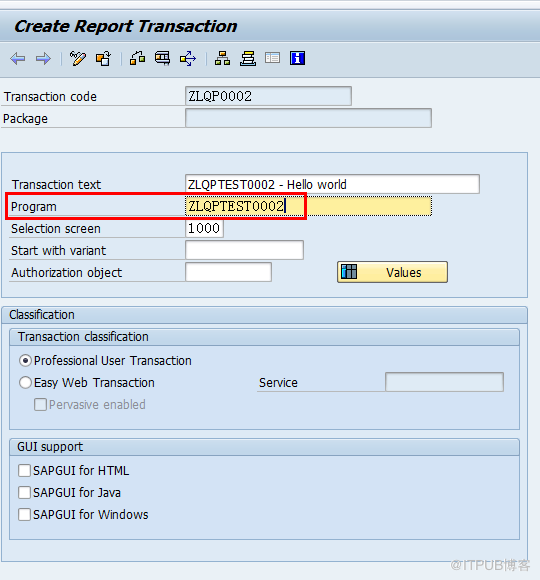
Program输入SE38时创建的Z开头的程序名,这里输入ZLQPTEST0002,完成后点击"Save"按钮。
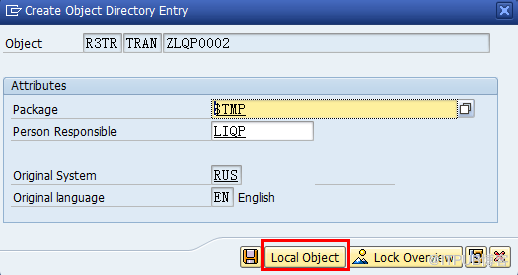
选择"Local Object"后即可。
Step 8: Use new T-code
直接输入ZLQP002即可显示"HELLO WORLD"
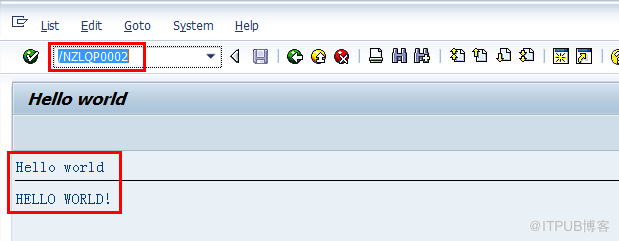
Course for Day 0001 - End
来自 “ ITPUB博客 ” ,链接:https://blog.itpub.net/29505418/viewspace-1088915/ ,如需转载,请注明出处,否则将追究法律责任。

