linux zabbix-6.0.1-Agent客户端的安装配置
题外话:使用源码文件安装比较消耗时间,建议使用docker 或者是 dnf install zabbix-agent 具体的操作,在其他博文中。
解压zabbix-6.0.1.tar.gz源码文件,切换至解压目录,编译安装Zabbix
[ root@VM-16-38-centos ~]# tar -zvxf zabbix-6.0.1.tar.gz
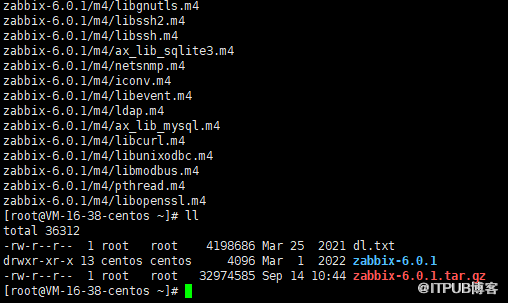
#预编译
[ root@VM-16-38-centos ~]# cd zabbix-6.0.1/
[ root@VM-16-38-centos zabbix-6.0.1]# ./configure --prefix=/usr/local/zabbix/ --enable-agent

出现错误:configure: error: Unable to use libpcre (libpcre check failed)

处理方式:
[ root@VM-16-38-centos zabbix-6.0.1]# yum -y install pcre*

#再次进行预编译
[ root@VM-16-38-centos zabbix-6.0.1]# ./configure --prefix=/usr/local/zabbix/ --enable-agent
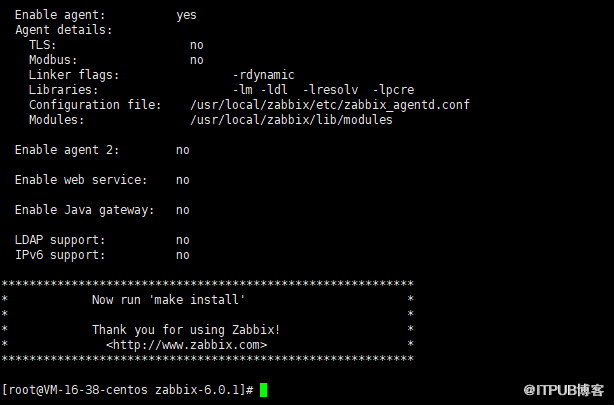
#编译
[ root@VM-16-38-centos zabbix-6.0.1]# make -j4
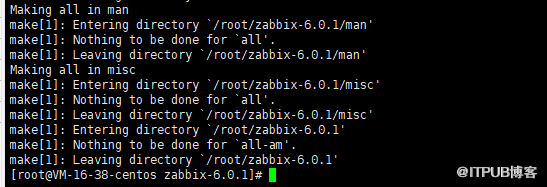
#安装
[ root@VM-16-38-centos zabbix-6.0.1]# make install
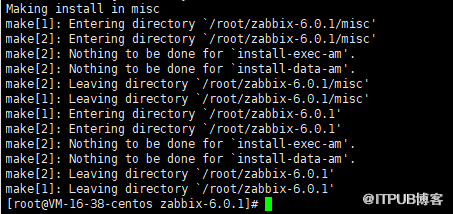
#添加软连接
[ root@VM-16-38-centos zabbix-6.0.1]# ln -s /usr/local/zabbix/sbin/zabbix_* /usr/local/sbin/
#修改zabbix_agentd.conf客户端配置文件,执行如下命令,zabbix_agentd.conf内容,指定server IP,同时设置本地Hostname
#备份配置文件
[ root@VM-16-38-centos etc]# cp zabbix_agentd.conf zabbix_agentd.conf.bak
#更改配置文件
[ root@VM-16-38-centos etc]# grep -v "^#" zabbix_agentd.conf | grep -v "^$"
LogFile=/tmp/zabbix_agentd.log
Server=127.0.0.1
ServerActive=127.0.0.1
Hostname=Zabbix server
[root@VMmuqx-a1 etc]# vi zabbix_agentd.conf
LogFile=/tmp/zabbix_agentd.log
Server=192.168.1.140
ServerActive=192.168.1.140
Hostname = 192.168.1.141
#cp zabbix_agentd启动脚本至/etc/init.d/目录
[ root@VM-16-38-centos etc]# cd /root/zabbix-6.0.1/
[ root@VM-16-38-centos zabbix-6.0.1]#
[ root@VM-16-38-centos zabbix-6.0.1]# cp misc/init.d/tru64/zabbix_agentd /etc/init.d/zabbix_agentd
#进行授权,执行需要权限
[ root@VM-16-38-centos zabbix-6.0.1]# chmod o+x /etc/init.d/zabbix_agentd
#启动zabbix_agentd服务
[ root@VM-16-38-centos zabbix-6.0.1]# /etc/init.d/zabbix_agentd start
出现错误:zabbix_agentd [2019]: user zabbix does not exist

处理方法:
创建zabbix组,创建zabbix用户
[ root@VM-16-38-centos zabbix-6.0.1]# groupadd zabbix
[ root@VM-16-38-centos zabbix-6.0.1]# useradd -g zabbix zabbix -s /sbin/nologin
#再次启动zabbix_agentd 服务
[ root@VM-16-38-centos zabbix-6.0.1]# /etc/init.d/zabbix_agentd start
#zabbix_agentd启动正常
[ root@VM-16-38-centos zabbix-6.0.1]# ps aux | grep zabbix

#zabbix_agentd默认监听端口为10050
[r root@VM-16-38-centos zabbix-6.0.1]# netstat -tnlp | grep 10050

游戏是我的全部图景,我将演绎所有的游戏角色,我是每个活着角色的传奇。 --开心研
来自 “ ITPUB博客 ” ,链接:https://blog.itpub.net/29494175/viewspace-2914575/ ,如需转载,请注明出处,否则将追究法律责任。

