Wordpress
Wordpress
是一个开源的博客平台,是搭建个人博客的首选,用户可以去wordpress中文网站寻找帮助资料
1
、下载wordpress软件(
https://cn.wordpress.org/download/releases/
)
2
、为wordpress创建一个自己的数据库,我们起名为“wordpress”
3
、将wordpress安装包解压到apache的网页根目录“/var/www/html/”
|
[root@localhost html]#

cp /wj/wordpress-4.1.tar /var/www/html/      //
拷贝压缩包
[root@localhost html]#

tar
–
xvf wordpress-4.1.tar //
解压
[root@localhost html]#

mv wordpress-4.1 wordpress          //
重命令,这样方便从浏览器打开
|
4
、修改wordpress配置文件。Wordpress提供了一个样板文件“wp-config-sample.php”,我们要将其拷贝一份,命名为“wp-config.php”
|
[root@localhost wordpress]#

cp wp-config-sample.php wp-config.php
[root@localhost wordpress]#

gedit wp-config.php
/** WordPress
数据库的名称
*/
define('DB_NAME', 'wordpress');
/** MySQL
数据库用户名
*/
define('DB_USER', 'root');
/** MySQL
数据库密码
*/
define('DB_PASSWORD', '543092');
/** MySQL
主机
*/
define('DB_HOST', 'localhost');
/**
创建数据表时默认的文字编码
*/
define('DB_CHARSET', 'utf8');
/**
数据库整理类型。如不确定请勿更改
*/
define('DB_COLLATE', 'utf8_unicode_ci');
/**
数据库语言设置
*/
define('WPLANG', 'zh_CN');
|
5
、重启apache
|
[root@localhost wordpress]#

service httpd restart
停止
httpd
:
[
确定
]
正在启动
httpd
:
httpd: Could not reliably determine the server's fully qualified domain name, using localhost.localdomain for ServerName
[
确定
]
|
6
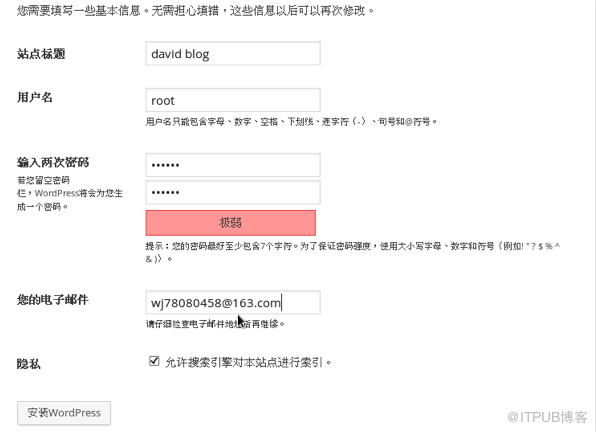
、安装。在浏览器输入地址“127.0.0.1/wordpress”,开始安装
1
)输入基本信息
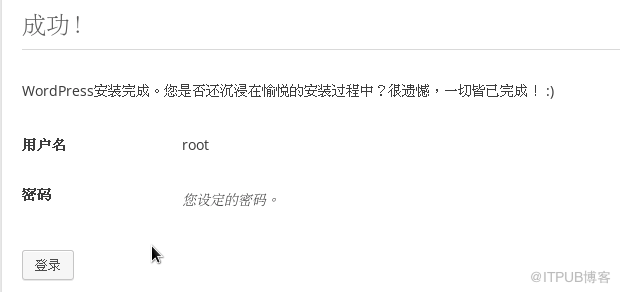
2
)安装成功
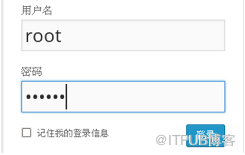
3
)登录。可以使用开始填写的用户名和密码登录,地址是“127.0.0.1/wordpress/wp-login.php”
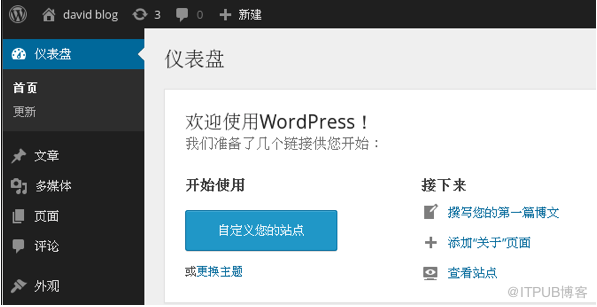
4
)管理界面”127.0.0.1/wordpress/wp-admin”
5
)主页“127.0.0.1/wordpress”

Copyright@david zhytwj2018@163.com
来自 “ ITPUB博客 ” ,链接:https://blog.itpub.net/29270124/viewspace-2286360/
,如需转载,请注明出处,否则将追究法律责任。

