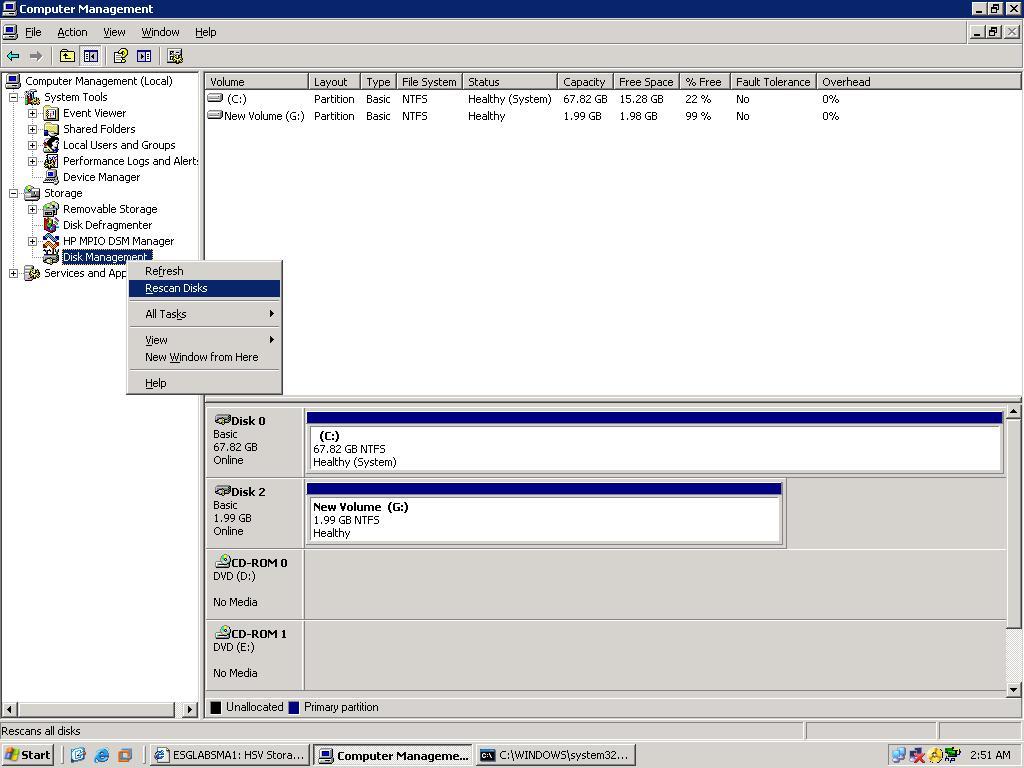
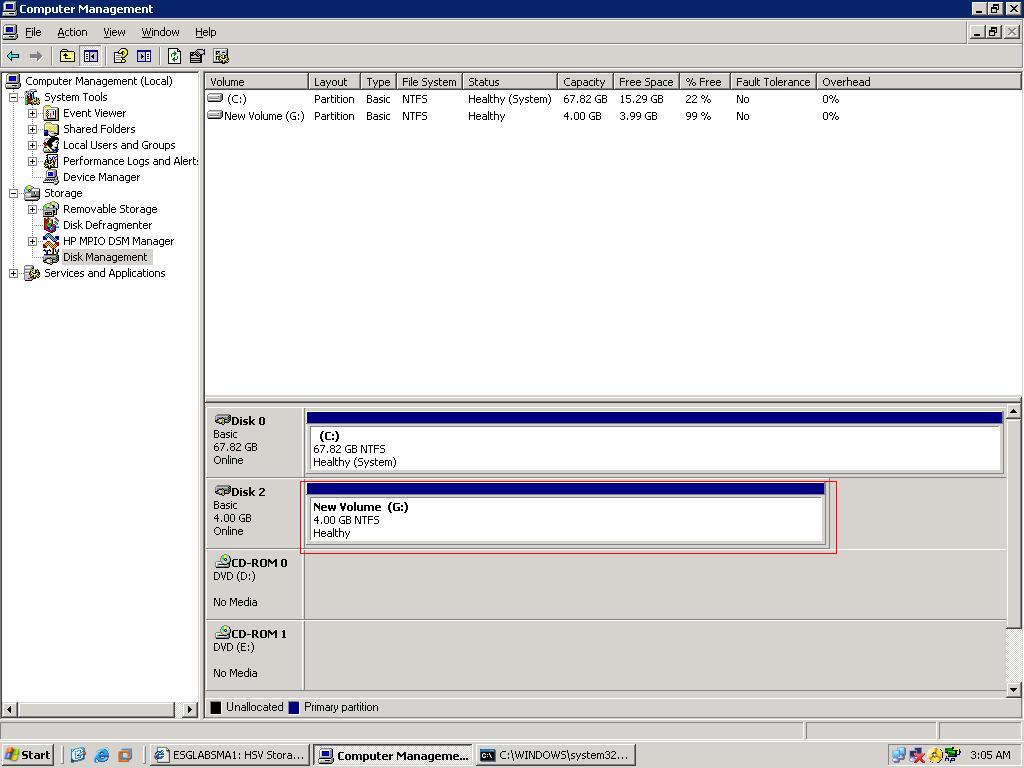
4. On the Computer Management page of the server, do a rescan of disks by right-clicking Disk Management .
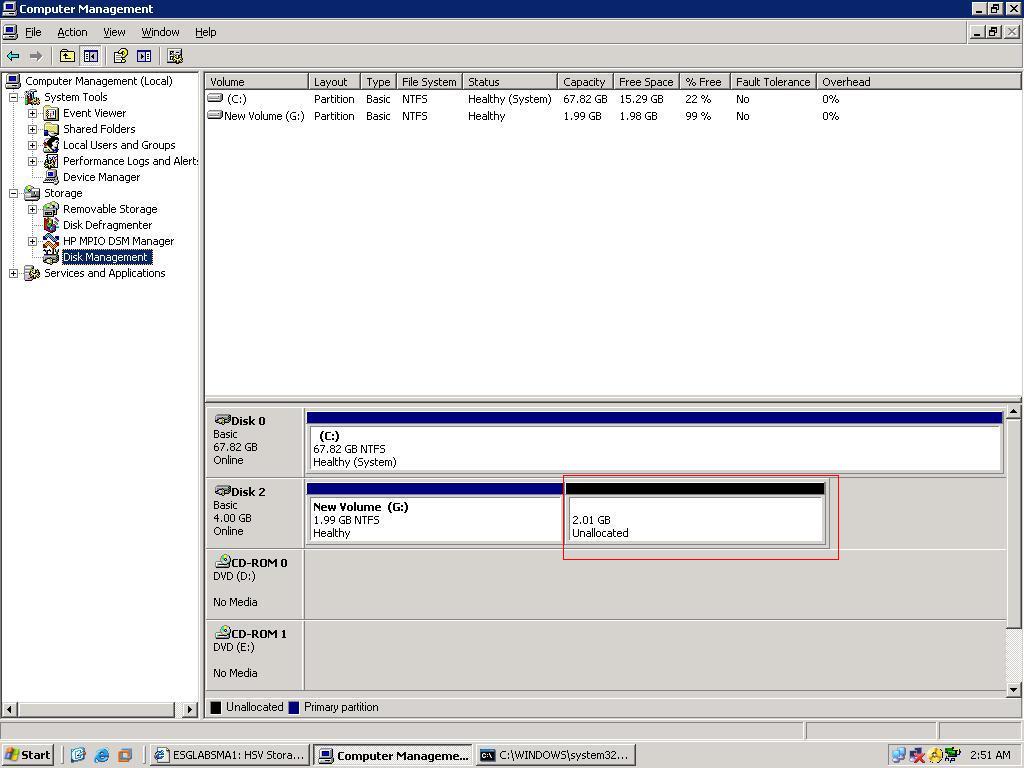
The extended space will be seen as in the following picture.
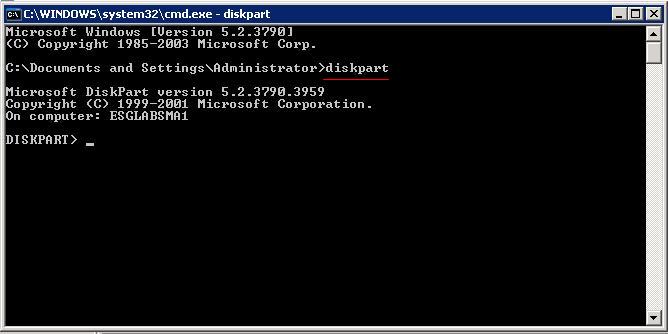
5. Open DiskPart on the command line.
6. To extend a partition or volume, first select the volume to give it the focus, and then specify how large it should be extended.
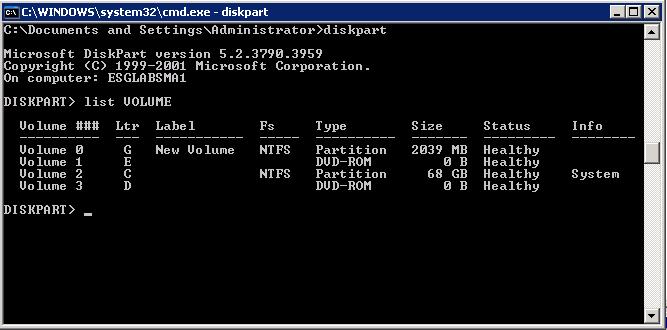
7. Type list volume to display the existing volumes on the computer.
8. Type select
volume
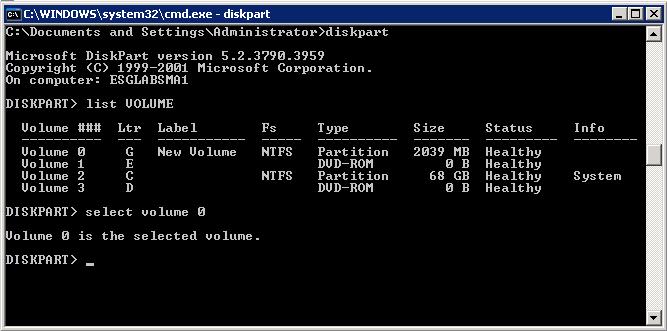
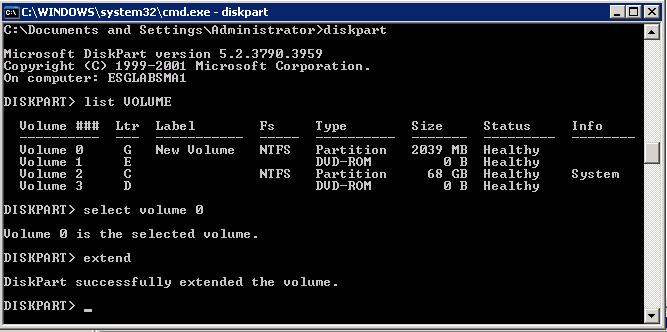
9. Use the extend command to incorporate unallocated space into an existing volume while preserving the data.
The following are the requirements for the extend command:
The volume must be formatted with the NTFS file system.
Only the extension of data volumes is supported. System or boot
volumes may be blocked from being extended, and you may receive the following
error:
Diskpart failed to extend the volume. Please make sure the volume is valid for extending
You cannot extend the partition if the
system page file is located on the partition. Move the page file to a partition that you do not wish to extend.
10. Type extend [size=n] [disk=n] [noerr] .
The following describes the parameters:
[ size=n ]
The space, in megabytes (MB), to add to the current partition. If you do not specify a size, the disk is extended to take up all of the next contiguous unallocated space.
[ disk=n ]
The dynamic disk on which to extend the volume. Space equal to size=n is allocated on the disk. If no disk is specified, the volume is extended on the current disk.
[ noerr ]
For scripting only. When an error is thrown, this parameter specifies that DiskPart continue to process commands as if the error did not occur. Without the noerr parameter, an error causes DiskPart to quit with an error code.
When the extend command is complete, you should receive a message that states that DiskPart successfully extended the volume . The new space should be added to the existing drive while maintaining the data on the volume.
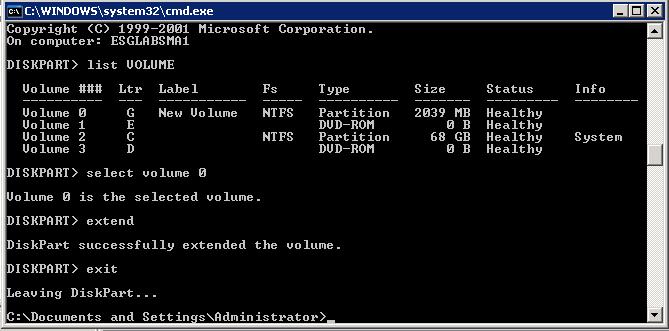
11. Type exit to quit DiskPart.
The Computer Management page will now show the extended volume.
附件列表
来自 “ ITPUB博客 ” ,链接:https://blog.itpub.net/28916011/viewspace-1517607/ ,如需转载,请注明出处,否则将追究法律责任。

