如何提取SAP UI5 XML view里定义的字段元素绑定信息(binding path)
For SAP standard CRM Fiori application, we use xml view by default.
For some UI element, you could easily find its binding path in the corresponding xml view, for example we need to find out which json model field is the highlighted UI element below bound to:
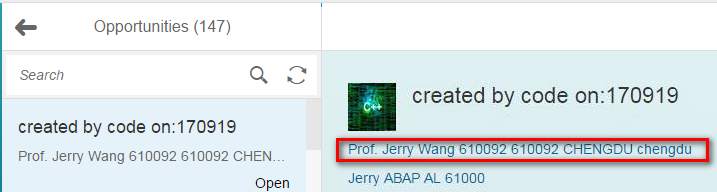
It could simply be achieved by clicking “inspect” button in Chrome development tool, and click the UI element to find out the id generated in html native source code. Write down the part of it: opportunityProspectName.
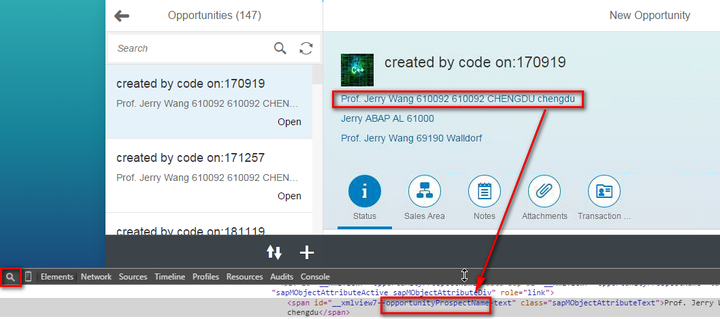
Then search this in xml view, then binding path is found:

However, for this field below, the approach mentioned above does not work any more:
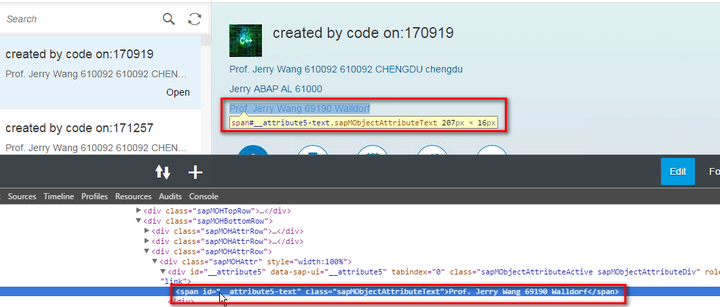
in xml view you could not find any hint by searching keyword “attribute5”. Instead, you could type four keys at the same time “ctrl+alt+shift+s” to call SAPUI5 Diagnostics tool, then expand tab “Control Tree”, search “attribute5” there, then you could find the binding path: /EmployeeResponsibleName
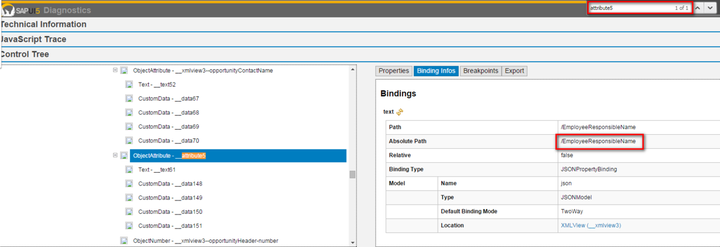
You can confirm the correctness of this by verifying it in Chrome network tab: the value in the field you find in JSON model does exactly match the value displayed in UI.
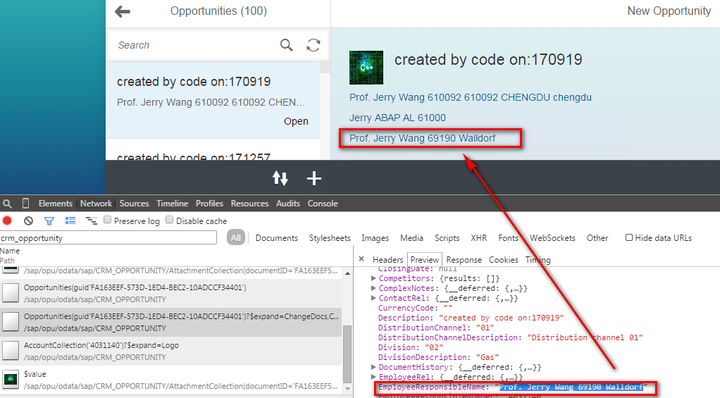
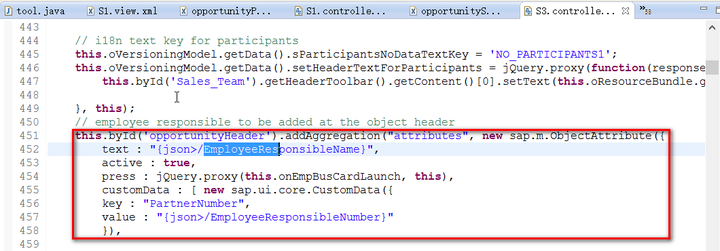
And why the binding path of this field could not be found in xml view? It is simply because this UI element is not statically defined in xml view, but dynamically created via JavaScript. You could find its creation location by searching the keyword “/EmployeeResponsibleName“.
要获取更多Jerry的原创文章,请关注公众号"汪子熙":
来自 “ ITPUB博客 ” ,链接:https://blog.itpub.net/24475491/viewspace-2718408/ ,如需转载,请注明出处,否则将追究法律责任。

