如何将web应用部署在Github page上
(1) Create a new empty github repository:
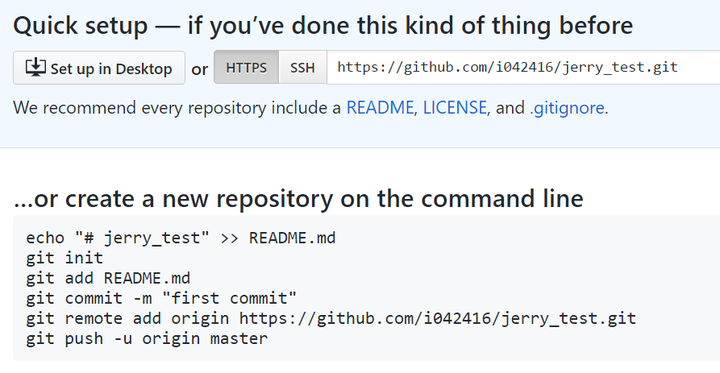
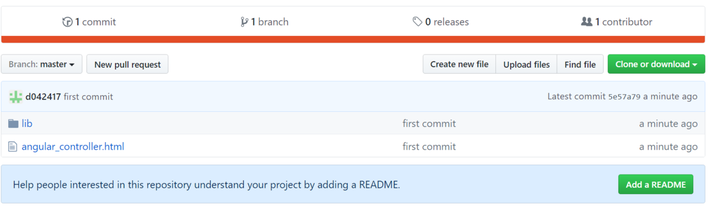
The local project has the following folder structure: lib( folder ) |- angular.js angular_controller.html Follow the instructions in above picture to push the local project to github. Once done, it should look like below:
(2) use command git checkout –orphan gh-pages to create a new branch named “gh-pages”.

Add all files in local project to this branch and push them to github again via command:
git push origin gh-pages Once done, you should find a new branch gh-pages in github now.
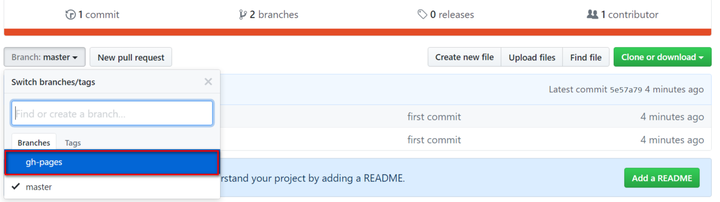
Switch to this branch:
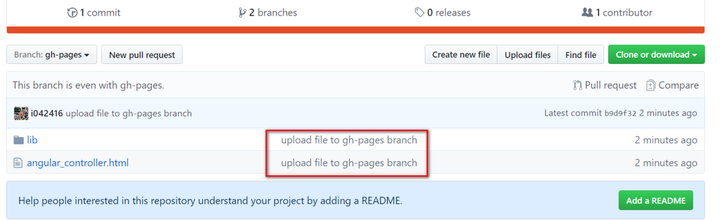
Click the hyperlink of html, and you get the following url in browser: https:// github.com/i042416/jerr y_test/blob/gh-pages/angular_controller.html
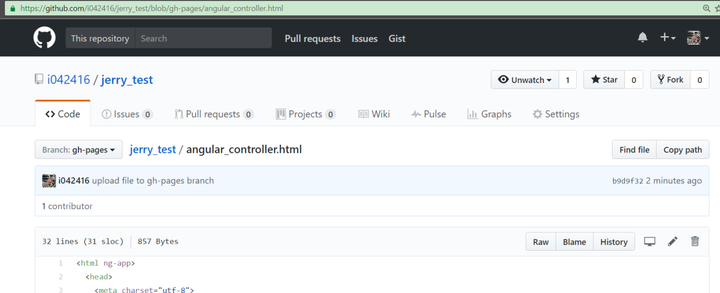
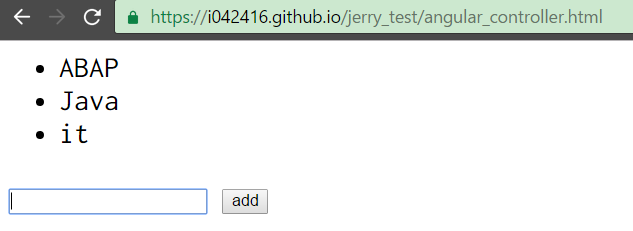
The url for this Angular application hosted in github is: http:// .http ://github.com//angular_controller.html As a result in my example, the url is: http:// i042416.github.io/jerry _test/angular_controller.html Test in browser and it works now:
要获取更多Jerry的原创文章,请关注公众号"汪子熙":

来自 “ ITPUB博客 ” ,链接:https://blog.itpub.net/24475491/viewspace-2714984/ ,如需转载,请注明出处,否则将追究法律责任。

