我今天试图使用SAP云平台的SAP WebIDE Fullstack时,发现打不开,

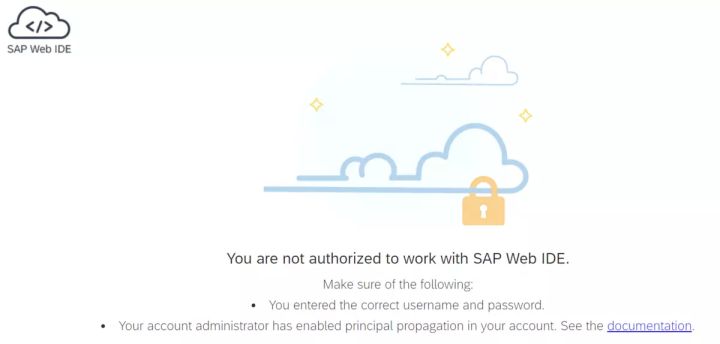
遇到如下错误信息:
You are not authorized to work with SAP Web IDE.
Make sure of the following:
You entered the correct username and password.
Your account administrator has enabled principal propagation in your account. See the documentation.
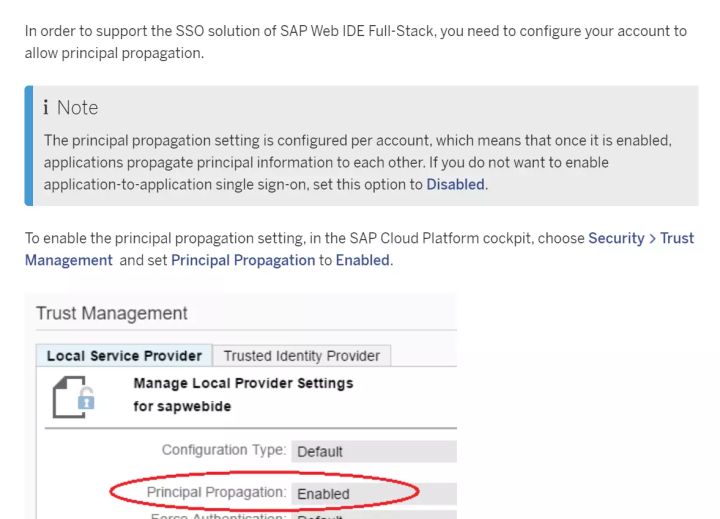
点击documentation,找到了帮助文档,知道如何修复这个问题:
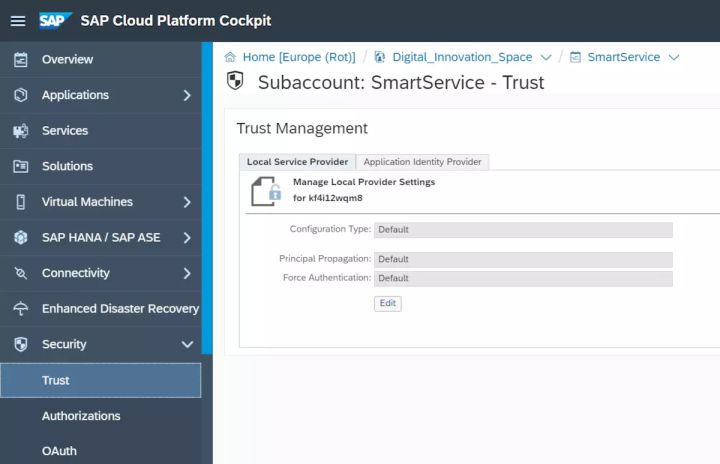
进入SAP云平台的subaccount里的security->Trust设置:
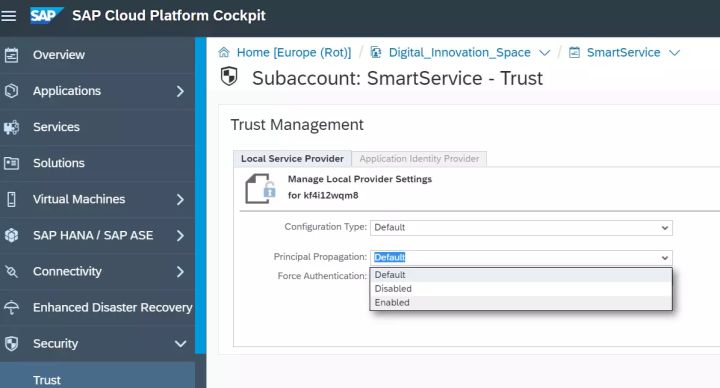
把Local service Provider里的principal Propogation从default改成enabled即可:
要获取更多Jerry的原创文章,请关注公众号"汪子熙":

来自 “ ITPUB博客 ” ,链接:https://blog.itpub.net/24475491/viewspace-2659669/ ,如需转载,请注明出处,否则将追究法律责任。
下一篇:
SAP云平台里的三叉戟应用

请登录后发表评论
登录
全部评论
