两个dropDownList和一个GridView的选择与显示
很久没有写ASP.NET了,今天有看到论坛上一个问题:
"两个dropDownList和一个GridView,已经进行了数据绑定,现在想让第一个下拉菜单的数据改变时,第二个下拉菜单自动变到相应的数据,同时选中gridview中相对应的行,不知道如何实现,很急,求大神相助"
其实,实现起来算得上简单,下面先从准备数据开始,创建一个对象Customer: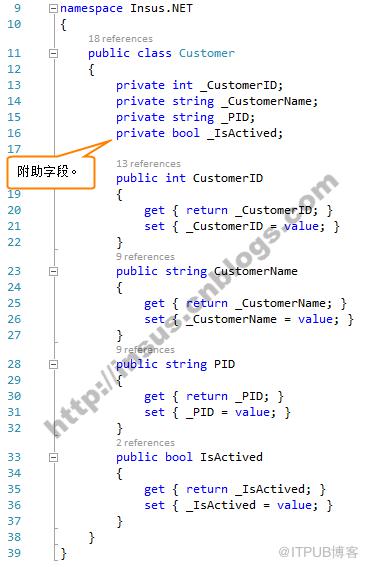
source code:


using System;using System.Collections.Generic;using System.Linq;using System.Web;////// Summary description for Customer/// namespace Insus.NET{ public class Customer { private int _CustomerID; private string _CustomerName; private string _PID; private bool _IsActived; public int CustomerID { get { return _CustomerID; } set { _CustomerID = value; } } public string CustomerName { get { return _CustomerName; } set { _CustomerName = value; } } public string PID { get { return _PID; } set { _PID = value; } } public bool IsActived { get { return _IsActived; } set { _IsActived = value; } } }}
View Code
接下来,我们创建一个实具,数据来源全在此类实现 CustomerEntity: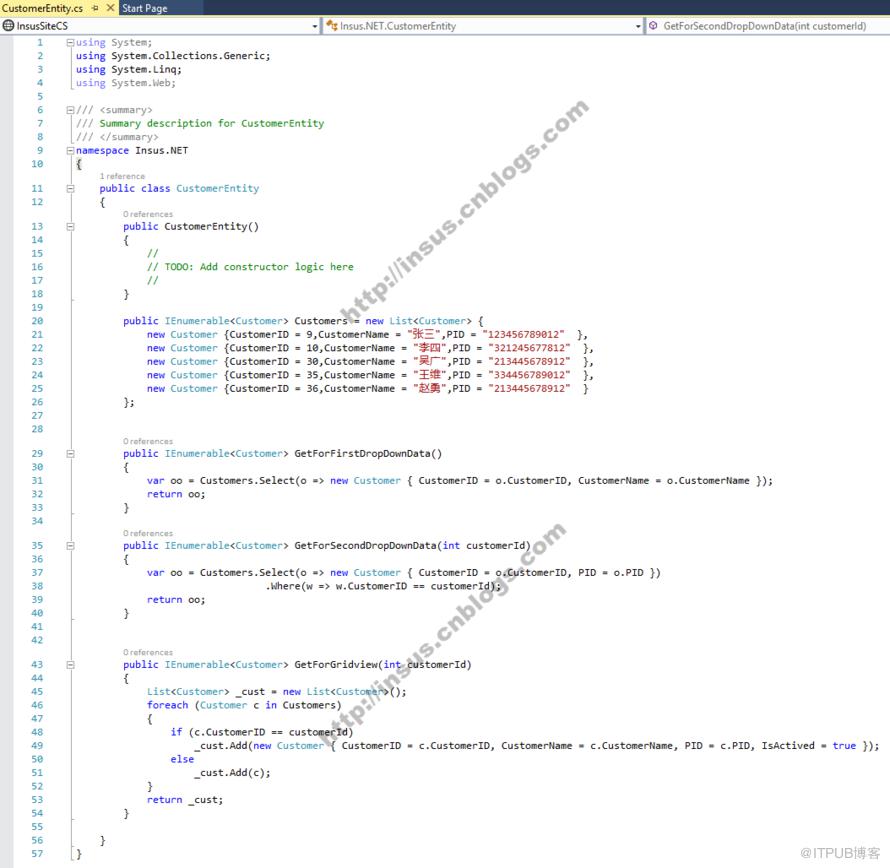
source code:
using System;using System.Collections.Generic;using System.Linq;using System.Web;////// Summary description for CustomerEntity/// namespace Insus.NET{ public class CustomerEntity { public CustomerEntity() { // // TODO: Add constructor logic here // } public IEnumerableCustomers = new List { new Customer {CustomerID = 9,CustomerName = "张三",PID = "123456789012" }, new Customer {CustomerID = 10,CustomerName = "李四",PID = "321245677812" }, new Customer {CustomerID = 30,CustomerName = "吴广",PID = "213445678912" }, new Customer {CustomerID = 35,CustomerName = "王维",PID = "334456789012" }, new Customer {CustomerID = 36,CustomerName = "赵勇",PID = "213445678912" } }; public IEnumerable GetForFirstDropDownData() { var oo = Customers.Select(o => new Customer { CustomerID = o.CustomerID, CustomerName = o.CustomerName }); return oo; } public IEnumerable GetForSecondDropDownData(int customerId) { var oo = Customers.Select(o => new Customer { CustomerID = o.CustomerID, PID = o.PID }) .Where(w => w.CustomerID == customerId); return oo; } public IEnumerable GetForGridview(int customerId) { List _cust = new List (); foreach (Customer c in Customers) { if (c.CustomerID == customerId) _cust.Add(new Customer { CustomerID = c.CustomerID, CustomerName = c.CustomerName, PID = c.PID, IsActived = true }); else _cust.Add(c); } return _cust; } }}
View Code
Ok,数据准备好了,下面就可以创建网页实现相关的功能xxx.aspx: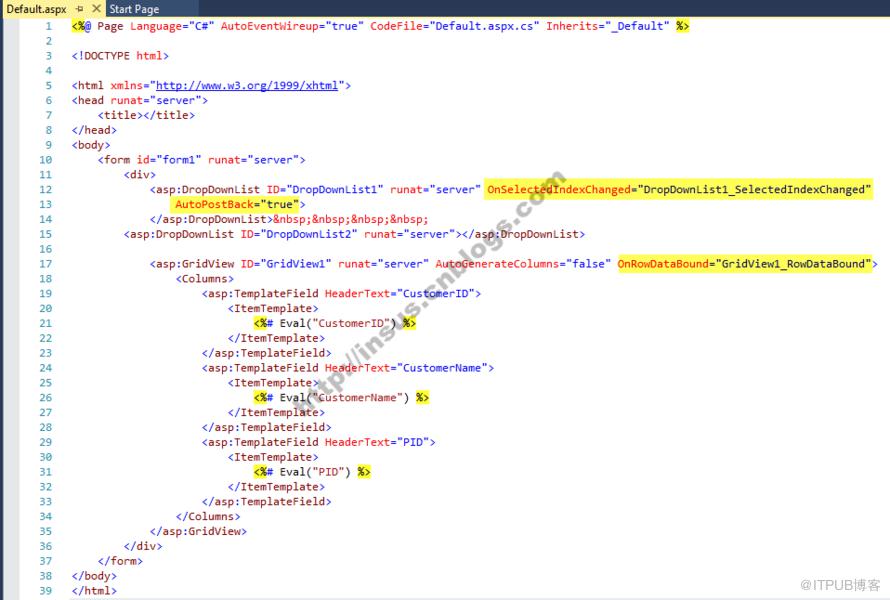
source code:
html>
View Code
xxx.aspx.cs: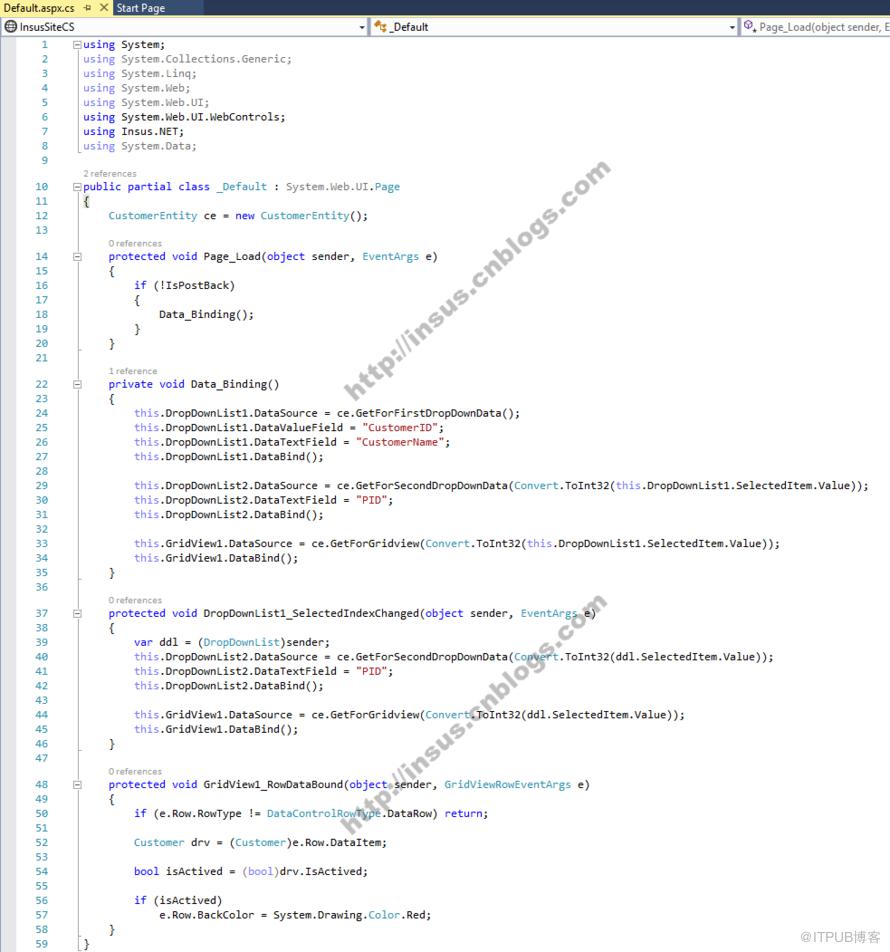
source code:
using System;using System.Collections.Generic;using System.Linq;using System.Web;using System.Web.UI;using System.Web.UI.WebControls;using Insus.NET;using System.Data;public partial class _Default : System.Web.UI.Page{ CustomerEntity ce = new CustomerEntity(); protected void Page_Load(object sender, EventArgs e) { if (!IsPostBack) { Data_Binding(); } } private void Data_Binding() { this.DropDownList1.DataSource = ce.GetForFirstDropDownData(); this.DropDownList1.DataValueField = "CustomerID"; this.DropDownList1.DataTextField = "CustomerName"; this.DropDownList1.DataBind(); this.DropDownList2.DataSource = ce.GetForSecondDropDownData(Convert.ToInt32(this.DropDownList1.SelectedItem.Value)); this.DropDownList2.DataTextField = "PID"; this.DropDownList2.DataBind(); this.GridView1.DataSource = ce.GetForGridview(Convert.ToInt32(this.DropDownList1.SelectedItem.Value)); this.GridView1.DataBind(); } protected void DropDownList1_SelectedIndexChanged(object sender, EventArgs e) { var ddl = (DropDownList)sender; this.DropDownList2.DataSource = ce.GetForSecondDropDownData(Convert.ToInt32(ddl.SelectedItem.Value)); this.DropDownList2.DataTextField = "PID"; this.DropDownList2.DataBind(); this.GridView1.DataSource = ce.GetForGridview(Convert.ToInt32(ddl.SelectedItem.Value)); this.GridView1.DataBind(); } protected void GridView1_RowDataBound(object sender, GridViewRowEventArgs e) { if (e.Row.RowType != DataControlRowType.DataRow) return; Customer drv = (Customer)e.Row.DataItem; bool isActived = (bool)drv.IsActived; if (isActived) e.Row.BackColor = System.Drawing.Color.Red; }}
View Code
动画实时演示: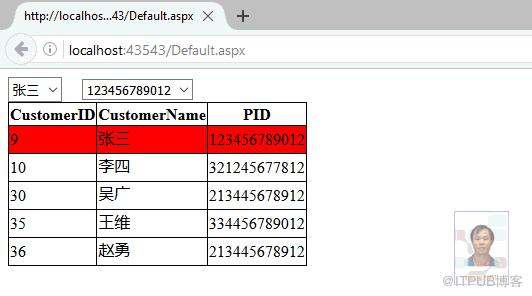
来自 “ ITPUB博客 ” ,链接:https://blog.itpub.net/2435/viewspace-2812794/ ,如需转载,请注明出处,否则将追究法律责任。
上一篇:
MVC把随机产生的字符串转换为图片

请登录后发表评论
登录
全部评论
