javascript简易表单验证插件: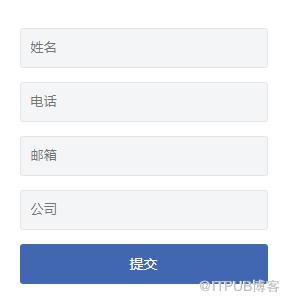
1、dom结构示例如下:
2、调用方式
3、主要的js代码:
(function(){
    var CheckObject=function(rang){
        this.rang=$(rang);
    }
    CheckObject.prototype={
        checkEmail:function(){
            //验证邮箱
            var email=this.rang.find("[data-check='email']").val();

            if(!( /^([a-zA-Z0-9]+[_|_|.]?)*[a-zA-Z0-9]+@([a-zA-Z0-9]+[_|_|.]?)*[a-zA-Z0-9]+.[a-zA-Z]{2,3}$/.test(email))){
                console.log("邮箱错误");
            }
            return this;
        },
        checkTel:function(){
            //验证电话
            var phone=this.rang.find("[data-check='tel']").val();
            if(!(/^1[34578]d{9}$/.test(phone))){
                console.log("电话号码错误");
            }
            return this;
        },
        checkEmpty:function(){
            //判断为空
            this.rang.find("[data-check='empty']").each(function(){
                var str=$(this).val();
                var placeholder=$(this).attr('placeholder')
                if(str.replace(/(^s*)|(s*$)/g, "").length ==0){
                    console.log(placeholder+'不能为空');
                }
            });
            return this;
        }
    }
    window["CheckObject"]=CheckObject;
})();
我们使用匿名的自执行函数限制js的作用范围:
(function(){
})();
然后通过window["CheckObject"]=CheckObject;将验证类挂载到window下以提供实例化对象的接口(因为我们使用匿名的自执行函数限制了作用域,所以必须提供一个访问的接口)
我们在CheckObject.prototype下定义了各种的验证方法,这里用到了一个小窍门:
return this;这样做的目的是返回当前对象,如此一来我们就可以像jquery一样使用链式调用:
form.checkTel().checkEmail().checkEmpty();后续的验证方法可以继续在protype中添加,以上就是简易的js表单验证插件,大家可以多提意见。
来自 “ ITPUB博客 ” ,链接:https://blog.itpub.net/2332/viewspace-2808197/ ,如需转载,请注明出处,否则将追究法律责任。
上一篇:
程序员的“认知失调”
下一篇:
如何编写更好的SQL查询:终极指南

请登录后发表评论
登录
全部评论
