css实现对话框的方法:首先创建一个HTML示例文件;然后让父元素相对定位;接着用css的伪类before或after写个三角形;最后通过设置css样式实现对话框即可。

本文操作环境:windows7系统、HTML5&&CSS3版、Dell G3电脑。
纯css写带小三角对话框
在实际样式中经常会遇到要写类似对话框的样式,而这种样式往往会有一个小三角,如下所示:
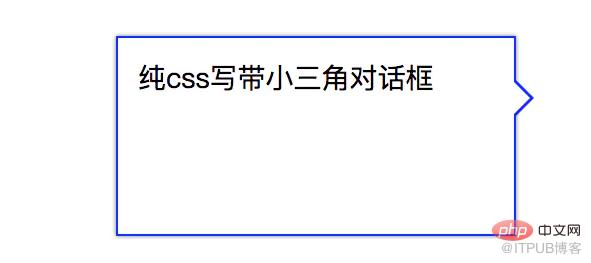
示例图片
那么如何用css写出来呢,其实很简单,先让父元素相对定位,然后运用css的伪类before或after。就可以写个三角形,如果想要带边框的三角形,则可以两个重叠使用。代码如下:
<p class="box2">
    纯css写带小三角对话框
</p>
.box2{
    float:left;
    position:relative;
    width:200px;
    height:100px;
    border:1px solid #00f;
    margin:50px;
    box-sizing:border-box;
    font-size:14px;
    padding:10px;
    box-shadow:0 0 2px rgba(0,0,0,.5)
}
.box2:before,
.box2:after{
    position:absolute;
    content:'';
    border:10px solid;
}
.box2:before{
    right: -20px;
    top:20px;
    border-color: transparent transparent transparent #00f;
}
.box2:after{
    border-color: transparent transparent transparent #fff;
    right: -18px;
    top: 20px;
}
推荐学习:css视频教程
以上就是css怎么实现对话框的详细内容,更多请关注php中文网其它相关文章!
来自 “ ITPUB博客 ” ,链接:https://blog.itpub.net/2281/viewspace-2827759/ ,如需转载,请注明出处,否则将追究法律责任。
下一篇:
怎样获取爬虫SCOKS5代理?

请登录后发表评论
登录
全部评论
