
这篇文章主要介绍了Pycharm安装第三方库失败解决方案,文中通过示例代码介绍的非常详细,对大家的学习或者工作具有一定的参考学习价值,需要的朋友可以参考下。
一、报错信息:【file】【Default Settint】---Project Interpreter
点击+搜索suds安装模块报错
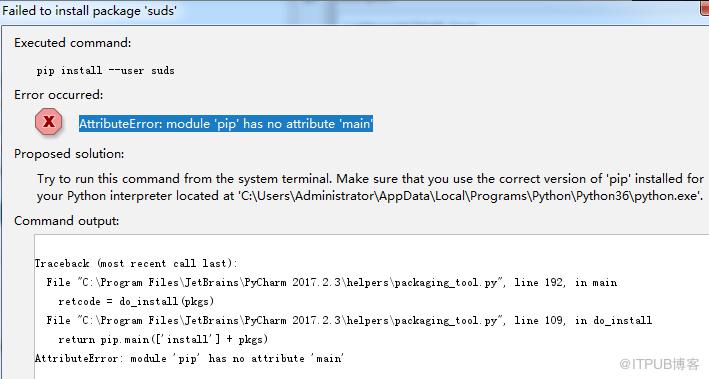
解决:依据上图提示找到C:Program FilesJetBrainsPyCharm 2017.2.3helperspackaging_tool.py 文件的192行和109行
将do_install函数和do_uninstall函数修改为如下格式
def do_install(pkgs):
  try:
    try:
      from pip._internal import main
    except Exception:
      from pip import main

  except ImportError:
    error_no_pip()
  return main(['install'] + pkgs)
def do_uninstall(pkgs):
  try:
    try:
      from pip._internal import main
    except Exception:
      from pip import main
  except ImportError:
    error_no_pip()
  return main(['uninstall', '-y'] + pkgs)
一般到此问题就可以解决,如果还没有解决,请继续往下阅读
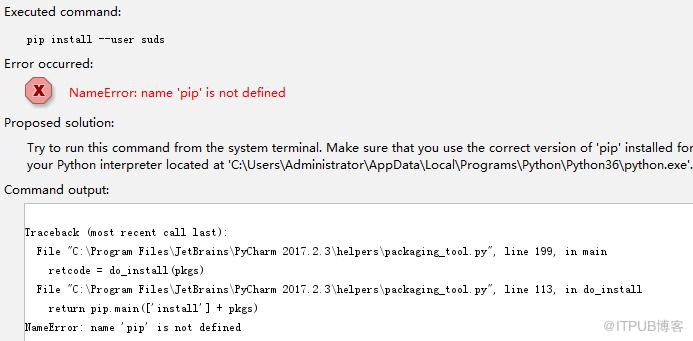
二、紧接着又出现如下错误:NameError: name 'pip' is not defined
解决:
上述问题的出现是第一次修改的不彻底导致的:更改do_install函数和do_uninstall函数时返回内容要去掉pip
三、最后又出现:安装suds提示ModuleNotFoundError: No module named 'client'
解决:
没有模块叫client 的。需要先安装 client ,然后再安装 suds 。
pip install client
pip install suds
以上就是本文的全部内容,希望对大家的学习有所帮助。
来自 “ ITPUB博客 ” ,链接:https://blog.itpub.net/1973/viewspace-2831829/ ,如需转载,请注明出处,否则将追究法律责任。

