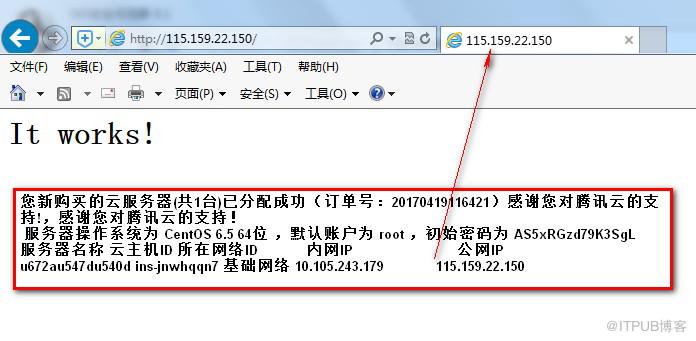
用windows 主机通过 IP 地址访问已经安装了Apache 的主机,网页会反馈
It works!
[root@OBird ~]# vim /usr/local/apache2/conf/httpd.conf 查看Apache 配置文件
DocumentRoot "/usr/local/apache2/htdocs" 这里保存网页访问的目录。“It works!”
[root@OBird htdocs]# vim 1.txt
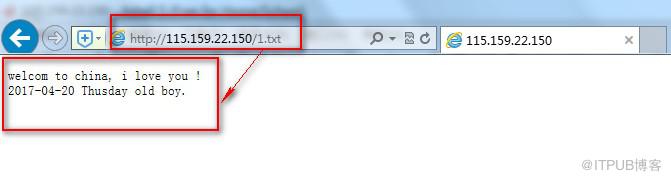
在txt文本里写上一些内容,通过 http://192.168.31.170/1.txt (后面补充的实验截图,虚机IP不一样) 访问,就可以看到里面的内容。
LAMP 是支持PHP ,那么我们可以写一简单的php 的文件。
[root@OBird htdocs]# vim 2.php 这是一个简单的php 脚本。
[root@OBird htdocs]# cat 2.php
echo 1212121212;
?>
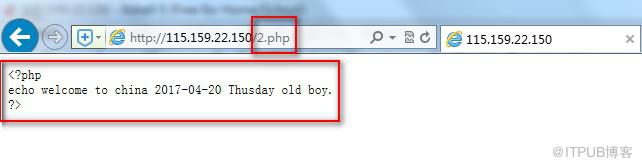
通过网页访问 ,显示的结果并没有真正的解析出来
http://192.168.31.170/2.php
以下是显示的结果:
此时说明Apache 此时还不支持解析 PHP.需要去编辑配置文件。
如果是正真的解析应该是这样
[root@OBird htdocs]# /usr/local/php/bin/php 2.php
1212121212[root@OBird htdocs]# 只显示一行“1212121212”
编译配置文件vim /usr/local/apache2/conf/httpd.conf
找到:
AddType application/x-gzip .gz .tgz
在该行下面添加:


找到DirectoryIndex index.html 改为下面DirectoryIndex index.html index.php 配置文件更改完以后检测一下配置文件有没有问题[root@OBird htdocs]# /usr/local/apache2/bin/apachectl -tSyntax OK
然后重新加载 Apache
[root@OBird htdocs]# /usr/local/apache2/bin/apachectl graceful
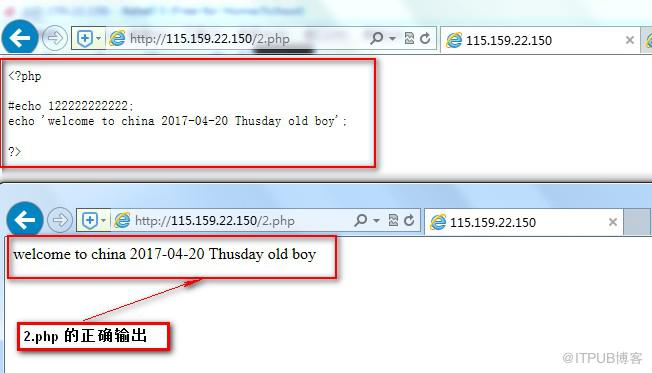
此时再通过网页访问 http://192.168.31.170/2.php
可以看到2.php 的正确输出。
我们可以再多做一些测试,编辑一个info.php,这是php 的一个函数。
[root@OBird htdocs]# vim info.php
[root@OBird htdocs]# cat info.php
phpinfo();
?>
通过网页访问可以看一个页面,其实就是PHP 的信息。
http://192.168.31.170/info.php
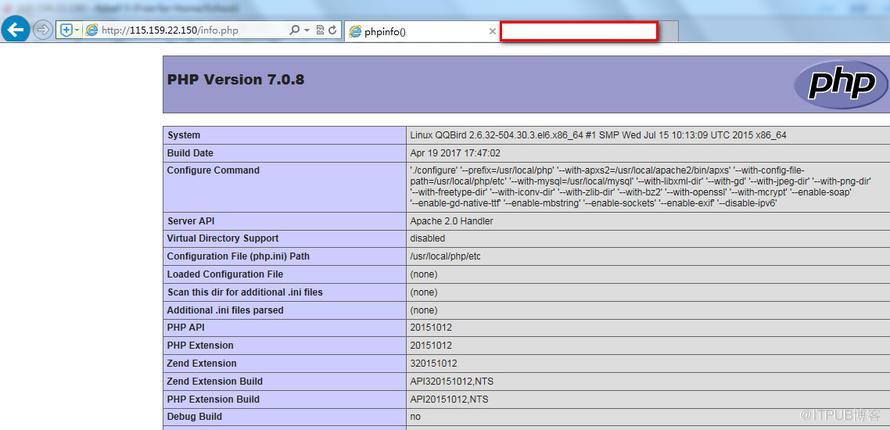
[root@OBird htdocs]# /usr/local/php/bin/php -i |less 也可以达到上面的效果
可以查看到是怎么编译 PHP 。
PHP 可以做到,Apache 也同样可以
[root@OBird htdocs]# cat /usr/local/apache2/build/config.nice
#! /bin/sh
#
# Created by configure
"./configure"
"--prefix=/usr/local/apache2"
"--with-included-apr"
"--enable-so"
"--enable-deflate=shared"
"--enable-expires=shared"
"--enable-rewrite=shared"
"--with-pcre"
"$@"
同样的mysql 也可查看它的编译参数
[root@OBird htdocs]# cat /usr/local/mysql/bin/mysqlbug |grep -i config
# This is set by configure
CONFIGURE_LINE="./configure '--prefix=/usr/local/mysql' '--localstatedir=/usr/local/mysql/data' '--libexecdir=/usr/local/mysql/bin' '--with-comment=MySQL Community Server (GPL)' '--with-server-suffix=' '--enable-thread-safe-client' '--enable-local-infile' '--with-pic' '--with-fast-mutexes' '--with-client-ldflags=-static' '--with-mysqld-ldflags=-static' '--with-zlib-dir=bundled' '--with-big-tables' '--with-ssl' '--with-readline' '--with-embedded-server' '--with-partition' '--with-innodb' '--without-ndbcluster' '--with-archive-storage-engine' '--with-blackhole-storage-engine' '--with-csv-storage-engine' '--without-example-storage-engine' '--with-federated-storage-engine' '--with-extra-charsets=complex' 'CC=/usr/local/gcc-4.3.2/bin/gcc -static-libgcc' 'CFLAGS=-g -O3' 'CXX=/usr/local/gcc-4.3.2/bin/gcc -static-libgcc' 'CXXFLAGS=-g -O3'"
`test -n "$CONFIGURE_LINE" && echo "Configure command: $CONFIGURE_LINE"`
[root@OBird htdocs]#
PHP 的目录下没有配置文件
[root@OBird htdocs]# ls /usr/local/php/etc
pear.conf
可以去拷贝一个样例过来
[root@OBird htdocs]# cp /usr/local/src/php-7.0.8/php.ini-production /usr/local/php/etc/php.ini
[root@OBird htdocs]# /usr/local/apache2/bin/apachectl graceful 重新加载PHP,再重新刷新网页
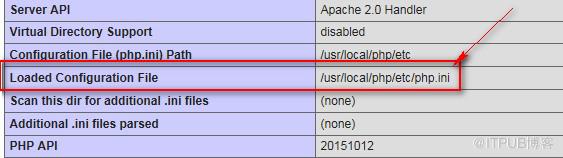
可以看到 php 加载文件的路径Loaded Configuration File
| Configuration File (php.ini) Path | /usr/local/php/etc |
| Loaded Configuration File | /usr/local/php/etc/php.ini |
也可以用命令查看源码
[root@OBird htdocs]# curl 192.168.31.170/info.php 输出看到的就是网页版的源码。
来自 “ ITPUB博客 ” ,链接:https://blog.itpub.net/1805/viewspace-2801705/ ,如需转载,请注明出处,否则将追究法律责任。

