此处为代码:
<!DOCTYPE html>
<html lang="en">
<head>
<meta charset="UTF-8">
<title>碎裂轮播图</title>
<style>
*{
margin: 0px;
padding: 0;
}
li{
list-style: none;
}
.clearfix:after {
content: " ";
display: block;
clear: both;
height: 0;
}
.clearfix {
zoom: 1;
}
.fl{
float: left;
}
.container{
width: 100% ;
position: relative;
}
.bannerUl{
width: 100%;
height: 100%;
position: absolute;
top: 0;
left: 0;
}
.bannerUl li{
width: 25%;
height: 25%;
}
</style>
</head>
<body>
<div class="container">
</div>
<script src="http://libs.baidu.com/jquery/2.0.0/jquery.min.js"></script>
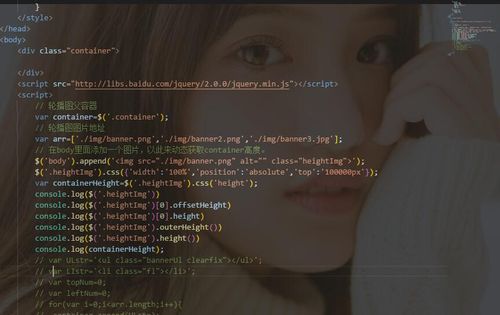
<script>
// 轮播图父容器
var container=$('.container');
// 轮播图图片地址
var arr=['./img/banner.png','./img/banner2.png','./img/banner3.jpg'];
// 在body里面添加一个图片,以此来动态获取container高度。
$('body').append('<img src="./img/banner.png" alt="" class="heightImg">');
$('.heightImg').css({'width':'100%','position':'absolute','top':'100000px'});
var containerHeight=$('.heightImg').css('height');
console.log($('.heightImg'))
console.log($('.heightImg')[0].offsetHeight)
console.log($('.heightImg')[0].height)
console.log($('.heightImg').outerHeight())
console.log($('.heightImg').height())
console.log(containerHeight);
// var ULstr='<ul class="bannerUl clearfix"></ul>';
// var LIstr='<li class="fl"></li>';
// var topNum=0;
// var leftNum=0;
// for(var i=0;i<arr.length;i++){
// container.append(ULstr);
// var ulBox=$('.bannerUl').eq(i);
// for(var j=0;j<16;j++){
// ulBox.append(LIstr);
// }
// }
</script>
</body>
</html>
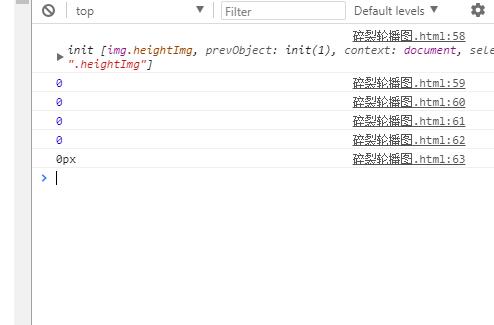
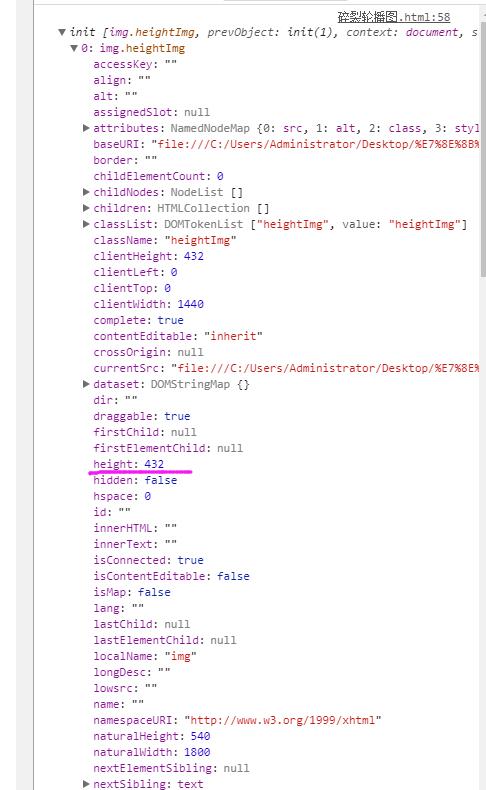
说明:闲来无事,想做个具有破碎效果的轮播图备用,希望不要用到react、vue、node等,将来可以兼容各种方法、环境。因为不固定container的高度,所以添加一个图片,获取该图片在width:100%;时候的高度,然后设置给container,在获取img高度的时候获取不到,所有打印的高度都是0px,想看看大佬们除了钩子函数的方法还有没有其他更简单的方法了能够获取img的高度?
来自 “ ITPUB博客 ” ,链接:https://blog.itpub.net/1775/viewspace-3121345/ ,如需转载,请注明出处,否则将追究法律责任。

