先实现一个简单的ListView,
第一步:
随便搞一个ListView的Layout:
<?xml version="1.0" encoding="utf-8"?>
<LinearLayout
    xmlns:android="http://schemas.android.com/apk/res/android"
    xmlns:app="http://schemas.android.com/apk/res-auto"
    xmlns:tools="http://schemas.android.com/tools"
    android:layout_width="match_parent"
    android:layout_height="match_parent"
    tools:context=".MainActivity">

    <ListView
        android:id="@+id/list_view"
        android:layout_width="match_parent"
        android:layout_height="match_parent"/>

</LinearLayout>
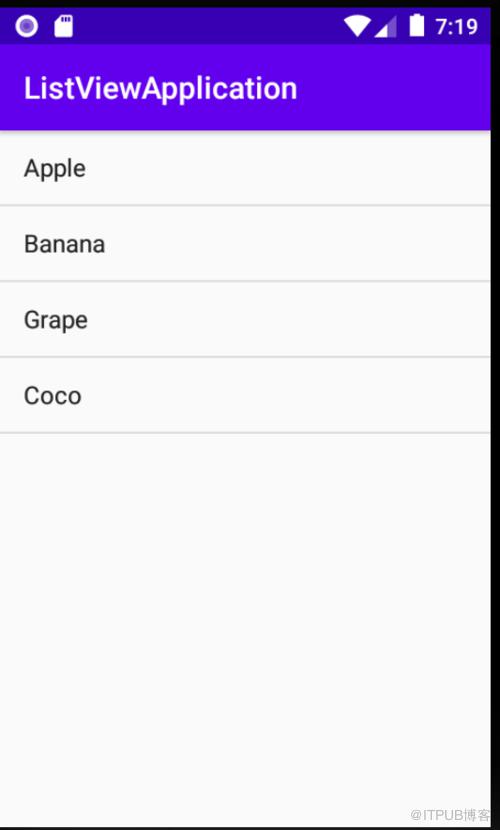
接着,敲代码:
package com.example.listviewapplication;

import androidx.appcompat.app.AppCompatActivity;

import android.os.Bundle;
import android.widget.ArrayAdapter;
import android.widget.ListView;

public class MainActivity extends AppCompatActivity {
 private String[] data = {"Apple","Banana","Grape","Coco"};
    @Override
    protected void onCreate(Bundle savedInstanceState) {
        super.onCreate(savedInstanceState);
        setContentView(R.layout.activity_main);
        ArrayAdapter<String> adapter = new ArrayAdapter<String>(MainActivity.this,android.R.layout.simple_list_item_1,data);
        ListView listView = (ListView)findViewById(R.id.list_view);
        listView.setAdapter(adapter);


    }
}
来自 “ ITPUB博客 ” ,链接:https://blog.itpub.net/1754/viewspace-2826449/ ,如需转载,请注明出处,否则将追究法律责任。

请登录后发表评论
登录
全部评论
