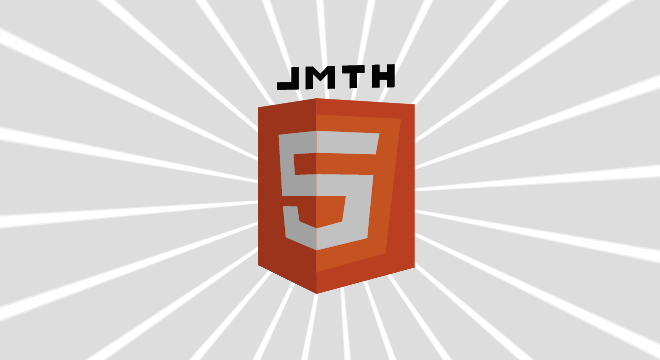
这是一款基于HTML5和CSS3的3D动画特效,与之前的3D特效不同的是,这款是完全用HTML5特性实现的,而并非用多张图片叠加起来。这款3D动画还有一个特点是可以无限的旋转,从而可以从多个视角来观察HTML5 Logo。
HTML代码
JavaScript代码
// bind to window onload handlerwindow.addEventListener('load', onloadHandler, false);/**
* Window onload handler
*/function onloadHandler(){ var canvas = document.getElementById('canvas');
canvas.width = window.innerWidth;
canvas.height = window.innerHeight; var k3dmain = new K3D.Controller(canvas, true); // generate 3D objects
var obj1 = new K3D.K3DObject(); with (obj1)
{
drawmode = "solid";
shademode = "lightsource";
sortmode = "unsorted";
addphi = -0.5;
abouty = -90;
perslevel = 1000;
init(
[{x:-80,y:180,z:0},{x:0,y:180,z:-80},{x:0,y:0,z:-80},{x:-80,y:20,z:0},{x:-50,y:150,z:-30},{x:0,y:150,z:-80},{x:0,y:130,z:-80},{x:-30,y:130,z:-50},{x:-28,y:110,z:-52},{x:0,y:110,z:-80},{x:0,y:90,z:-80},{x:-45,y:90,z:-35},{x:-44,y:80,z:-36},{x:-25,y:80,z:-55},{x:-22,y:66,z:-58},{x:0,y:60,z:-80},{x:0,y:40,z:-80},{x:-40,y:50,z:-40}],
[],
[{color:[227,76,38],vertices:[0,1,2,3,0]},{color:[235,235,235],vertices:[4,5,6,7,8,9,10,11,4]},{color:[235,235,235],vertices:[12,13,14,15,16,17,12]}]
);
}
k3dmain.addK3DObject(obj1); var obj2 = new K3D.K3DObject(); with (obj2)
{
drawmode = "solid";
shademode = "lightsource";
sortmode = "unsorted";
addphi = -0.5;
abouty = -90;
perslevel = 1000;
init(
[{x:0,y:180,z:-80},{x:80,y:180,z:0},{x:80,y:20,z:0},{x:0,y:0,z:-80},{x:0,y:165,z:-80},{x:68,y:165,z:-12},{x:55,y:35,z:-25},{x:0,y:20,z:-80},{x:0,y:150,z:-80},{x:50,y:150,z:-30},{x:47,y:130,z:-33},{x:0,y:130,z:-80},{x:0,y:110,z:-80},{x:45,y:110,z:-35},{x:40,y:50,z:-40},{x:0,y:40,z:-80},{x:0,y:60,z:-80},{x:20,y:66,z:-60},{x:23,y:90,z:-57},{x:0,y:90,z:-80}],
[],
[{color:[227,76,38],vertices:[0,1,2,3,0]},{color:[240,101,41],vertices:[4,5,6,7,4]},{color:[235,235,235],vertices:[8,9,10,11,8]},{color:[235,235,235],vertices:[12,13,14,15,16,17,18,19,12]}]
);
}
k3dmain.addK3DObject(obj2); var obj3 = new K3D.K3DObject(); with (obj3)
{
drawmode = "solid";
shademode = "lightsource";
sortmode = "unsorted";
addphi = -0.5;
abouty = -90;
perslevel = 1000;
init(
[{x:80,y:180,z:0},{x:0,y:180,z:80},{x:0,y:0,z:80},{x:80,y:20,z:0},{x:50,y:150,z:30},{x:0,y:150,z:80},{x:0,y:130,z:80},{x:30,y:130,z:50},{x:28,y:110,z:52},{x:0,y:110,z:80},{x:0,y:90,z:80},{x:45,y:90,z:35},{x:44,y:80,z:36},{x:25,y:80,z:55},{x:22,y:66,z:58},{x:0,y:60,z:80},{x:0,y:40,z:80},{x:40,y:50,z:40}],
[],
[{color:[227,76,38],vertices:[0,1,2,3,0]},{color:[235,235,235],vertices:[4,5,6,7,8,9,10,11,4]},{color:[235,235,235],vertices:[12,13,14,15,16,17,12]}]
);
}
k3dmain.addK3DObject(obj3); var obj4 = new K3D.K3DObject(); with (obj4)
{
drawmode = "solid";
shademode = "lightsource";
sortmode = "unsorted";
addphi = -0.5;
abouty = -90;
perslevel = 1000;
init(
[{x:0,y:180,z:80},{x:-80,y:180,z:0},{x:-80,y:20,z:0},{x:0,y:0,z:80},{x:0,y:165,z:80},{x:-68,y:165,z:12},{x:-55,y:35,z:25},{x:0,y:20,z:80},{x:0,y:150,z:80},{x:-50,y:150,z:30},{x:-47,y:130,z:33},{x:0,y:130,z:80},{x:0,y:110,z:80},{x:-45,y:110,z:35},{x:-40,y:50,z:40},{x:0,y:40,z:80},{x:0,y:60,z:80},{x:-20,y:66,z:60},{x:-23,y:90,z:57},{x:0,y:90,z:80}],
[],
[{color:[227,76,38],vertices:[0,1,2,3,0]},{color:[240,101,41],vertices:[4,5,6,7,4]},{color:[235,235,235],vertices:[8,9,10,11,8]},{color:[235,235,235],vertices:[12,13,14,15,16,17,18,19,12]}]
);
}
k3dmain.addK3DObject(obj4); var objBase = new K3D.K3DObject(); with (objBase)
{
drawmode = "solid";
shademode = "lightsource";
sortmode = "unsorted";
addphi = -0.5;
abouty = -90;
perslevel = 1000;
init(
[{x:0,y:0,z:-80},{x:-80,y:20,z:0},{x:0,y:0,z:80},{x:80,y:20,z:0}],
[],
[{color:[227,76,38],vertices:[0,2,1,0]},{color:[227,76,38],vertices:[0,3,2,0]}]
);
}
k3dmain.addK3DObject(objBase); var objHtml = new K3D.K3DObject(); with (objHtml)
{
drawmode = "solid";
shademode = "lightsource"; //sortmode = "unsorted";
color = [64,64,64];
doublesided = true;
addphi = -0.5;
abouty = 100;
scale = 0.75;
perslevel = 1000;
init(
[{x:-80,y:40,z:0},{x:-70,y:40,z:0},{x:-70,y:30,z:0},{x:-60,y:30,z:0},{x:-60,y:40,z:0},{x:-50,y:40,z:0},{x:-50,y:10,z:0},{x:-60,y:10,z:0},{x:-60,y:20,z:0},{x:-70,y:20,z:0},{x:-70,y:10,z:0},{x:-80,y:10,z:0},{x:-40,y:40,z:0},{x:-10,y:40,z:0},{x:-10,y:30,z:0},{x:-20,y:30,z:0},{x:-20,y:10,z:0},{x:-30,y:10,z:0},{x:-30,y:30,z:0},{x:-40,y:30,z:0},{x:0,y:40,z:0},{x:10,y:40,z:0},{x:20,y:30,z:0},{x:30,y:40,z:0},{x:40,y:40,z:0},{x:40,y:10,z:0},{x:30,y:10,z:0},{x:30,y:30,z:0},{x:20,y:20,z:0},{x:10,y:30,z:0},{x:10,y:10,z:0},{x:0,y:10,z:0},{x:50,y:40,z:0},{x:60,y:40,z:0},{x:60,y:20,z:0},{x:80,y:20,z:0},{x:80,y:10,z:0},{x:50,y:10,z:0}],
[],
[{vertices:[0,1,2,3,4,5,6,7,8,9,10,11,0]},{vertices:[12,13,14,15,16,17,18,19,12]},{vertices:[20,21,22,23,24,25,26,27,28,29,30,31,20]},{vertices:[32,33,34,35,36,37,32]}]
);
}
k3dmain.addK3DObject(objHtml); // add render loop callback
var ctx = canvas.getContext('2d'); var rotationOffset = 0; var len = (canvas.height > canvas.width ? canvas.height : canvas.width) * 0.7;
k3dmain.clearBackground = false;
k3dmain.callback = function() { // manually clear bg - as we want to render some extra goodies
ctx.clearRect(0, 0, canvas.width, canvas.height); // draw bg effect before K3D does its 3D rendering
ctx.save();
ctx.translate(canvas.width/2, canvas.height/2);
ctx.rotate(rotationOffset); // first fill pass - outer rays
var RAYCOUNT = 24;
ctx.fillStyle = "#eee";
ctx.beginPath(); for (var i=0; i -0.5) targetRotationX -= 0.05; else if (targetRotationX -0.55 && targetRotationX
本文链接:http://www.codeceo.com/article/html5-3d-logo-animation.html
本文作者:码农网 – 小峰
来自 “ ITPUB博客 ” ,链接:https://blog.itpub.net/166/viewspace-2801742/ ,如需转载,请注明出处,否则将追究法律责任。
上一篇:
linq to sql的多条件动态查询
下一篇:
Python的流程控制 - for字典

请登录后发表评论
登录
全部评论
