在开发中,组件布局是大家每日开发必须要面对的工作,对于Android来说提供五种常用布局,分别是:
LinearLayout(线性布局)
TableLayout(表格布局)
RelativeLayout(相对布局)
AbsoluteLayout(绝对布局)
FrameLayout(框架布局)
但是,开发中如果可以按照百分比的方式进行界面布局,将会对我们的适配工作带来许多便利。前段时间,谷歌正式提供百分比布局支持库(android-support-percent-lib),对于我们开发者来讲只需要导入这个库就可以实现百分比布局。现在我们抛开谷歌库不谈,自己其实也可以实现百分比布局。
/**
*
* @ClassName: PercentRelativeLayout
* @Description: 自定义百分比相对布局
* @author 猴子搬来的救兵http://blog.csdn.net/mynameishuangshuai
*/public class PercentRelativeLayout extends RelativeLayout{
public PercentRelativeLayout(Context context) { super(context);
} public PercentRelativeLayout(Context context, AttributeSet attrs, int defStyleAttr) { super(context, attrs, defStyleAttr);
} public PercentRelativeLayout(Context context, AttributeSet attrs) { super(context, attrs);
} /**
* 重写测量方法
*/
@Override
protected void onMeasure(int widthMeasureSpec, int heightMeasureSpec) { // 先拿到父控件的宽高
int width = View.MeasureSpec.getSize(widthMeasureSpec); int height = View.MeasureSpec.getSize(heightMeasureSpec); int count = this.getChildCount(); for (int i = 0; i 自定义属性文件:
1234567
布局文件:
123456789101112131415161718192021222324252627282930313233
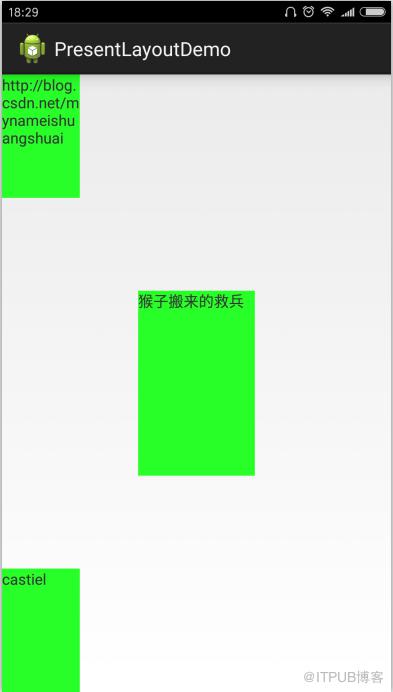
运行结果:
来自 “ ITPUB博客 ” ,链接:https://blog.itpub.net/1065/viewspace-2799848/ ,如需转载,请注明出处,否则将追究法律责任。

请登录后发表评论
登录
全部评论
